




AI-Powered Booking, Right From Your Assistant
FluentBooking MCP connects your booking calendars with compatible AI assistants through the Model Context Protocol.
Ask Anything
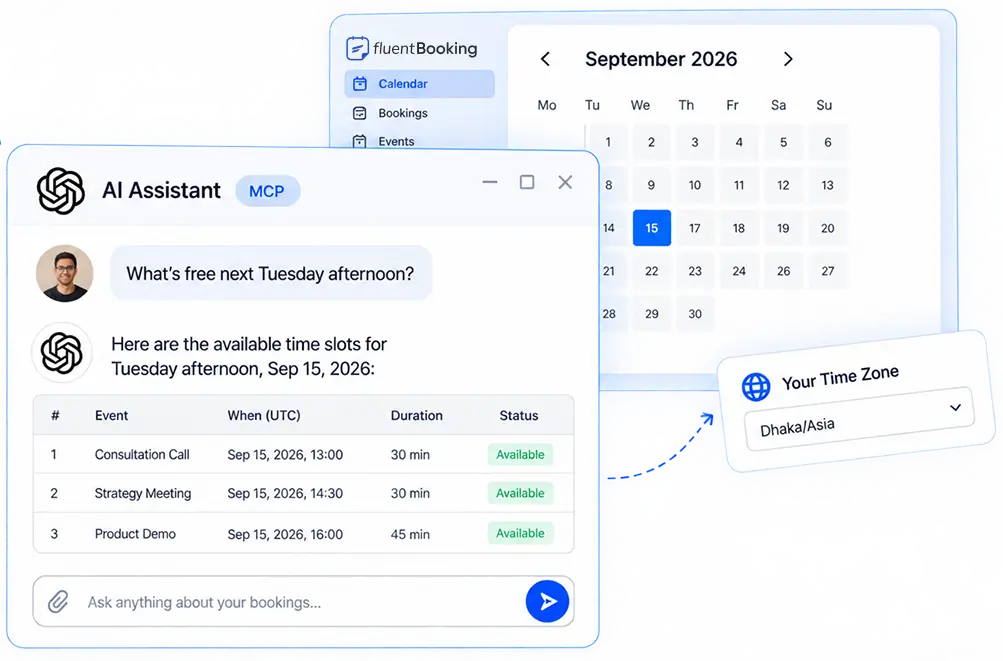
“What’s Free Next Tuesday Afternoon?
Skip the back-and-forth of opening your admin, checking availability, and cross-checking time zones. Just ask your AI assistant in plain language and get answers from your real booking data
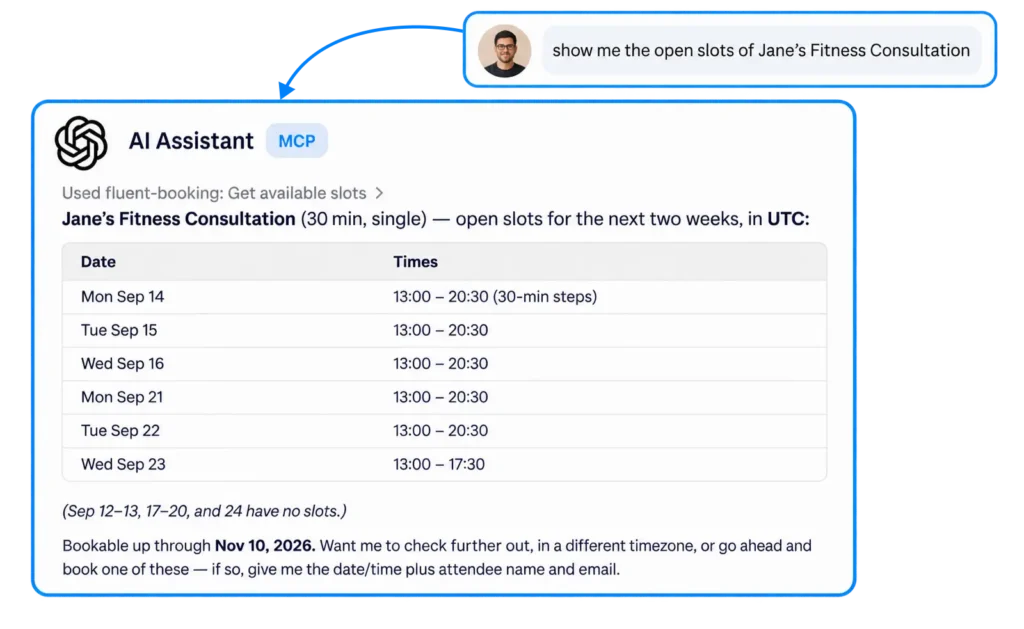
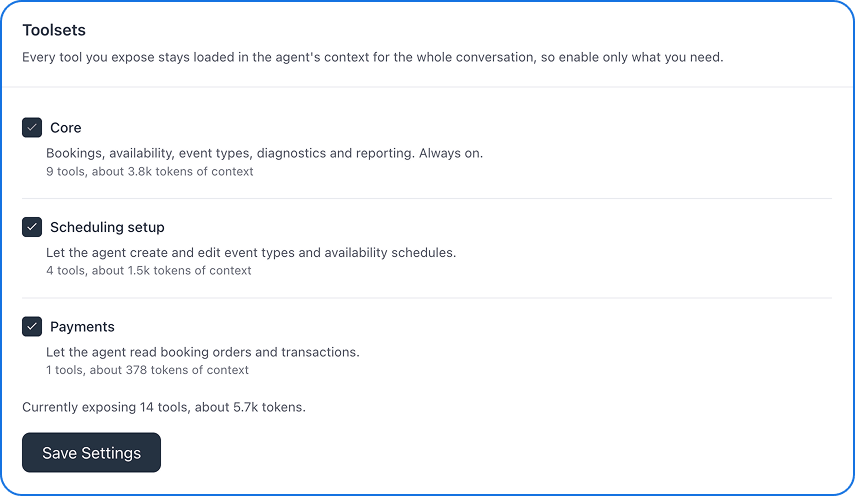
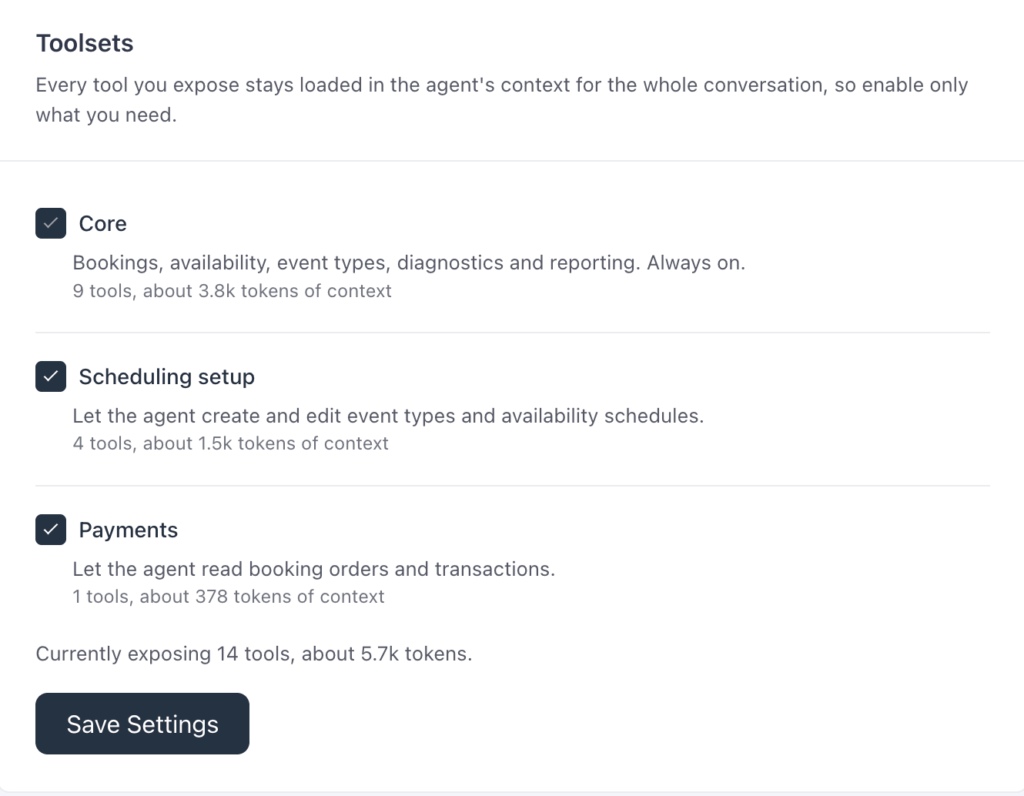
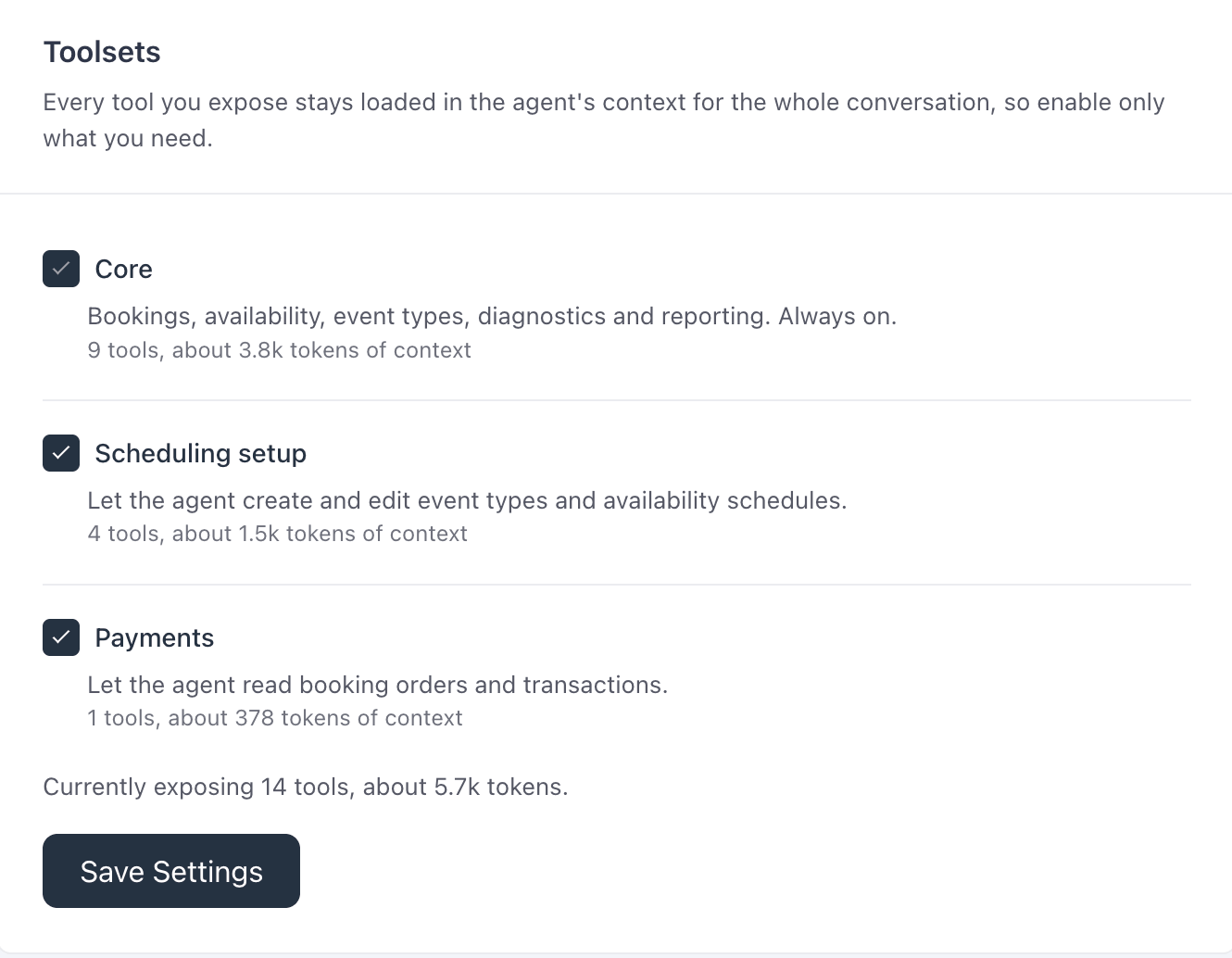
Fourteen Tools, Three Kinds
Read What You Need, Write What You Approve
Get answers faster and handle booking tasks with less manual work. Your assistant can find availability, check bookings, and surface useful insights, then take approved actions like creating or rescheduling bookings.
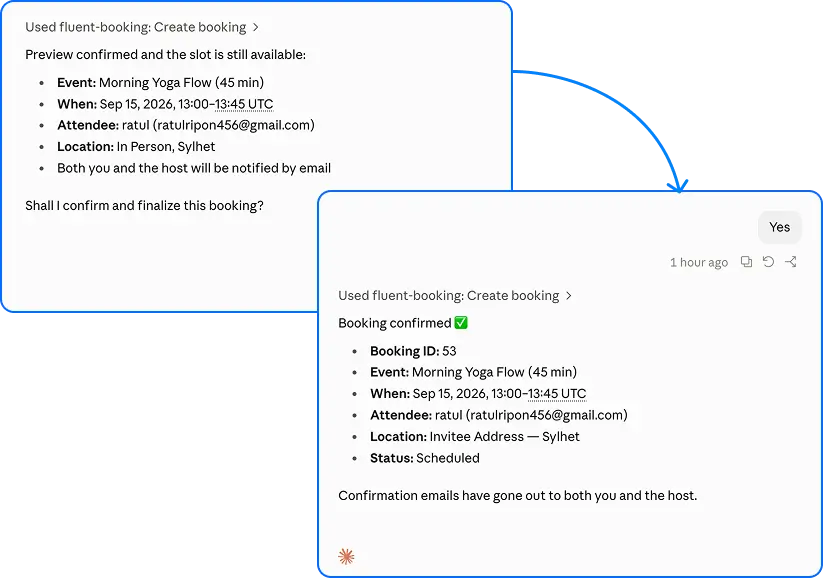
Preview, Then Confirm
Nothing Changes Without a Second Look
Keep control over every booking action. Your assistant can prepare changes for you to review first, so you can confirm what happens before anything important is changed.
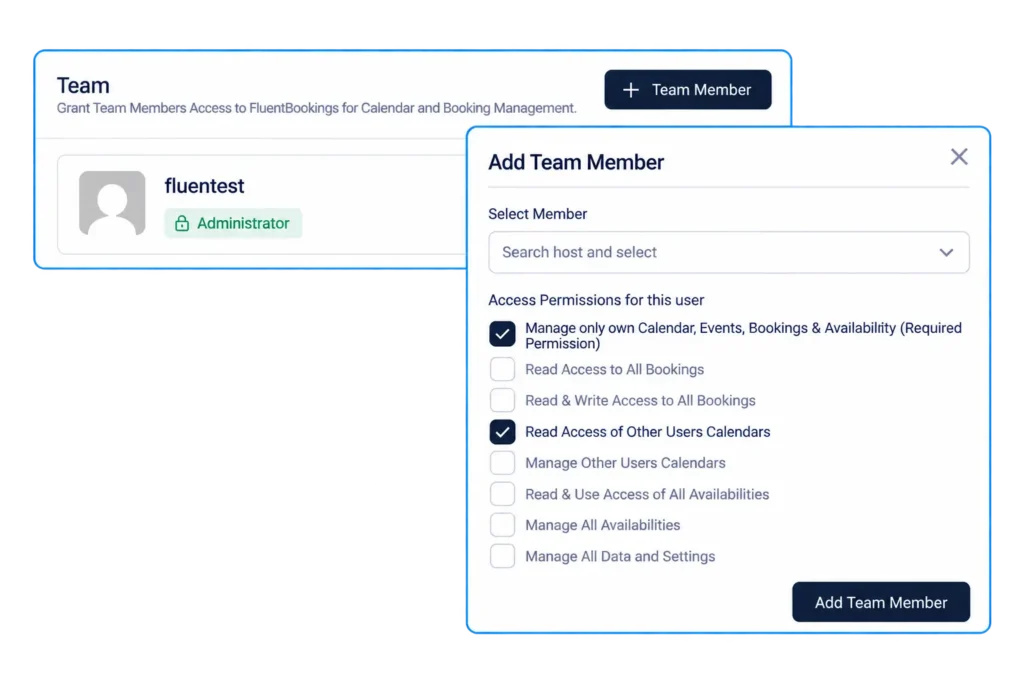
Your Existing Permissions
The Assistant Can Only Do What Your Team Can Do
Keep your booking data and workflows under control. Your assistant works within the permissions you’ve already set, so it can only access and manage what your team is authorized to handle.
Any MCP Client, Any Provider
Bring Your Own Assistant
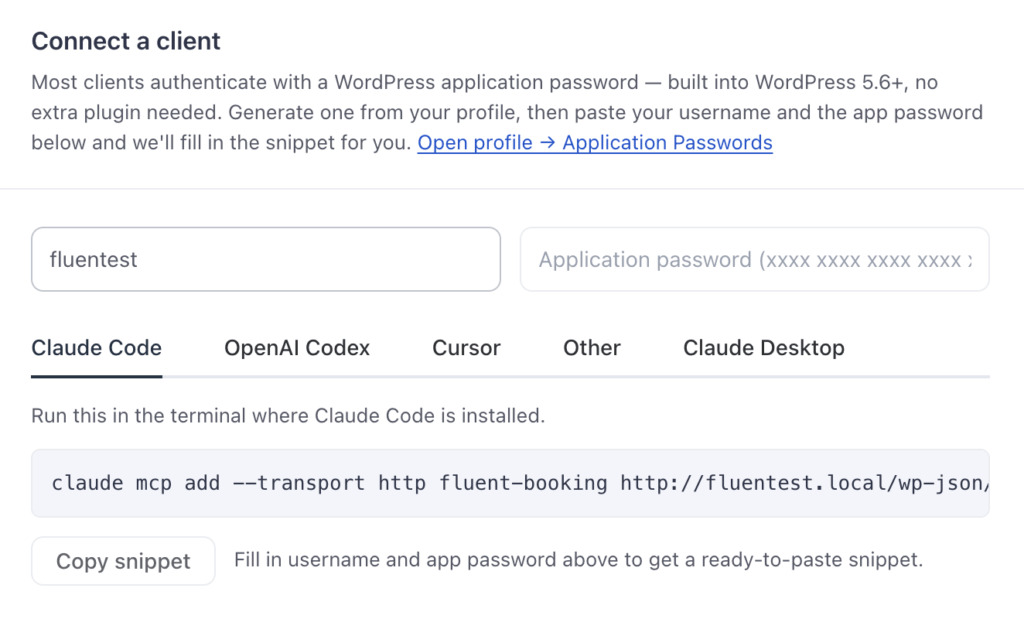
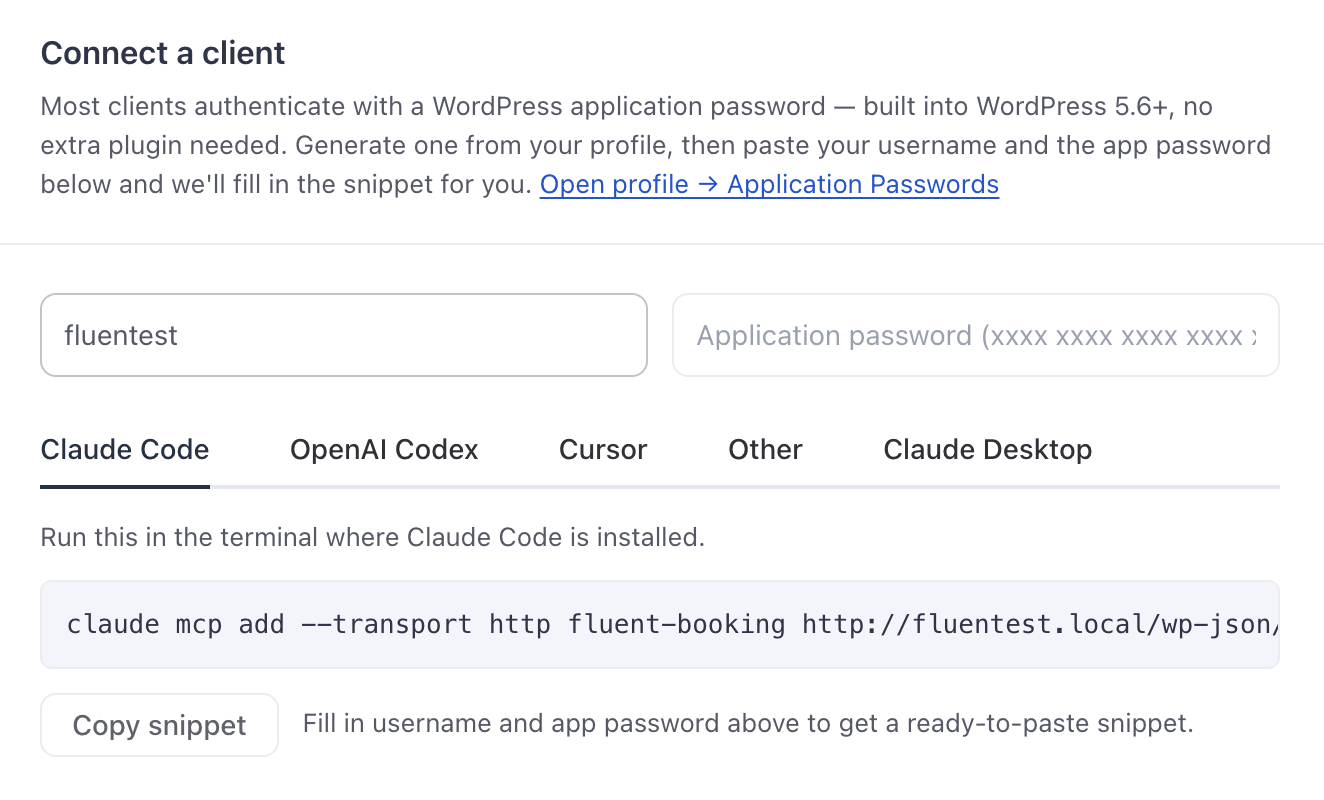
FluentBooking works with any MCP client using a standard WordPress application password, no proprietary integration to build or maintain. It’s off by default, so a site that never turns it on is completely unaffected.
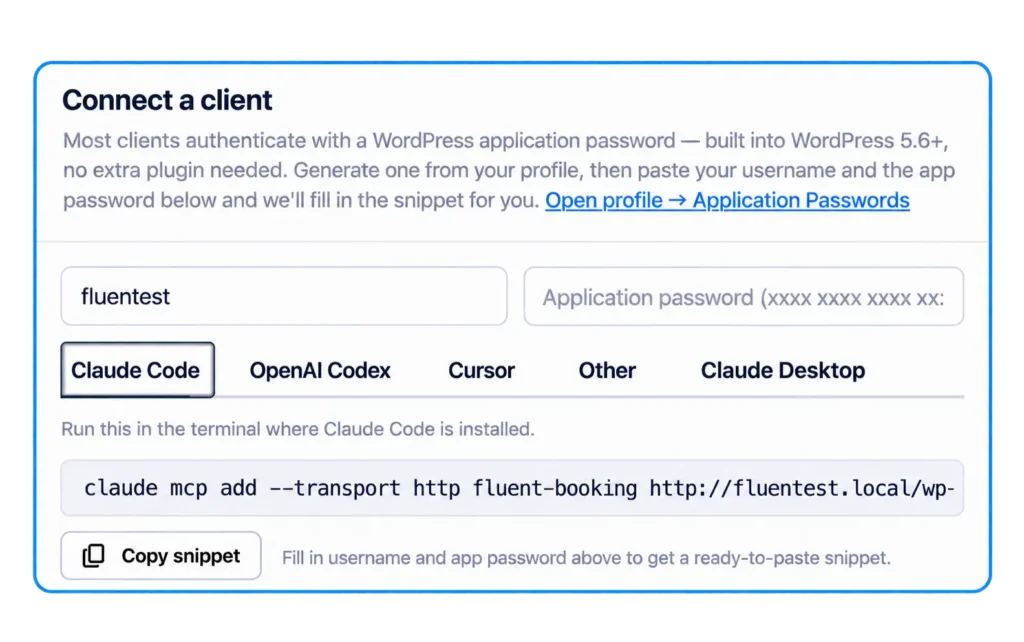
Ask it a question, hand it a task, or let it run the report
Give Your AI Assistant More Control Over Your Bookings
Set Up Your First Connection in Minutes
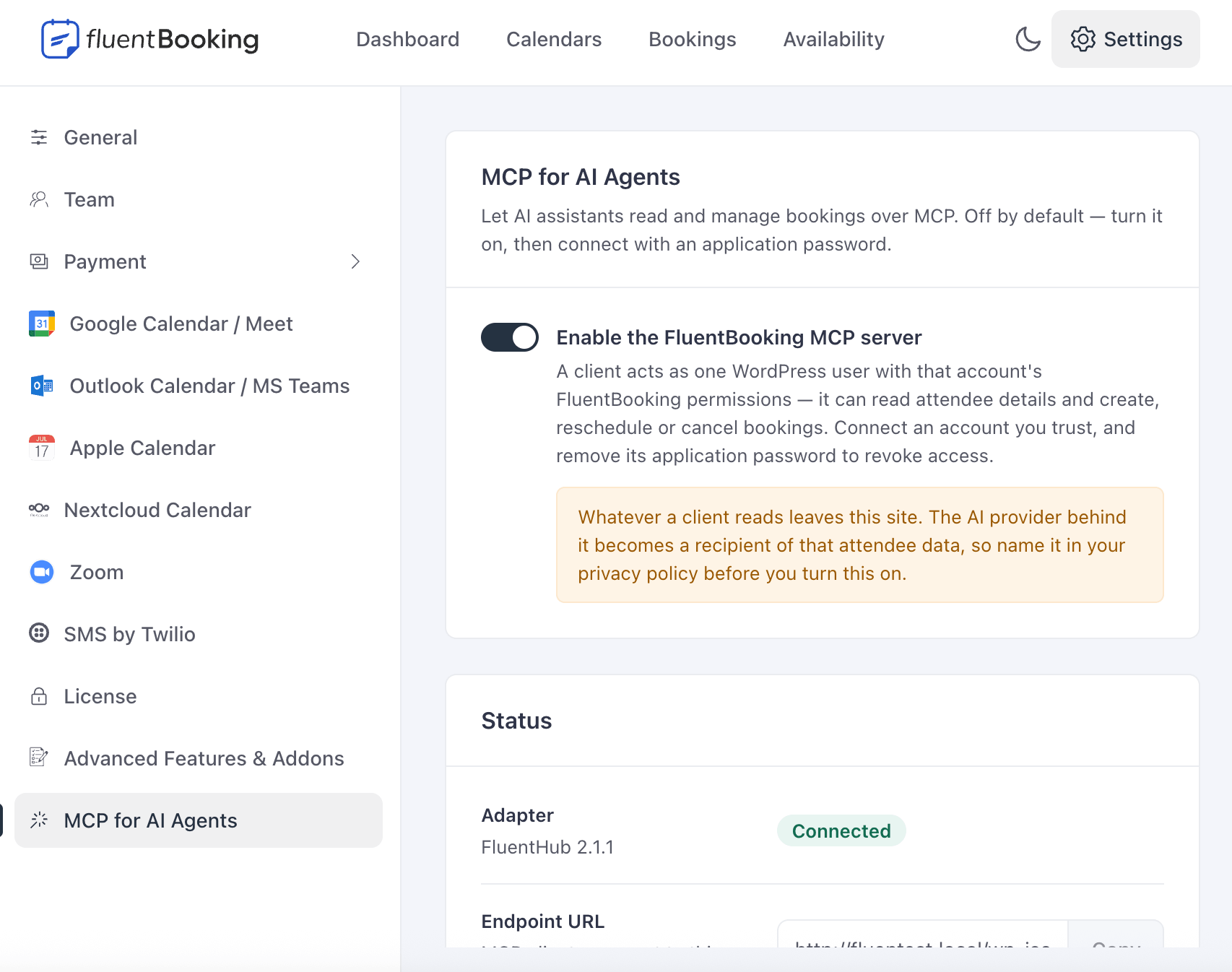
Turn on the MCP server, choose your toolsets, and connect your first client. You’ll need WordPress 6.9 or newer and an MCP adapter — the settings screen will offer to install Fluent Toolkit for you if it’s missing.
Turn on MCP in your FluentBooking settings to get started.
Select read-only or read and write access.
Use a WordPress application password to connect your AI client.
Power Up Your Appointments!
FluentBooking connects your scheduling workflow with the tools you use every day. Now, MCP adds a new way to interact with your booking system through AI.

Finally, a fantastic and easy way to create bookings in WordPress. Another great opportunity for me to make even more money as an entrepreneur. It’s very easy to use and integrates seamlessly with Fluent Forms for creating advanced booking forms and FluentCRM for email automation. What a game-changer, I highly recommend FluentBooking.
Augustine Mak Entrepreneur/Educator
There are a couple of booking solutions for WordPress but they tend to be complicated, buggy, or require WooCommerce. FluentBooking is the first plugin I’ve used that can seriously compete with cloud solutions like Calendly (even in the first release! 🤩) It was easy to set up and I was able to accept new appointments with just a few clicks. Thanks WPManageNinja! 🧡
Jack Arturo Founder of WPFusion
It is a simple yet powerful solution to get going with online bookings and appointments on a WordPress website. Web agencies should find this useful for their own use and on their client websites. If full control and ownership of data on the WordPress platform is your thing and you are looking to set up an efficient online booking system, FluentBooking solution should feature high on your list.
Davinder Singh Kainth Founder, The WP Weekly
FluentBooking is a solid booking form plugin that allows you to receive paid and free bookings quickly. As it comes from WPManageNinja, I thoroughly recommend the plugin as it will grow in features with time. The plugin is solid and ready for clients needing a booking form feature. Personally, I can’t wait to see what’s in store for FluentBooking. Don’t miss out on FluentBooking. Grab yourself a license today 🙂
Leo Koo Agency Owner
Happy to see FluentBooking come out. While it’ll work standalone, combining it with FluentCRM and Fluent Forms makes a perfect trifecta for so many online businesses. I swear, before too long, I’ll be using almost all Fluent tools. 🙂
David Risley Founder, Blog Marketing Academy
They’ve done it again! The Fluent team have yet again delivered what is to be a very promising new WP plugin. Successfully taking the ease of taking bookings via the web, but putting it firmly under your control on your own website without expensive SaaS fees. These guys know exactly what their customers want and deliver time and time again. A++
Christopher Hughes Founder, Simply Cruises
All at a Flat Pricing That’s Hard to Refuse!
FluentBooking is not just about smart features, our pricing is also hard to refuse.
Super Saver
Agency
Save 20%
50 Sites License
Small Business
Save 20%
5 Sites License
Solo
Save 20%
Single Site License
*Grab a special discount on your first year with us!
Super Saver
Small Business
Save 20%
5 Sites License
Solo
Save 20%
Single Site License
Frequently Asked Questions



FluentBooking