
15 Types of Appointments: How to Choose the Right One for Your Business in 2026


Appointments look simple from the outside: pick a time, show up, done. But when you’re the one running the schedule, “appointments” can mean a lot of different things. An appointment type is a specific bookable service you offer, defined by its purpose, duration, format (in-person or online), and booking rules.
In this guide, you’ll learn the most common types of appointments (with clear examples), how they differ, and how to choose the right mix for your business.
You’ll also see how delivery options like in-person, on-site, and virtual bookings change what you need to set up, especially if you serve local clients and remote clients at the same time.
Types of Appointments: A Quick Overview
| Appointment Type | Best For | Typical Duration | Key Features | Format |
| One-on-one / Consultation | Coaches, consultants, clinics, freelancers | 15–60 min | Personalized session, intake questions, clear agenda | In-person / Virtual / Hybrid |
| Group Appointments | Workshops, classes, group coaching, training | 45–120 min | Capacity limit, shared slot, attendee management | In-person / Virtual / Hybrid |
| Standard Time-slot (Time-specified) | Most service businesses with predictable sessions | 15–90 min | Fixed start times, clean availability, simple booking flow | In-person / Virtual / Hybrid |
| Stream Scheduling | High-volume services (support desks, quick consults) | 5–30 min | Continuous flow of slots, fast turnaround, minimal gaps | In-person / Virtual |
| Walk-in Appointments | Retail, salons, urgent care, front-desk heavy businesses | Varies | No pre-booking, first-come-first-served, queue-friendly | In-person |
| Open-hour (Drop-in Window) | Clinics, admin services, quick help sessions | 5–30 min | Book within a time window, flexible arrivals, controlled volume | In-person / Virtual |
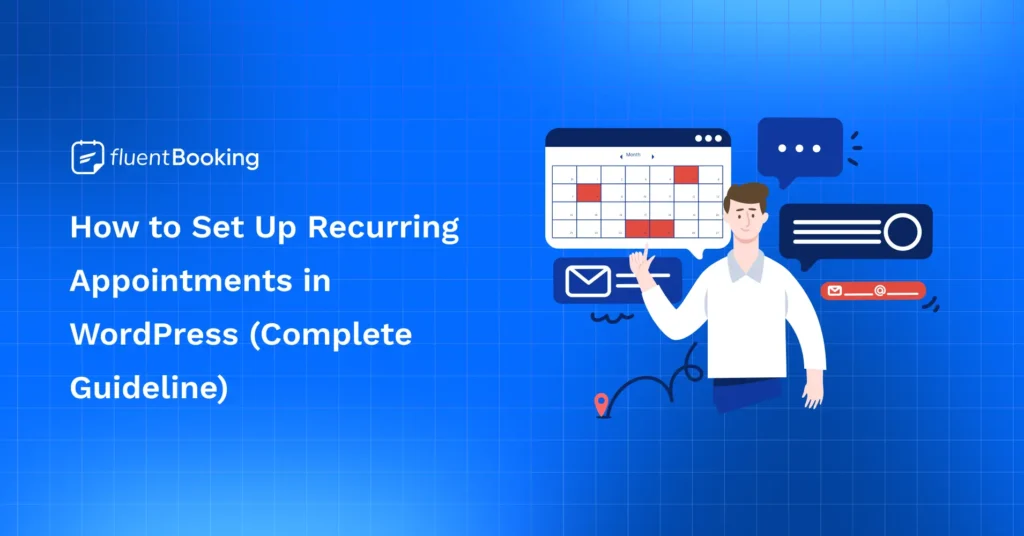
| Recurring Appointments | Therapy, tutoring, coaching, maintenance services | 30–60 min | Repeating schedule, consistency, fewer rebook requests | In-person / Virtual / Hybrid |
| Urgent / Emergency Appointments | Time-sensitive needs (medical, repairs, legal) | 10–30 min | Same-day slots, priority handling, limited daily capacity | In-person / Virtual |
| Virtual / Remote Appointments | Remote clients, telehealth, global consulting | 15–60 min | Video link, timezone-safe scheduling, no travel | Virtual |
| Phone Appointments | Quick consults, follow-ups, low-bandwidth clients | 10–45 min | Call details, simpler setup, faster sessions | Virtual (Phone) |
| Chat Appointments | Support, onboarding, quick Q&A | 10–30 min | Written conversation, transcripts, async-friendly | Virtual (Chat) |
| Hybrid Appointments | Businesses serving local + remote clients | 15–60 min | Client chooses format, separate instructions per option | Hybrid |
| Round-robin Appointments | Sales teams, support teams, multi-staff services | 15–60 min | Auto-assign staff, balanced workload, shared availability | In-person / Virtual / Hybrid |
| Wave Scheduling Appointments | Clinics, high-traffic days, batch arrivals | 30–60 min blocks | Multiple arrivals at the start of the window reduce idle time | In-person |
| Cluster / Categorized Scheduling | Clinics, service centers, specialized workflows | 15–60 min | Group similar bookings together, easier prep, better efficiency | In-person / Virtual / Hybrid |
15 Appointment Types Explained (With Best Use Cases and When to Use)
These appointment types cover the most common ways businesses schedule clients, manage time, and improve booking efficiency.
One-on-one / Consultation Appointments
A one-on-one (consultation) appointment is a booked session where one client meets with one staff member for a specific purpose, at a specific time. It’s usually the starting point for service businesses because it’s simple to understand and easy for clients to choose.
Most one-on-one appointments are built around conversation and decision-making: you diagnose a problem, review goals, give advice, plan the next steps, or deliver a personalized service. That’s why this type often includes small setup elements like intake questions, file uploads, or a short checklist so the session doesn’t start cold.
Best for
- Coaches, consultants, agencies, freelancers
- Clinics, therapists, legal, and financial services
- Discovery calls, audits, onboarding, strategy sessions
When to use it
- When each client needs personalized attention or a custom plan
- When you must understand the context before you deliver the service
- When your service quality depends on direct discussion (not just a quick task)
Bonus: Add 3–5 custom booking questions so you understand the client’s goal before the call and avoid wasting the first 10 minutes.
Group Appointments
Group appointment is a single session that multiple people can book into, all for the same start time. Instead of repeating the same service one-by-one, you run it once for a group.
The defining trait here is capacity.
Group appointments need clear limits (for example, 10 seats), a clear format (in-person room link or virtual link), and instructions that work for everyone. This type is common for workshops, classes, group coaching, and training because it lets you scale delivery without increasing admin work.
Best for
- Group coaching, fitness sessions, classes, workshops
- Training sessions, demos, webinars, and orientations
- Any service delivered to many people at once
When to use it
- When you teach the same thing repeatedly and want to scale it
- When group participation improves outcomes (accountability, learning, community)
- When you want to increase revenue per hour without adding more hours
Pro Tips: Use a capacity limit in group meetings to prevent overbooking and still capture demand when seats fill up.
Standard Time-slot (Time-specified) Appointments
A standard time-slot appointment is the classic model: you offer a calendar with fixed start times, and clients pick a slot that matches the appointment duration (15, 30, 60 minutes, etc.).
This type works because it gives both sides clarity.
The client knows exactly when the service starts and ends, and you can control availability with rules like minimum notice, buffer times, or daily limits. It’s ideal when your service length is predictable and your day runs best with a structured schedule.
Best for
- Salons, clinics, consultants, repair services
- Any business with predictable session lengths
- Teams that need simple, structured calendars
When to use it
- When your service fits clean time blocks (15/30/60 minutes)
- When you want a straightforward booking experience for clients
- When you manage multiple services with different durations
Pro tip: Add buffer time before/after certain services so one late appointment doesn’t ruin the rest of your day.
Stream Scheduling Appointments
Stream scheduling is a high-throughput appointment type designed for quick, repeatable sessions delivered in a steady flow. Think of it as creating a “stream” of short slots where you handle one client after another with minimal gaps.
It’s different from normal time-slot booking because stream scheduling is optimized for speed and volume, not depth. Sessions are usually short (5–15 minutes), focused on one problem, and supported by intake questions so you can jump straight into solving.
Best for
- Support desks, quick consults, help sessions
- High-volume services with short interactions
- Teams that want a fast turnaround
When to use it
- When requests are similar and can be resolved quickly
- When you want to reduce idle time between sessions
- When you handle many short sessions per day (office hours, quick checks)
Bonus: Collect the issue and any links/screenshots at booking so the session stays fast and focused.
Walk-in Appointments
Walk-in appointments allow clients to get service without booking ahead. People arrive when they want, and you serve them based on availability, usually first-come, first-served.
This model works best when demand is unpredictable, and the service can be delivered in shorter, flexible chunks. But it needs guardrails. Without some structure, walk-ins can create long waits, overwhelm staff, and make it hard to deliver consistent service.
Best for
- High-traffic businesses: salons, retail services, urgent care
- Services with spontaneous demand
- Businesses that can handle variable volume
When to use it
- When customers often need immediate service
- When you have enough staff to handle spikes
- When you want to fill gaps from cancellations and no-shows
Pro tip: Offer walk-ins only during defined windows and promote booked slots the rest of the day to keep staff workload predictable.
Open-hour (Drop-in Window) Appointments
Open-hour appointments (also called drop-in windows) let people book within a set time window instead of choosing one exact start time. For example, you might offer “Drop-in Support (2:00–4:00 PM)” and accept bookings that arrive anytime inside that window.
It’s a middle ground between strict time slots and walk-ins: clients still book ahead, but you get flexibility to handle real-world delays and variable service time.
Best for
- Clinics, admin services, front-desk support, help desks
- Quick services with unpredictable length
- Teams that need flexibility without losing control
When to use it
- When each client might take 5 minutes or 20 minutes, and exact start times are hard to promise
- When you want to reduce late-arrival stress while still managing volume
- When you serve many people in a limited period (office hours, document checks, quick reviews)
Tip: Cap the number of bookings per window (example: 12 people from 2–4 PM) so “drop-in” doesn’t turn into overload.
Recurring Appointments
Recurring appointments are bookings that repeat on a schedule, like weekly, bi-weekly, or monthly sessions. Instead of asking clients to book again and again, you set a repeating pattern so both sides stay consistent. This appointment type is built for services where progress happens over time and where consistency matters more than one-off sessions.
Best for
- Coaching, therapy, tutoring, and personal training
- Ongoing consulting retainers and check-ins
- Maintenance services (reviews, renewals, regular follow-ups)
When to use it
- When the same client needs multiple sessions over weeks or months
- When you want a predictable workload and fewer gaps in the calendar
- When rebooking manually creates extra admin work for you and friction for clients
Bonus: Offer recurring sessions as a package to increase commitment and retention, and use reminders for every session to reduce no-shows
Urgent / Emergency Appointments
Urgent or emergency appointments are priority slots reserved for same-day or immediate needs. They’re not meant to be “always available.” They’re meant to be limited, controlled, and predictable, so urgent requests don’t constantly interrupt your normal schedule.
Best for
- Clinics and healthcare services
- IT support, repair services, legal consults
- Any business where timing affects outcomes
When to use it
- When you regularly receive “I need help today” requests
- When last-minute calls are disrupting your day and you need structure
- When you can reserve a few slots daily without harming standard bookings
Bonus: Require a deposit for urgent slots, so only serious requests book, and your calendar doesn’t get abused.
Virtual / Remote Appointments
Virtual (remote) appointments happen online, usually through a video meeting link, so clients can book from anywhere. This appointment type removes travel and location limits, which makes it perfect for remote clients and global scheduling.
It also changes the setup: instead of “where to arrive,” you need clear joining instructions, time zone clarity, and a reliable way to send links automatically.
Best for
- Telehealth, online coaching, consulting, remote services
- Teams serving clients across cities or countries
- Businesses offering flexible, location-free support
When to use it
- When clients don’t need to be physically present for the service
- When you want to reduce lateness and cancellations caused by travel
- When you serve multiple locations or cross-time-zone audiences
Bonus Tips: Include the meeting link + joining steps in the confirmation email to reduce missed calls and “where’s the link?” messages.
Phone Appointments
A phone appointment is a scheduled call where the service is delivered by voice only. It’s lighter than video, easier for many clients, and works well when you don’t need screen sharing or face-to-face interaction.
Phone appointments are especially useful when your audience has limited bandwidth, prefers traditional calls, or needs quick guidance without a formal meeting setup.
Best for
- Quick consultations, check-ins, follow-ups
- Low-tech audiences or areas with unstable internet
- Services that are mostly Q&A or advice
When to use it
- When the appointment is short and information-based
- When video calls add friction for your clients
- When you want a simpler option that still feels personal
Pro tip/Bonus: Ask for phone number + country code and send an automated reminder 1 hour before to reduce missed calls.
Chat Appointments
A chat appointment is a scheduled support or consultation session handled through text instead of a call. It can happen inside live chat, a messaging tool, or any agreed chat channel. The key difference from “random messaging” is that a chat appointment has a start time, a time limit, and a clear scope, so it stays efficient and doesn’t turn into endless back-and-forth throughout the day.
Best for
- Quick support and troubleshooting
- Onboarding help and setup guidance
- Short Q&A sessions where written steps help
When to use it
- When issues can be solved with text, links, screenshots, or checklists
- When clients prefer writing over calls
- When you want a written record of instructions and decisions
Pro tip/Bonus: Set a strict time cap and send a short summary message after the session so the chat doesn’t reopen later.
Hybrid Appointments
A hybrid appointment lets the client choose between two delivery options, typically in-person or virtual, for the same service. Instead of creating two separate appointment types (“Consultation in-person” and “Consultation online”), hybrid keeps the offer simple while still meeting different client preferences. The trick is to keep the core service consistent and only change the delivery details.
Best for
- Local businesses that also serve remote clients
- Consultations, check-ins, reviews, and strategy sessions
- Teams expanding into multiple regions or time zones
When to use it
- When some clients want face-to-face, and others want remote
- When your service can work both ways without changing the outcome
- When you want to reduce choice overload while staying flexible
Pro tip/Bonus: Add a “Meeting format” choice field (in-person or online) so you can automatically show the right address or meeting link.
Round-robin (Team) Appointments
Round-robin appointments automatically assign bookings across available team members so the client gets the soonest available time without choosing a specific person. The client books one appointment type, and the system distributes the workload fairly across staff.
Best for
- Sales teams booking demos and discovery calls
- Support teams handling customer sessions
- Clinics or service businesses with multiple staff offering the same service
When to use it
- When speed matters, and you don’t want clients waiting for one person
- When you want balanced workloads across a team
- When you need a clean booking experience for “first available.”
Pro tip/Bonus: Create availability rules per team member (working hours, time off), so round-robin stays fair and doesn’t assign to unavailable staff.
Wave Scheduling Appointments
Wave scheduling books multiple clients at the same starting point of a time block (example: several arrivals at 9:00), and they’re served in order as capacity allows. It’s designed for environments where appointment length varies, and you want to reduce idle time.
A more controlled version is modified wave scheduling, where you stagger the wave slightly (example: two clients at 9:00, one at 9:30).
Best for
- Clinics and service centres with variable service times
- High-demand days where strict time slots create constant delays
- Workflows where clients can wait briefly in a queue
When to use it
- When the exact service time per client is unpredictable
- When you can process people in a queue without harming their experience
- When you want to maximise throughput during peak hours
Pro tip/Bonus: Use modified wave (example: two arrivals at 9:00, one at 9:30) to reduce waiting while still keeping the schedule efficient.
Cluster / Categorised Scheduling Appointments
Cluster (categorised) scheduling groups similar appointment types into dedicated blocks or days, such as “all follow-ups on Tuesday morning” or “new client consultations on Monday afternoons.” The goal is to reduce context switching, simplify prep, and make delivery more consistent. It’s especially useful when different appointment types require different tools, rooms, or mental focus.
Best for
- Clinics, agencies, service centers, and multi-service teams
- Businesses with multiple appointment categories and prep requirements
- Anyone trying to reduce calendar fragmentation and setup time
When to use it
- When switching between services wastes time or causes mistakes
- When some appointment types need special setup or resources
- When you want predictable routines and higher efficiency
Pro tip/Bonus: Reserve dedicated blocks for one category (like follow-ups every Tuesday morning) to cut setup time and improve focus.
How to Choose the Right Appointment Booking Types for Different Business Models
There is no single appointment type that works for every business. The right choice depends on how you sell your service, how your team works, and how clients usually book.
- High-ticket services: If your service is premium and needs more time, one-on-one appointments, follow-ups, and program-based sessions usually work best. They give you more space to understand the client and deliver a better experience.
- Volume-based services: If your business depends on serving more people each day, group appointments, fixed time slots, walk-ins, or open-hour scheduling are often a better fit. These types help you manage more bookings without making the schedule too hard to control.
- Solo businesses: If you work alone, simpler appointment types are usually easier to manage. Fixed slots and recurring appointments can keep your calendar organized and reduce daily booking stress.
- Team-based businesses: If you have multiple staff members, round-robin appointments can help spread bookings evenly. This improves availability and makes better use of your team’s time.
- In-person services: If your service happens face-to-face, choose appointment types that protect your time and space. Fixed slots, buffers, and clear booking rules usually work best.
- Remote services: If you serve clients online, virtual and hybrid appointments can help you reach more people without location limits. They also make your schedule more flexible.
- Predictable demand: If clients usually book on a regular schedule, recurring appointments, and fixed slots can create a more stable calendar.
- Urgent demand: If you often get same-day requests, it helps to keep a few urgent slots available. This lets you handle priority bookings without affecting the rest of your day.
Best Practices for Managing Appointments Without the Stress
Choosing the right appointment types is only one part of the process. The right approach can help you reduce admin work, avoid calendar overload, and give clients a better booking experience. Here are some simple best practices that make appointment management easier and more sustainable.
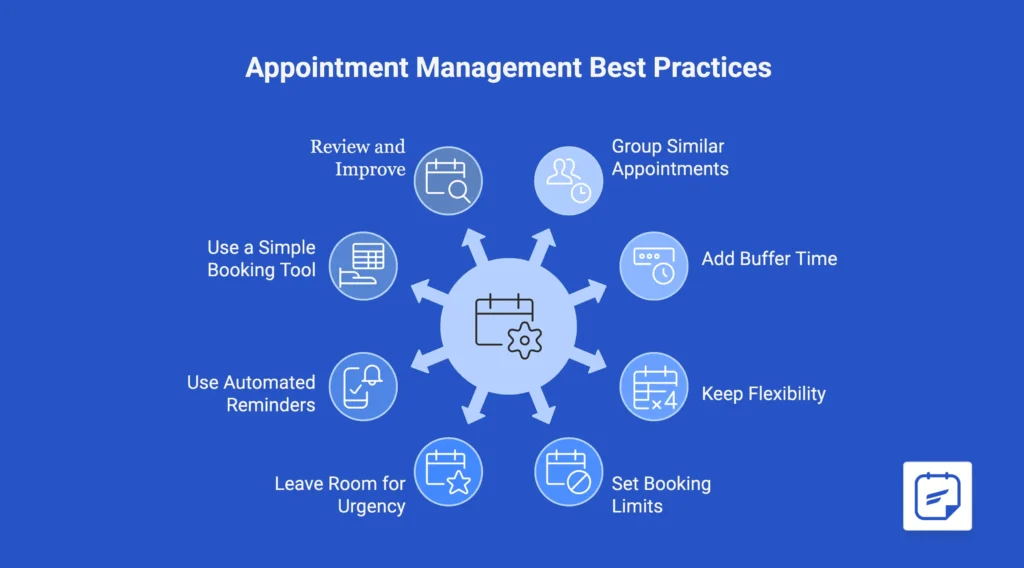
Group Similar Appointments Together
Try scheduling similar appointments in the same block of time. For example, you can keep consultations together and set follow-ups in a separate block. This makes your day easier to manage, reduces constant context switching, and helps you stay focused on one type of work at a time.
Add Buffer Time Between Bookings
Back-to-back appointments may look efficient, but they often lead to delays and burnout. A small buffer between sessions gives you time for notes, prep, cleanup, or a short reset before the next client. It also protects the rest of your schedule when one appointment runs longer than expected.
Keep Some Flexibility in Your Calendar
Not every appointment needs a strict fixed slot. For lower-priority sessions or quick check-ins, flexible booking windows can make scheduling easier for both you and your clients. This works especially well when exact timing is less important than giving people a convenient way to book. It can also help reduce no-shows by giving clients a little more freedom to choose a time that fits their day better.
Set Clear Booking Limits
A packed calendar is not always a healthy one. Setting a daily or weekly booking limit helps you avoid overload and maintain service quality. It also makes your availability more realistic, which is better for both your team and your clients.
Leave Room for Urgent Requests
If your business often gets last-minute requests, it helps to reserve a small part of your schedule for them. This lets you handle urgent needs without pushing your whole day off track. A few controlled urgent slots are usually better than trying to squeeze people in randomly.
Use Automated Reminders and Confirmation
No-shows can waste time and break the flow of your day. Automated reminders help clients remember their appointments and show up prepared. Even a simple email or SMS reminder can make your schedule more dependable and reduce unnecessary follow-up work.
Use an Automated Booking Tool That Keeps Things Simple
The best appointment setup is the one that fits how your business actually works. Some businesses need strict time slots and limits, while others need recurring sessions, team scheduling, or more flexibility.
If you use WordPress, an appointment booking plugin like FluentBooking also lets you create a booking page that matches your brand, services, and schedule. That makes it easier for clients to choose the right appointment type and book without confusion.
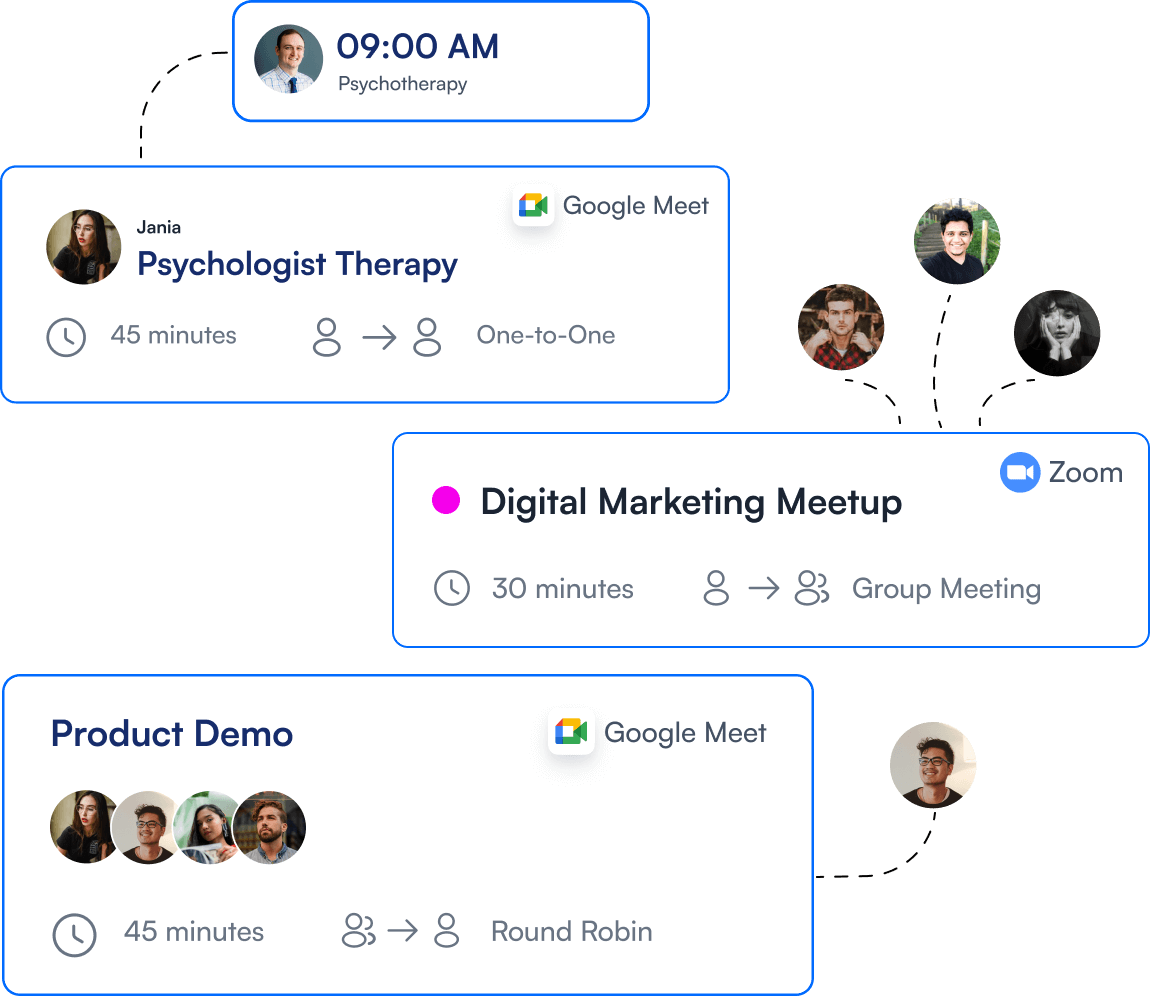
You can manage meeting types, set buffer time, control booking limits, send automated reminders, handle recurring sessions, and avoid double bookings from one place.
Review and Improve Your Setup Regularly
Your appointment system should not stay the same forever. As your business grows, your schedule, services, and client needs may change too. Reviewing your appointment setup from time to time helps you spot what is working, what is causing friction, and where you can simplify things further.
7 Mistakes to Avoid When Managing Appointments
Even if you offer the right appointment types, a few small mistakes can still make your schedule messy and harder to manage. These are some of the most common ones to avoid:
- Using the wrong appointment type: A consultation, follow-up, and group session should not all use the same setup. When the structure does not match the service, clients can book the wrong option and create confusion.
- Double booking by mistake: Overlapping appointments lead to delays, awkward rescheduling, and a poor client experience. This often happens when availability is not updated in real time.
- Skipping buffer time: Back-to-back bookings may look efficient, but they can quickly cause stress. A small gap between appointments gives you time for prep, notes, cleanup, or delays.
- Not setting clear booking rules: If your cancellation policy, notice period, or booking limits are unclear, clients may get confused. Clear rules protect your time and make the booking process smoother.
- Forgetting to send reminders: Many no-shows happen simply because people forget. Automated reminders can help clients show up on time and reduce missed appointments.
- Relying too much on manual scheduling: Manual booking takes more time and increases the chance of mistakes. A tool like FluentBooking can help WordPress users manage availability, reminders, and booking rules more easily.
- Using the same workflow for every service: Not every service needs the same booking process. One-on-one appointments may need intake questions, while group sessions may need capacity limits and reminder flows.
Avoiding these mistakes can make your appointment system easier to manage, less stressful, and much better for your clients.
The Right Appointment Types Can Make Every Booking Easier
The way you structure your appointment types has a direct impact on how smoothly your business runs. The right mix can make booking easier for clients, help you stay organised, reduce no-shows, and protect your time. From one-on-one consultations to recurring sessions, group bookings, and urgent slots, each type serves a different purpose.
The key is not to offer every option. It is to choose the appointment types that fit your service, your workflow, and the way your clients prefer to book. And when you manage them with the right setup, it becomes much easier to keep your calendar clear, flexible, and client-friendly.
Set up the right appointment types, simplify your schedule,
and give clients an easier way to book
Ratul Ripon
I enjoy making complex ideas simple and engaging through my writing and designs. With a strong knowledge on content writing and SEO, I create technical content that’s both easy to understand and interesting.
Table of Content
Subscribe To Get
WordPress Guides, Tips, and Tutorials


Leave a Reply