


Calendly vs Doodle: Features, Pricing & Best Choice (2026)


Scheduling a meeting sounds simple… until it isn’t.
“Are you free at 3?”
“No, what about 5?”
“Next week maybe?”
That back-and-forth wastes time. It slows down decisions. And in many cases, it costs you opportunities.
That’s why tools like Calendly and Doodle exist.
But here’s the real question:
Which one should you actually use?

This guide breaks it down in the simplest way possible so you can choose fast and move on.
Quick Answer (If You’re in a Hurry)
- Use Calendly if people need to book time with you. It’s best for client meetings, automation, and structured scheduling.
- Use Doodle if you need to find a time that works for a group. It’s simple and works well for team coordination.
Key difference:
Calendly automates booking, and Doodle helps people agree on a time.
Calendly vs Doodle: A Brief Overview
Before we go deeper, let’s align on what each tool is built for.
Calendly is designed for self-serve scheduling.
You share a link → someone picks a time → meeting confirmed.
Doodle is designed for group coordination.
You share options → people vote → you decide the time.
This is not a small difference.
It defines everything.
- Calendly = booking system
- Doodle = coordination tool
As many comparisons highlight, Calendly dominates professional scheduling, while Doodle remains strongest in poll-based group coordination
Calendly vs Doodle: Side-by-Side Comparison
| Category | Calendly | Doodle |
| Core purpose | Self-serve booking | Group time coordination |
| Scheduling flow | User selects a slot | Users vote on options |
| Best for | Client meetings, sales, coaching | Team meetings, events |
| Automation | Strong workflows, reminders | Basic notifications |
| Integrations | CRM, calendar, video tools | Limited integrations |
| Payments | Supported | Not supported |
| Team features | Round-robin, routing | Minimal |
| Ease of use | Moderate | Very easy |
| Free plan | Limited features | Free with ads |
| Scalability | High | Low |
Calendly: Features, Pros, Cons, and Pricing
Calendly is designed for people who schedule meetings regularly and want to remove friction from that process.

Instead of asking “when are you free?” you let others choose from your available time slots.
Key Features
- Meeting Types: Offers flexible options for one-on-one, group, round-robin, and collective meetings, so you can schedule just about any kind of meeting you need
- Team Scheduling: Allows team members to share their availability and schedule together, making collaboration a breeze
- Integrated Polling: Makes it easy to coordinate group schedules by polling for everyone’s preferred meeting times
- Automatic Time Zone Adjustment: Takes the guesswork out of scheduling across time zones by automatically adjusting for each participant’s location
- Customizable Booking Links: Lets you create unique scheduling links tailored to different event types, with availability that suits your schedule
- Automated Notifications: Sends out confirmations and reminders to help reduce no-shows
- Attachments and Comments: Allows you to add notes and attach files to meetings for added context and information
- Metrics and Reporting: Provides insights into how meetings are going, making it easier to track engagement and attendance
- Payment Collection: Simplifies payments by integrating with Stripe and PayPal
- Mobile Apps: Available on both iPhone and Android for scheduling on the go
- Wide Integrations: Works with popular tools like Zoom, Slack, HubSpot, and Salesforce to help streamline workflows
- Enterprise Security: Includes security and admin tools built for enterprise needs, ensuring safe and smooth management
Calendly Pros
Calendly’s biggest strength is how much time it saves. It removes the need for manual coordination and creates a smooth booking experience for both sides. It also scales well. Whether you’re handling a few meetings or dozens every week, the system stays consistent.
Calendly Cons
The main downside is complexity. For new users, it can feel like more than just a simple scheduling tool. Also, many useful features are locked behind paid plans, which can increase cost as your needs grow.
Calendly Pricing
- Free Plan
- Standard Plan: $10/seat/month
- Teams Plan: $16/seat/month
- Enterprise Plan: Starts at $15k/year
Doodle: Features, Pros, Cons, and Pricing
Doodle is a user-friendly scheduling tool that helps you organize meetings effortlessly.

It does not try to automate scheduling. Instead, it helps groups quickly agree on a time.
Key Features
- Collaborative Scheduling: Create polls for participants to vote on their preferred meeting times, simplifying group scheduling
- Automated Reminders: Sends reminders to participants to ensure they don’t forget to vote or attend the scheduled events
- Calendar Integration: Syncs with Google Calendar, Microsoft 365, and iCal for real-time updates and automatic event management
- Auto-Detected Time Zones: Automatically adjusts for time zones to prevent scheduling errors
- Shareable Links: Provides easy-to-share links for participants to access polls and join meetings without needing a Doodle account
- Commenting and Messaging: Users can leave comments and discuss details within the poll for better communication
- Deadline Setting: Organizers can set deadlines for responses to streamline the scheduling process
- Personalized Invitations: Premium users can send tailored meeting invitations that include location and agenda details
- Participant Tracking: Tracks who has responded to the poll and who hasn’t, helping to manage attendance effectively
- Privacy Options: Offers public and private poll settings for better control over participation
- Mobile Apps: Available on iPhone and Android for convenient scheduling on the go
- Premium Support: Provides ongoing training and support for Enterprise accounts
- Integrations: Compatible with Zoom, Google Meet, Zapier, and more, facilitating seamless event management
- Customizable Polls: Users can personalize polls with specific time zones, dates, and multiple-choice options
Doodle Pros
The biggest advantage of Doodle is simplicity. You don’t need to set up availability or workflows. Anyone can use it instantly, even without prior experience.
Doodle Cons
That simplicity comes with limitations. There’s very little automation, no payment handling, and fewer integrations. It works well for simple coordination, but struggles with more structured or business workflows.
Doodle Pricing
- Free Plan
- Pro Plan: $6.95/month
- Team Plan: $8.95/month per user
- Enterprise Plan: Custom pricing
When Calendly Is the Better Choice
Calendly works best when scheduling is part of your daily workflow. It’s especially useful if:
- People regularly need to book time with you
- You want to automate reminders and confirmations
- You need integrations with other tools
- You’re managing multiple meeting types
In these situations, it saves time and reduces friction.
When Doodle Is the Better Choice
Doodle is a better fit when scheduling is occasional and involves multiple participants. It works well if:
- You need to coordinate a group
- Simplicity matters more than automation
- You don’t want to set up a system
It’s quick, flexible, and easy to use.
The Problem Neither Tool Fully Solves
Here’s something most comparisons overlook.
Both tools help you schedule meetings. But they don’t give you full control over your workflow.
Calendly operates outside your website and Doodle lacks depth for business use.
As your needs grow, you may start looking for:
- more control
- better integration
- a centralized system
A Better Approach for WordPress Users
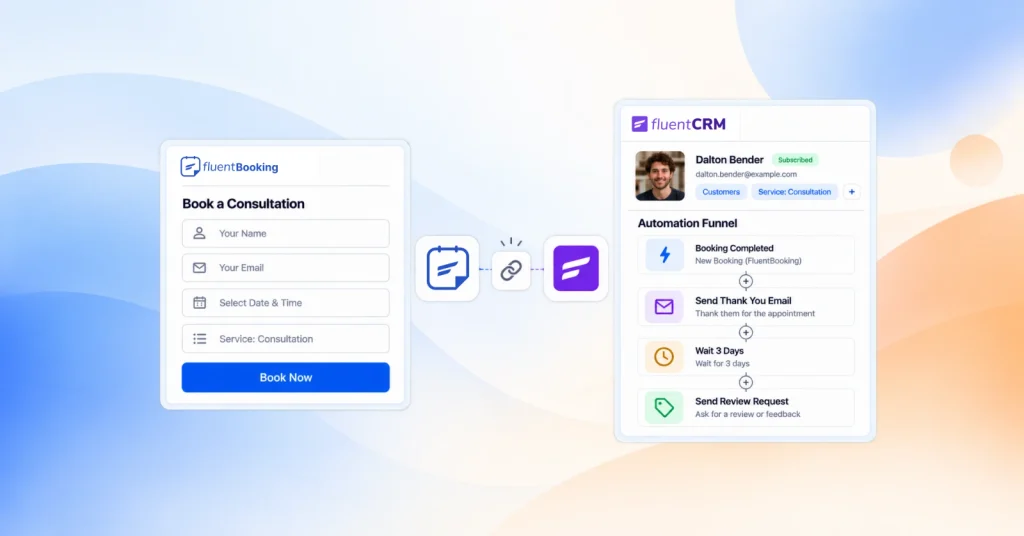
If your business runs on WordPress, managing scheduling inside your own platform becomes a smarter approach.
That’s where FluentBooking comes in.
It combines:
- structured booking like Calendly
- flexible scheduling logic
- full control inside your website
Instead of sending users to another platform, everything happens where your business already exists.
Calendly vs Doodle vs FluentBooking: Brief Comparison
| Area | Calendly | Doodle | FluentBooking |
| Booking system | Yes | No | Yes |
| Group coordination | Limited | Strong | Flexible |
| Automation | Strong | Minimal | Strong |
| Payments | Yes | No | Yes |
| Platform control | External | External | Full control |
| Best fit | Business workflows | Simple coordination | WordPress users |
Final Verdict: Calendly vs Doodle vs FluentBooking
Scheduling should not slow you down. The right tool should remove friction, save time, and help your workflow run smoothly. So instead of choosing based on features, choose based on how you actually work.
Because when the tool fits your workflow, scheduling becomes effortless and there is no universal winner here.
Here’s our recommendation:
- Calendly is the best choice for structured, professional scheduling.
- Doodle is the best choice for simple group coordination.
- FluentBooking is the best choice if you want full control inside WordPress.
Frequently Asked Questions
Have more questions? We have got you covered!
Maisha Abedin
Hey, it’s Maisha! I enjoy crafting stories and producing content that adds value to readers. Outside of work, you will either find me capturing the beauty in the mundane or daydreaming about the perfect lasagna!
Table of Content
Subscribe To Get
WordPress Guides, Tips, and Tutorials




Add your first comment to this post