

15 Event Reminder Email Templates That Actually Work for Any Event in 2026


Have you ever forgotten about an event until the last minute? With everything going on in our busy lives, it’s a very common issue to forget an important meeting, an event, or an appointment.
That’s where event reminder emails come in. And they are the perfect way to make sure you and your attendees don’t miss out on any event.
Event reminder emails are simple messages that keep everyone informed about important details like event time, place, and what to expect. But writing them in a helpful way without being overwhelming can be tricky.
In this blog, we’ve provided you many helpful event reminder email templates and examples that actually work for your business. Also, you will find a lot of catchy subject lines in every category.
So, why late? Let’s dive in!
Event Reminder Emails (Quick Guide)
- Event reminder emails help reduce no-shows and increase attendance
- Send reminders 1 week before, 1 day before, and a few hours before
- Include event details, CTA, and a friendly message
- Use templates for webinars, interviews, promotions, and more
- Keep emails short, clear, and personal
- Automate reminders to save time and stay organized
Why is Sending an Event Reminder Email Important?
An event reminder email helps attendees remember your event, stay informed, and show up on time. It reduces no-shows, improves attendance, and keeps your event organized.
Sending an event reminder email is one of the easiest ways to make sure your event runs smoothly. It helps you share key details and encourages more people to attend.
Here’s why it matters:
- Keep Your Attendees Informed: Share important details like time, location, and instructions so attendees know exactly what to expect.
- Encourage More People to Attend: A simple reminder helps people who forgot or were unsure decide to join.
- Promote Your Event: Highlight what makes your event valuable and why they shouldn’t miss it.
- Show Appreciation: Thank attendees for registering and make them feel valued.
- Save Time: Avoid manual follow-ups with automated reminders.
- Create a Personal Connection: Personalized emails feel more human and engaging.
- Save Money: Email reminders are faster and cheaper than calls or physical outreach.
- Build Brand Recognition: Add your logo and brand voice to stay memorable.
- Collect Feedback: Use follow-up reminders to gather feedback after the event.
When to Send Event Reminder Email
The best time to send event reminder emails is 1 week before, 1 day before, and a few hours before the event.
Timing plays a big role in whether people actually show up. Sending reminders at the right moment keeps your event fresh in their minds.
Here’s a simple schedule that works for most events:
- First Reminder (1 Week Before): This gives your attendees enough time to clear their schedule or make any last-minute adjustments.
- Second Reminder (1 Day Before): This is a final push to ensure the event is fresh in their minds. This is the last chance to get everyone ready and excited.
- Last-Minute Reminder (Few Hours Before): If it’s a big event, a quick reminder on the day of can help attract last-minute attendees or ensure everyone’s on track.
This 3-step approach ensures your event stays top of mind at every stage.
15 Event Reminder Email Templates & Examples (Copy & Use)
Event reminder email templates are pre-written messages you can use to remind attendees about an event. They help save time, reduce no-shows, and improve attendance.
Whether you’re hosting a webinar, interview, corporate event, or promotion, these event reminder email templates and examples give you a ready-to-use starting point. You can copy, edit, and use them based on your event type and tone.
Formal Event Reminder Email Template
Subject: Upcoming: [Event Name] – Key details inside
Dear [Name],
This is a reminder that [Event Name] is approaching, and we look forward to your participation. Below are the key details for your reference:
- Event Name
- Date
- Time
- Location/online link
- Dress Code[if applicable]
Please ensure that you are prepared for the event. If you require any further information or have any questions, feel free to contact us.
We look forward to your presence at the event.
Best regards,
[Your Name]
[Your Job Title]
[Your Company Name]
[Your Contact Info]
Casual Event Reminder Email Template
Subject: Hey [Name], just a quick reminder – [Event Name] is coming up!
Hi [Name],
I hope you’re doing well! Just wanted to drop you a quick reminder that [Event Name] is right around the corner, and we’re super excited to have you join us.
Here are the details again to make sure you’re all set:
- Date: [Event Date]
- Time: [Event Time]
- Location/Link: [Event Location or virtual event link]
If you’ve got any questions or need anything before the event, don’t hesitate to reach out! We can’t wait to see you there!
Best,
[Your Name]
[Your Contact Info]
Weekly Reminder Email
Subject: [Name], don’t forget – [Event Name] is this week!
Hi [Name],
Just a friendly reminder that [Event Name] is coming up this week! We wanted to ensure you’re all set and ready to join us.
Here’s a quick recap of the event details:
- Event Name: [Event Name]
- Date: [Event Date]
- Time: [Event Time]
- Location/Link: [Event Location or Link]
If you need anything before the event, feel free to reach out. We’re looking forward to seeing you there!
Best regards,
[Your Name]
[Your Contact Info]
Last Minute Reminder
Subject: [Name], it’s happening TODAY – [Event Name]
Hi [Name],
Just a quick heads-up – [Event Name] is happening TODAY! And, we’re very excited to have you join us.
Here are the details:
- Time: [Event Time]
- Location/Link: [Event Location or Link]
Make sure you’re ready to go – we can’t wait to see you there!
Best,
[Your Name]
[Your Contact Info]
[Your Name]
[Your Contact Info]
Interview Reminder Email
Subject: Reminder: Your Interview for [Position Name] at [Company Name]
Hi [Name],
I hope you’re doing well! Just a reminder about your upcoming interview for the [Position Name] role at [Company Name]. We’re excited to get to know you better and hear more about your experience.
Here are your interview details:
- Date: [Interview Date]
- Time: [Interview Time]
- Location: [Interview Location or Virtual Meeting Link]
- Interviewer: [Interviewer Name]
Please feel free to bring any questions you may have about the role or our company. If you need to reschedule or have any concerns, don’t hesitate to let me know.
We look forward to speaking with you!
Best regards,
[Your Name]
[Your Position]
[Company Name]
[Contact Information]
[Your Name]
[Your Contact Info]
Online Event Reminder Email
Subject: [Name], your webinar is coming up soon – [Event Name] details inside!
Hi [Name],
Just a quick reminder that your webinar, [Event Name], is happening soon! We’re looking forward to having you join us for an insightful and engaging session.
Here are all the details you’ll need to access the webinar:
- Event Name: [Event Name]
- Date: [Event Date]
- Time: [Event Time] (Please check your time zone!)
- Join the Webinar: [Event Link]
- Platform: [Webinar Platform Name]
To get the best experience, we recommend logging in a few minutes early to ensure your connection is set up and ready.
See you at the webinar!
Best regards,
[Your Name]
[Your Contact Info]
[Your Website]
Countdown Event Reminder Email
Subject: Only 15 Days Left Until [Event Name]!
Hello [Name],
Time is running out, and we wanted to remind you that there are only 15 days left until [Event Name]! This is a fantastic opportunity to [Event Purpose], and we don’t want you to miss it. The event will take place on [Event Date] at [Event Time].
We’re excited to have you join us!
Looking forward to seeing you there!
Best regards,
[Your Name]
[Your Contact Info]
Venue Confirmation Email
Subject: Reminder – [Event Name] at [Venue Name]
Hello [Guest Name],
Just a quick reminder that [Event Name] is happening on [Event Date] at [Venue Name], located at [Venue Address]. We’re excited to have you at this great venue!
Please make sure to check the venue details, including parking and entry instructions, to ensure a smooth arrival. If you have any questions, feel free to reach out to me directly.
Looking forward to seeing you there!
Best,
[Your Name]
[Your Contact Info]
Event Date Reminder Email
Subject: Don’t Forget – [Event Name] is on [Event Date]!
Hi [Name],
Just a quick reminder that [Event Name] is happening on [Event Date]! It’s very close, so be sure to save the date and join us at [Event Time].
This is your chance to [Event Purpose], and we’re excited to have you with us. Don’t miss out!
If you have any questions, feel free to reach out to [Contact Information]. Looking forward to seeing you on [Event Date]!
Best regards,
[Your Name]
Event Registration Confirmation/Reminder Email
Subject: [Name], You’re Registered for [Event Name]!
Dear [Name],
Your registration for [Event Name] on [Event Date] at [Event Time] is confirmed! We’ve received your payment, and your spot is secured.
Here’s a quick recap:
- Event Name
- Date & Time
- Location/Link
If you have any questions, feel free to reach out at [Contact Information]. We look forward to seeing you there!
Best regards,
[Your Name]
Corporate Event Reminder Email Template
Subject: Invitation: Join Us for [Event Name] on [Event Date]
Dear [Name],
We are pleased to extend an invitation to you for [Event Name], which will take place on [Event Date] at [Event Time] at [Event Location]. This exclusive event will focus on [Event Purpose or Industry Topic] and provide a unique opportunity to network with professionals and industry leaders.
Event Details:
- Event Name: [Event Name]
- Date: [Event Date]
- Time: [Event Time]
- Location: [Event Location]
- RSVP by: [RSVP Deadline]
Kindly confirm your attendance by [RSVP Deadline] to ensure your spot. Should you need any additional information, please do not hesitate to reach out to [Contact Information].
We look forward to your participation in what promises to be an insightful and valuable event.
Best regards,
[Your Name]
[Your Position]
[Your Name]
Black Friday Event Reminder Email
Subject: Reminder: Black Friday Event – Don’t Miss Out!
Hello [Name],
Just a quick reminder that our Black Friday Event is almost here! The event will run from 7 AM to Midnight, and we’re offering discounts of up to 80% off. Simply show up, and the discounts will be automatically applied at checkout.
This is the perfect opportunity to grab amazing deals—don’t miss out!
We appreciate your participation and can’t wait to see you there!
Best regards,
[Your Name]
[Your Company]
Limited Capacity Reminder for Event
Subject: Limited Seats Available: RSVP for [Event Name]!
Hi [Name],
We wanted to let you know that seats for [Event Name] are filling up fast! Don’t miss your chance to join us—RSVP now to secure your spot. The event will take place on [Event Date] at [Event Time] at [Event Venue].
Be sure to reserve your place before it’s too late. If you have any questions or need further information, feel free to reach out to us at [Contact Information].
We look forward to seeing you at the event!
Best regards,
[Your Name]
[Your Contact Info]
Early Birds Ticket Reminder
Subject: Don’t Miss Out: Early Bird Tickets for [Event Name] Ending Soon!
Hi [Name],
This is your last chance to grab early bird tickets for [Event Name] before they’re gone! Don’t miss out on securing your spot at a discounted rate.
The event will take place on [Event Date] at [Event Time] at [Event Venue].
Make sure to get your tickets today! If you have any questions, feel free to reach out to us at [Contact Information]. We hope to see you there!
Best regards,
[Your Name]
[Your Contact Info]
After Event Thank & Review Request
Subject: Thank You for Attending [Event Name] + Feedback Request
Hi [Name],
Thank you for attending [Event Name]! We’d love to hear your thoughts. Please take a moment to share your feedback with us.
Event Details:
- Date: [Event Date]
- Time: [Event Time]
- Location: [Event Venue]
Your input is greatly appreciated!
Best regards,
[Your Name]
[Your Contact Info]
25 Effective Event Reminder Email Subject Lines You can use
As your event approaches, a catchy reminder email subject line is very important to boosting attendance. Here are 25 subject lines to help you grab attention and get your audience excited.
- Reminder: [Event Name] is Just Around the Corner!
- It’s Almost Time for [Event Name]!
- Don’t Miss Out! [Event Name] is in [X] Days
- Excited for [Event Name]? It’s Almost Here!
- Your [Event Name] is Coming Up! Get Ready
- Last Chance: [Event Name] Starts in [X] Days
- Just [X] Days Left Until [Event Name]!
- Countdown Begins: [Event Name] in [X] Days!
- Don’t Forget: [Event Name] is Coming Soon
- Reminder: [Event Name] is Almost Here – Get Ready!
- Meet [Guest/Speaker] at [Event Name] – Don’t miss their insights!
- Only [X] Days Until [Event Name] – Let’s Go!
- Time is Ticking: [Event Name] Starts Soon!
- Get Excited! [Event Name] is Just Around the Corner
- Hurry! [Event Name] Starts in Just [X] Days
- Almost There! [Event Name] is Almost Here
- [Event Name] in [X] Days – Are You Prepared?
- Only a Few Days Left Until [Event Name]!
- Your Ticket to [Event Name] is Waiting
- [Event Name] is Almost Here – Here’s What You Need to Know
- Get Ready: [Event Name] Starts in [X] Days
- Get Ready for [Event Name]! It’s Almost Time
- [Event Name] Starts Soon – Don’t Miss It
- Meet [X] industry leaders at [Event Name]!
- Reminder: Your [Event Name] Spot is Confirmed!
How to Write an Event Reminder Email?
To write an event reminder email, include a clear subject line, event details, a personal message, and a strong call-to-action. Keep it short, friendly, and easy to read.
A good event reminder email does more than remind. It helps your attendees feel ready, informed, and excited.
Follow these simple steps:
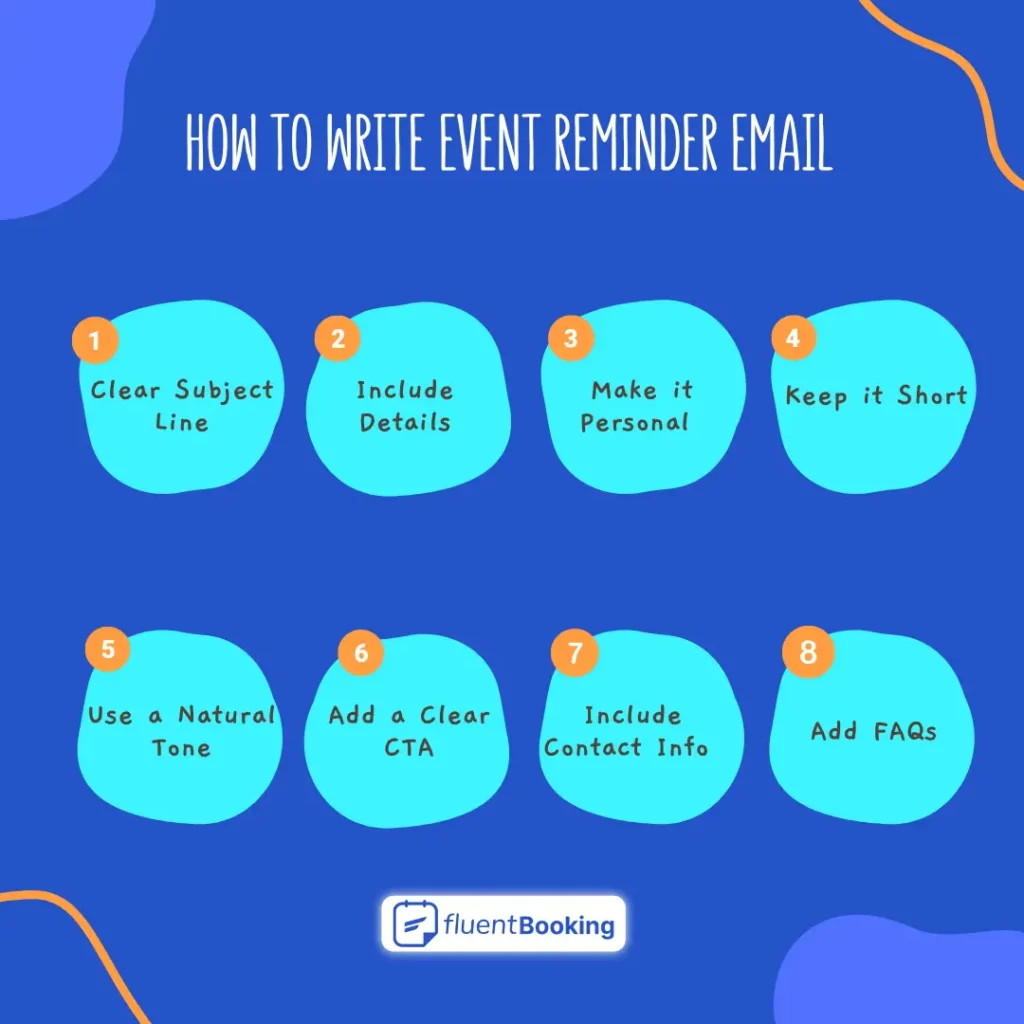
Use a Clear and Friendly Subject Line
Your subject line should be simple and engaging. It should clearly mention the event and create urgency.
Example:
“Hey [Name], Don’t Forget! [Event Name] is Coming Up”
Include All the Important Details
Make sure your email answers all basic questions:
- Event name
- Date and time
- Location (with a map link if needed) or online meeting link
- Any important instructions (like parking info or what to bring)
This removes confusion and builds trust.
Make it Personal
Avoid generic messages. Use the attendee’s name and write like you’re talking to them.
Example:
“Hey [Name], we’re excited to see you at [Event Name] this [Day]!”
Keep It Short and Easy to Read
People don’t have time to read long emails. Keep your message short, break up text with bullet points, and highlight the key information so they can quickly find what they need.
Use a Friendly and Natural tone
Your email should sound like it’s coming from a real person, not a corporate announcement. Keep it warm, engaging, and to the point. But if the event is very professional, then you have to maintain a professional tone.
Add a Clear Call-to-Action (CTA)
After reading the email, an actionable button should be added to the email. This makes it easy for your attendee to take the next step.
Examples:
- Confirm Your Spot
- Join the Live Event
- Add to Calendar
Add Contact Details
Let attendees reach out easily if they have questions or need to reschedule.
Include:
- Phone number
- Help or FAQ link
Add FAQs (Frequently Asked Questions)
As we said earlier, the attendees might have some questions or have some confusion. So, if you already include some relatable questions and answers for them, this could be a very wise idea. Answer common questions in advance, such as:
- Is parking available?
- Do I need to bring anything?
- What if I can’t attend? Will there be a recording?
Answering these upfront saves time and makes attendees feel more prepared.
A great event reminder email is clear, short, personal, and actionable. When done right, it reduces no-shows and improves attendance.
Send Reminders and Run Your Event Smoothly
Event reminder emails are a simple yet powerful way to ensure your attendees don’t forget your event. A well-timed, thoughtful reminder can cut down no-shows, keep everyone informed, and even boost excitement.
Use the templates and subject lines from this blog to set reminders that are clear, helpful, and engaging. A personal touch can go a long way in making your emails stand out!
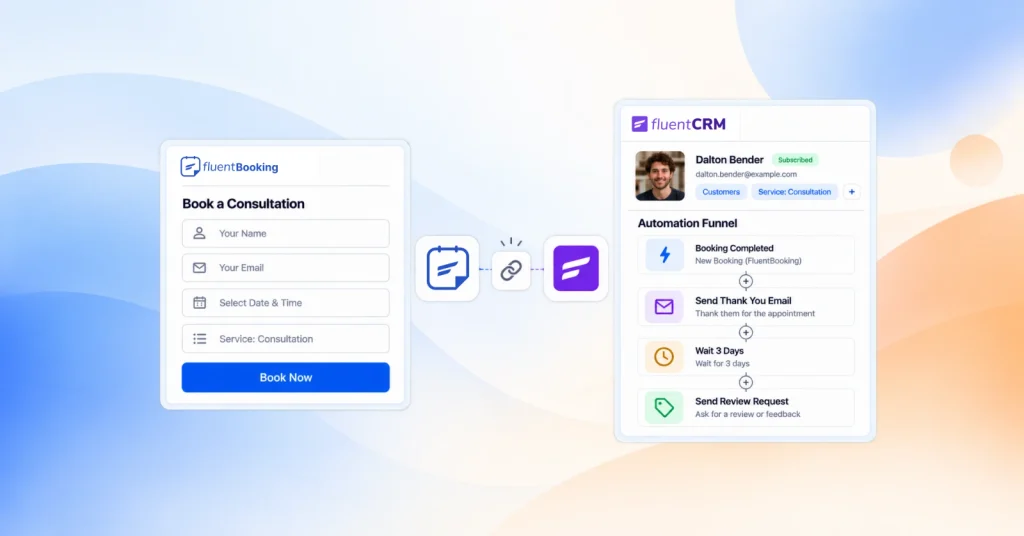
Also, to send your event reminder email hassle-free, you can use FluentBooking to send fully automated email reminders and save your time.
So, don’t leave your event attendance to chance—start sending reminders that work and fill every seat!
Frequently Asked Questions
Ratul Hasan Ripon
I enjoy making complex ideas simple and engaging through my writing and designs. With a strong knowledge on content writing and SEO, I create technical content that’s both easy to understand and interesting.
Table of Content
Subscribe To Get
WordPress Guides, Tips, and Tutorials
Add your first comment to this post