

10 Best Acuity Scheduling Alternatives for Better Appointment Scheduling in 2026 (Free & Paid)


Acuity Scheduling has long been a popular appointment scheduling tool for coaches, consultants, service providers, and small businesses. It helps automate bookings, collect payments, send reminders, and manage appointments from a single dashboard.
However, it may not be the ideal solution for everyone. Some users find its pricing expensive as their business grows, while others look for better customization, team scheduling, or deeper integrations with their existing tools.
The good news is that there are plenty of Acuity Scheduling alternatives available today. Whether you need a WordPress-native booking solution, a free scheduling tool, or advanced team scheduling features, there’s a platform that fits your workflow.
A Quick Overview of the Best Acuity Scheduling Alternatives
| Tool | Best For | Key Features | Free Plan | Pricing Starts From |
| FluentBooking | WordPress users | Team scheduling, payments, reminders | Yes | $79/year |
| Calendly | Teams & enterprises | Round-robin, workflows | Yes | $12/user/month |
| YouCanBookMe | Small businesses | Custom booking pages | Yes | $9/month |
| SimplyBook.me | Service businesses | Booking website, payments | Yes | €13.9/month |
| Setmore | Free scheduling | Video meetings, reminders | Yes | $12 user / month |
| Doodle | Group scheduling | Polls and scheduling links | Yes | $14.95/user/month |
| Cal.com | Open-source scheduling | Self-hosting, customization | Yes | $16/user/month |
| Zoho Bookings | Zoho users | CRM integration | Yes | $8/user/month |
| Microsoft Bookings | Microsoft users | Outlook & Teams integration | Included | $6/user/month |
| Jotform Appointment Scheduler | Form-based bookings | Booking forms, payments | Yes | $39/month |
Why Look for an Acuity Scheduling Alternative?
Depending on your budget, workflow, and business needs, you may find that other scheduling tools offer better value, more flexibility, or features that align more closely with how you work.
Here are some common reasons why users look for Acuity Scheduling alternatives:
- No Permanent Free Plan: Acuity Scheduling only offers a free trial, so you’ll need a paid subscription to continue using the platform.
- Pricing Can Become Expensive: Monthly costs can increase quickly as you add more staff, advanced features, and integrations.
- Limited Flexibility for Growing Teams: Businesses with complex scheduling needs may require more advanced team scheduling, routing, and automation features.
- Better WordPress Solutions Are Available: WordPress users may prefer native solutions that allow them to manage bookings directly from their website while maintaining full control over their data and branding.
- Different Businesses Need Different Scheduling Workflows: Coaches, consultants, agencies, healthcare providers, and service businesses often need specialized scheduling features that Acuity may not fully provide.
- More Advanced Integrations and Automation: Some alternatives offer deeper integrations with CRM platforms, marketing tools, payment gateways, and workflow automation software.
- Greater Customization Options: Many scheduling tools provide more flexibility for customizing booking pages, forms, notifications, and customer experiences.
- More Affordable Long-Term Value: Some alternatives offer free plans, lower subscription costs, or one-time pricing models that can be more cost-effective over time.
The Best Acuity Scheduling Alternatives (Free & Paid Tools)
To help you find the right scheduling solution, we’ve carefully evaluated the top Acuity Scheduling alternatives based on features, ease of use, integrations, pricing, and overall value.
Let’s take a closer look at the best Acuity Scheduling alternatives and see what makes each one stand out.
FluentBooking — Best WordPress-Based Acuity Scheduling Alternative
FluentBooking is a flexible and user-friendly appointment scheduling plugin built specifically for WordPress users. If you want a scheduling solution that lives directly inside your website, FluentBooking gives you everything you need to manage appointments, meetings, consultations, and team scheduling without relying on multiple third-party tools.
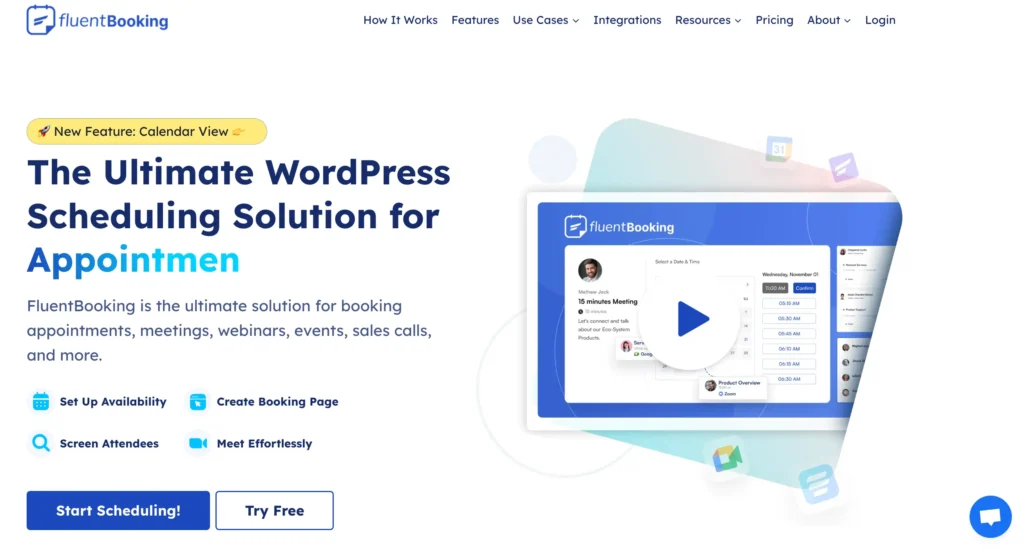
Unlike Acuity Scheduling, which operates as a standalone SaaS platform, FluentBooking gives you complete control over your booking system from your WordPress dashboard. You can create unlimited meeting types, sync calendars, automate reminders, collect payments, and manage team availability from one place.
Key Features of FluentBooking
- Real-time Google Calendar and Outlook Calendar sync
- One-on-one meetings, group bookings, and round-robin scheduling
- Recurring appointments for ongoing client sessions
- Buffer times, custom availability settings, and conflict prevention
- Personalized booking pages with custom branding
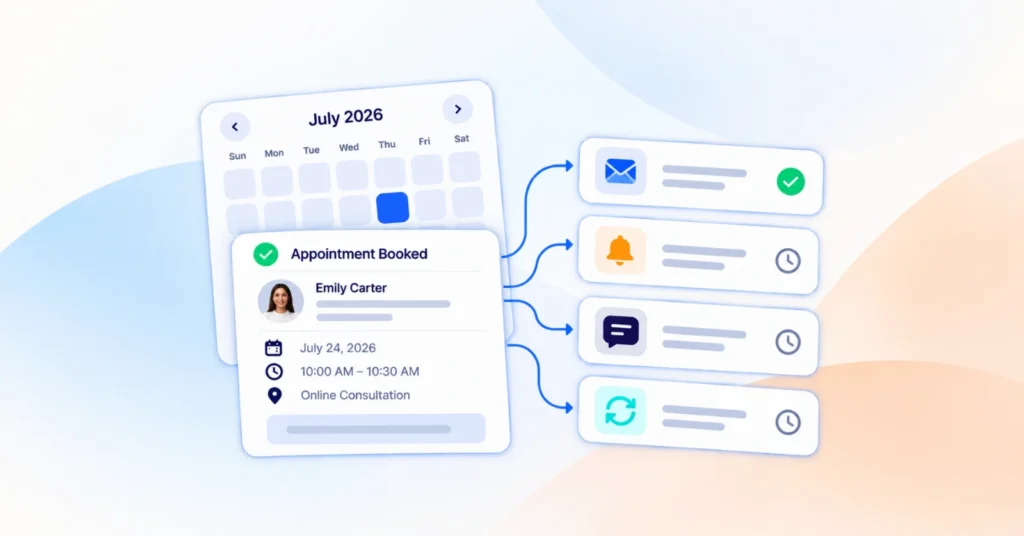
- Automated email reminders and appointment notifications
- Payment collection during booking with Stripe and PayPal
- Zoom, Google Meet, and Microsoft Teams integration
- Custom booking questions and intake forms
- Team scheduling with shared availability management
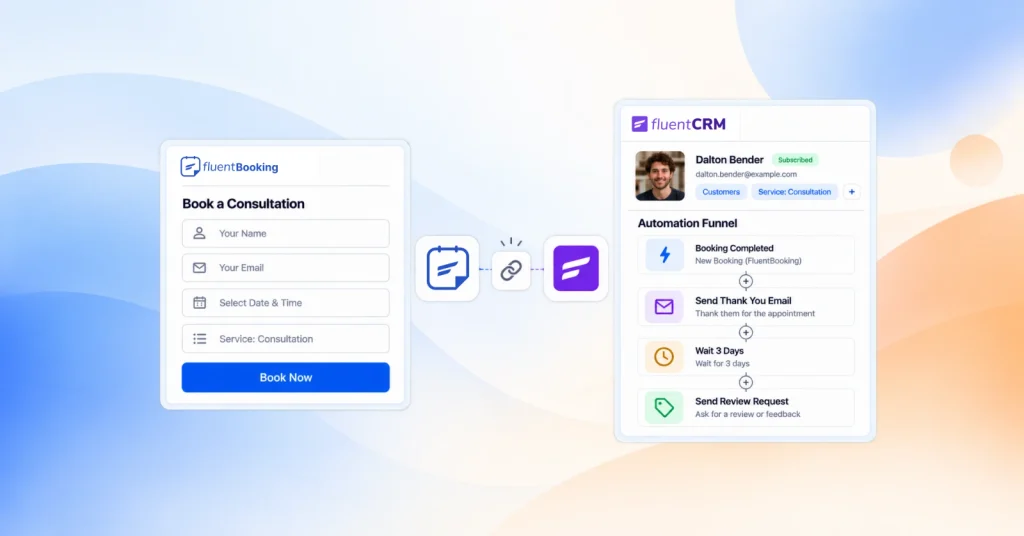
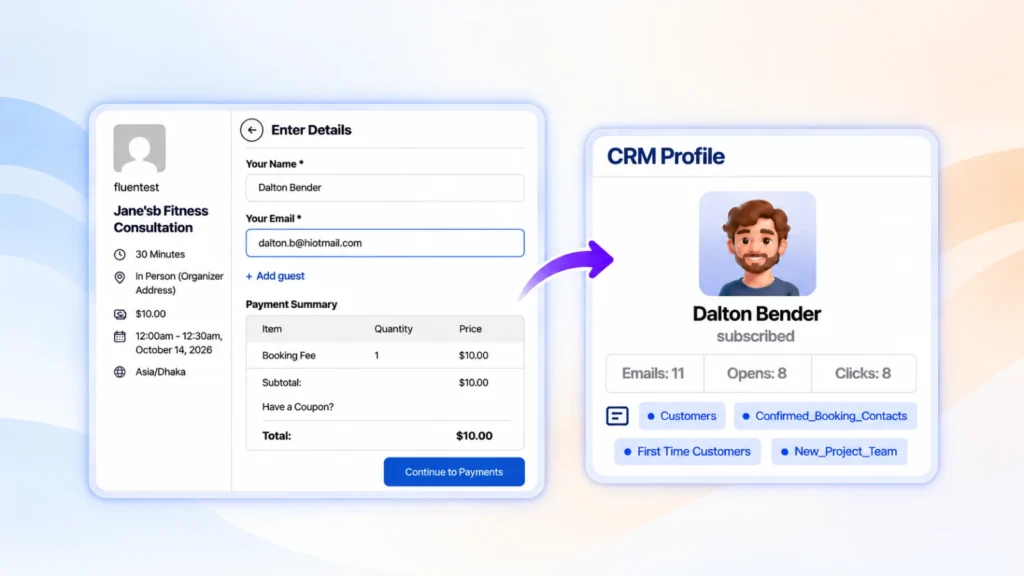
- FluentCRM integration for automated follow-up and client nurturing
- Unlimited calendars and unlimited hosts on paid plans
Pros & Cons
| Pros | Cons |
| Simple setup with a clean and beginner-friendly interface | Advanced analytics are still improving |
| Free plan includes essential scheduling features | WordPress-only solution |
| Supports solo professionals and growing teams | Some advanced features require premium plans |
| Strong calendar sync and payment collection features | No dedicated mobile app |
| Multiple meeting types, including round-robin and group scheduling | |
| Deep integrations with CRM, forms, and automation tools | |
| Full ownership of booking data and customer information |
Pricing
- Free Plan: Yes, available with core scheduling features and unlimited bookings.
- Paid Plans: Starts at $79/year for a single site, $199/year for 5 sites, and $399/year for 50 sites. All paid plans include unlimited calendars, unlimited hosts, Google Calendar and Outlook Calendar sync, automated reminders, payment collection, team scheduling, Zoom integration, and other premium scheduling features.
Best For: FluentBooking is best for WordPress users, coaches, consultants, freelancers, agencies, and service businesses that want complete control over their scheduling system while avoiding recurring SaaS costs. It’s particularly useful for businesses that need appointment scheduling, payment collection, automated reminders, and team coordination from a single platform.
Calendly — Best for Teams and Growing Businesses
Calendly is one of the most popular appointment scheduling tools available today. Known for its clean interface and ease of use, it helps individuals and teams schedule meetings without the usual back-and-forth emails.

If you’re looking for an Acuity Scheduling alternative with strong team scheduling capabilities and extensive integrations, Calendly is a solid option. It allows you to create booking pages, automate meeting workflows, sync calendars, and manage different appointment types from a centralized dashboard.
Key Features of Calendly
- Google Calendar, Outlook, and Office 365 calendar synchronization
- One-on-one, group, collective, and round-robin scheduling
- Automated email and SMS reminders
- Meeting buffers and availability controls
- Personalized scheduling links and booking pages
- Time zone detection for global scheduling
- Zoom, Google Meet, Microsoft Teams, and Webex integrations
- Team scheduling and lead routing capabilities
- Automated workflows and follow-up sequences
Pros & Cons
| Pros | Cons |
| Extremely easy to set up and use | Pricing increases as your team grows |
| Clean and modern user interface | Many advanced features are locked behind paid plans |
| Strong team scheduling and round-robin functionality | Limited customization compared to some competitors |
| Excellent calendar and video conferencing integrations | Can become expensive for larger organizations |
| Advanced workflows and automation features |
Pricing
- Free Plan: Yes, includes basic scheduling features and one event type.
- Paid Plans: Start at $12/user/month for the Standard plan. The Teams plan starts at $20/user/month and includes advanced scheduling features, workflows, reporting, round-robin scheduling, and team management tools. Enterprise plans are also available for larger organizations with advanced security and administrative controls.
Best For: Calendly is best for growing businesses, sales teams, recruiters, consultants, and organizations that need advanced scheduling automation, team coordination, and CRM integrations. It’s a good choice for companies that manage a high volume of meetings and want to automate their scheduling workflows.
YouCanBookMe — Best for Small Businesses and Freelancers
YouCanBookMe is a customizable appointment scheduling platform designed to help individuals and small businesses automate their booking process. If you’re looking for an Acuity Scheduling alternative that focuses on flexibility, branding, and customer experience, YouCanBookMe is worth considering.
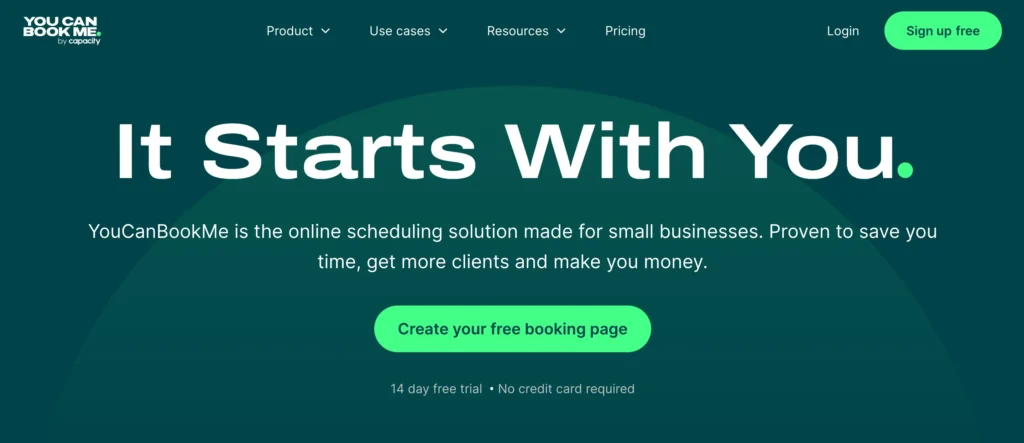
Unlike many scheduling tools that prioritize simplicity over customization, YouCanBookMe gives you more control over how your booking page looks and functions. You can create personalized booking experiences, automate reminders, collect payments, and manage appointments across multiple calendars.
Key Features of YouCanBookMe
- Google, Microsoft, and Apple Calendar integration
- Customizable booking pages with branding options
- Automated email and SMS reminders
- One-on-one appointments, group sessions, and events
- Round-robin and team scheduling
- Automatic time zone detection
- Custom booking forms and intake questions
- Stripe payment collection
- Zoom, Google Meet, and Microsoft Teams integration
- Website embeds and shareable booking links
Pros & Cons
| Pros | Cons |
| Highly customizable booking pages and notifications | Advanced team features require higher-tier plans |
| Free plan available for getting started | Interface can feel overwhelming for first-time users |
| Supports Google, Microsoft, and Apple calendars | CRM integrations are more limited than some competitors |
| Strong automation for reminders and follow-ups | Pricing increases as more calendar connections are needed |
| Built-in payment collection with Stripe | |
| Round-robin and team scheduling options | |
| Automatic time zone detection for global bookings |
Pricing
- Free Plan: Yes. Includes one booking page, calendar integration, automated notifications, video conferencing integrations, and unlimited bookings.
- Paid Plans: Starts at $9/month and adds advanced customization, additional calendar connections, team scheduling, automation, and premium integrations. A 14-day free trial is available on paid plans.
Best For: YouCanBookMe is best for freelancers, consultants, coaches, and small businesses that want a highly customizable scheduling solution. It’s particularly useful for businesses that need branded booking pages, flexible scheduling rules, and automated client communication without the complexity of enterprise-level scheduling software.
SimplyBook.me — Best for Service-Based Businesses
SimplyBook.me is a comprehensive appointment scheduling platform designed for businesses that rely heavily on client bookings. If you’re running a salon, fitness studio, healthcare practice, educational service, or consulting business, it offers many of the tools needed to manage appointments, staff schedules, payments, and customer communication from a single platform.

As an Acuity Scheduling alternative, SimplyBook.me stands out for its extensive customization options and business-focused features.
Key Features of SimplyBook.me
- Custom booking website and booking widget
- Google Calendar and Outlook Calendar synchronization
- Online payments through Stripe, PayPal, and other payment providers
- Automated email and SMS reminders
- Multiple service providers and location management
- Group bookings and recurring appointments
- Memberships, packages, and gift card support
- Client app and admin management app
- Zoom and Microsoft Teams integrations
- Custom intake forms and customer information collection
Pros & Cons
| Pros | Cons |
| Designed specifically for service-based businesses | Can feel overwhelming for simple scheduling needs |
| Supports memberships, packages, and gift cards | Many advanced features require paid plans |
| Built-in payment processing and marketing tools | Setup takes longer than simpler scheduling tools |
| Multiple staff and location management | |
| Client-facing booking website and mobile apps | |
| Strong customization options |
Pricing
- Free Plan: Yes. Includes up to 50 bookings per month, a booking website, and basic scheduling features.
- Paid Plans: Start at €9.90/month (billed annually) and adds more bookings, custom features, payment integrations, marketing tools, and advanced business management capabilities.
Best For: SimplyBook.me is best for salons, spas, fitness studios, healthcare providers, educational services, consultants, and other appointment-based businesses that need advanced booking management, online payments, and customer engagement tools.
Setmore — Best Free Acuity Scheduling Alternative
Setmore is a popular appointment scheduling platform that helps businesses manage bookings, staff availability, customer communication, and online payments. If you’re looking for a free Acuity Scheduling alternative with essential scheduling features, Setmore is one of the strongest options available.
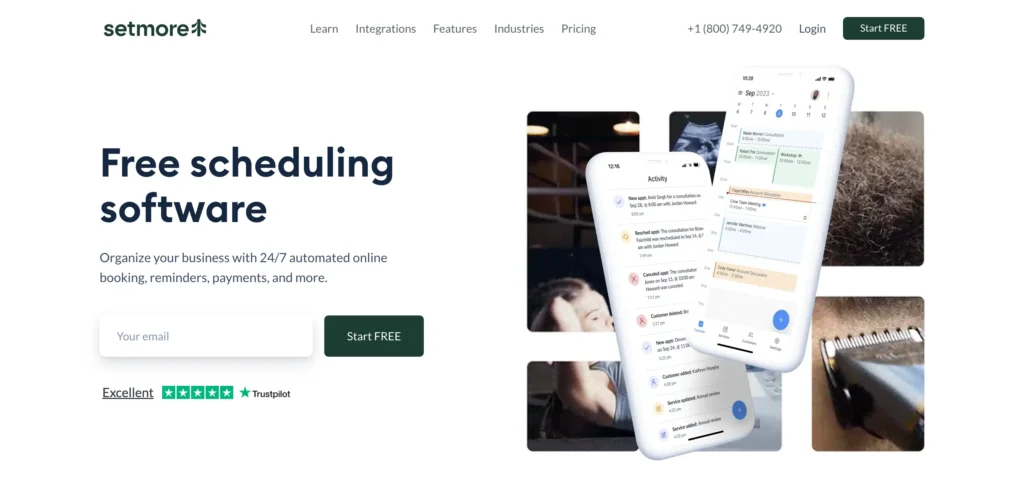
Unlike many scheduling tools that limit key features to paid plans, Setmore offers a generous free plan that supports online booking, automated reminders, calendar sync, and team scheduling.
Key Features of Setmore
- Online appointment scheduling and booking pages
- Google Calendar and Outlook Calendar synchronization
- Automated email reminders and notifications
- One-on-one appointments and group bookings
- Team scheduling and staff management
- Zoom, Google Meet, and Teleport integrations
- Online payments through Stripe, Square, and PayPal
- Custom booking pages and service listings
- Customer database and appointment history
- Mobile apps for iOS and Android
Pros & Cons
| Pros | Cons |
| Generous free plan with core scheduling features | Reporting and analytics are relatively basic |
| Easy setup and beginner-friendly interface | Some customization options require higher-tier plans |
| Supports team scheduling and staff management | Advanced automation features are limited |
| Integrated video meeting and payment tools |
Pricing
- Free Plan: Yes. Includes online booking, calendar sync, payment processing, teleconferencing integrations, and support for up to 4 users.
- Paid Plans: Starts at $12/user/month and adds advanced features such as two-way calendar sync, recurring appointments, SMS reminders, and enhanced customization options.
Best For: Setmore is best for freelancers, consultants, startups, and small businesses looking for an affordable scheduling solution with a generous free plan. It’s particularly useful for businesses that need appointment booking, payment collection, and team scheduling without the cost of premium scheduling software.
Doodle — Best for Group Scheduling
Doodle is one of the most recognized scheduling tools for coordinating meetings with multiple people. If your primary goal is to find a meeting time that works for everyone without endless email chains, Doodle can be an excellent Acuity Scheduling alternative.

Unlike Acuity Scheduling, which focuses on appointment booking and client management, Doodle specializes in group scheduling. It allows participants to vote on preferred meeting times, making it easier to coordinate meetings, workshops, team discussions, and events.
Key Features of Doodle
- Group polls for finding the best meeting time
- One-on-one scheduling and booking pages
- Google Calendar, Outlook, and Microsoft 365 integrations
- Automated email reminders and notifications
- Time zone detection for international scheduling
- Zoom, Microsoft Teams, and Google Meet integrations
- Custom booking pages and scheduling links
- Team scheduling capabilities
- Meeting management and participant coordination
- Mobile apps for iOS and Android
Pros & Cons
| Pros | Cons |
| Excellent for group scheduling and meeting coordination | Less suitable for appointment-based businesses |
| Easy-to-use polling system | Payment collection is not a core feature |
| Supports one-on-one and team scheduling | Limited client management capabilities |
| Strong calendar and video meeting integrations | Advanced customization requires paid plans |
| Automatic time zone detection |
Pricing
- Free Plan: Yes. Includes group polls, booking pages, and basic scheduling features.
- Paid Plans: Starts at $14.95/user/month and adds calendar integrations, automatic scheduling, custom branding, advanced scheduling controls, and ad-free booking experiences.
Best For: Doodle is best for teams, educators, project managers, remote workers, and organizations that frequently coordinate meetings with multiple participants. It’s particularly useful when finding a mutually available time is more important than managing client appointments.
Cal.com — Best Open-Source Acuity Scheduling Alternative
Cal.com is a flexible scheduling platform that gives individuals and businesses complete control over their booking experience. If you’re looking for an Acuity Scheduling alternative with extensive customization options, developer-friendly features, and self-hosting capabilities, Cal.com is worth considering.
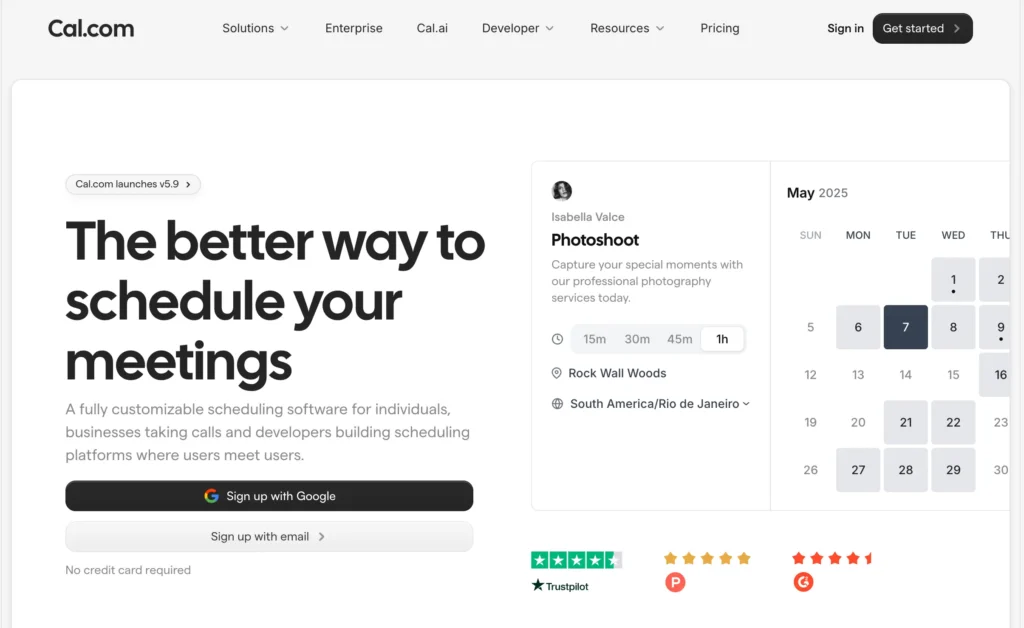
Unlike many scheduling platforms, Cal.com is open source, which means you can customize and even self-host the software if needed. At the same time, it offers a hosted version that’s easy to set up and use, making it suitable for both technical and non-technical users.
Key Features of Cal.com
- One-on-one, group, collective, and round-robin scheduling
- Google Calendar, Outlook, Apple Calendar, and CalDAV integrations
- Automated reminders and meeting notifications
- Routing forms for lead qualification and appointment booking
- Custom booking pages and scheduling links
- Time zone detection and availability management
- Stripe payment collection for paid appointments
- Zoom, Google Meet, Microsoft Teams, and other video integrations
Pros & Cons
| Pros | Cons |
| Open-source platform with extensive customization options | Some advanced features require technical knowledge |
| Self-hosting option for complete control | Initial setup can be more complex than simpler tools |
| Supports individual and team scheduling | Certain premium features require paid plans |
| Strong integration ecosystem |
Pricing
- Free Plan: Yes. Includes individual scheduling, calendar integrations, video conferencing integrations, and core booking features.
- Paid Plans: Starts at $16/user/month for teams and businesses that need advanced workflows, team scheduling, routing forms, automation, and additional integrations. Enterprise and self-hosted options are also available.
Best For: Cal.com is best for developers, agencies, startups, growing businesses, and privacy-focused organizations that want a highly customizable scheduling solution. It’s particularly useful for users who need advanced flexibility, custom workflows, or self-hosting capabilities.
Zoho Bookings — Best for Zoho Ecosystem Users
Zoho Bookings is an online appointment scheduling platform designed to help businesses automate bookings, manage staff availability, and streamline customer appointments. If your business already uses Zoho products, this can be one of the most seamless Acuity Scheduling alternatives available.
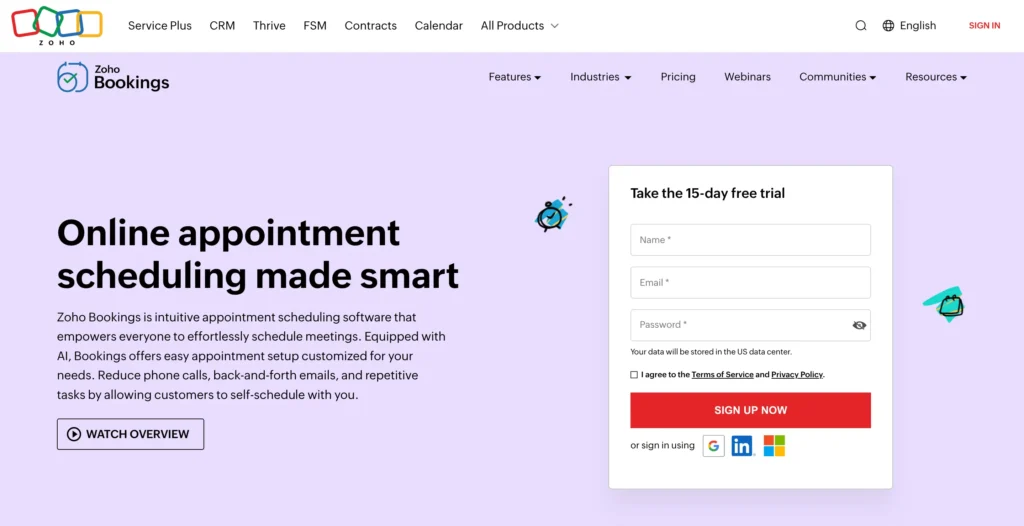
Unlike standalone scheduling tools, Zoho Bookings integrates deeply with the broader Zoho ecosystem, allowing you to connect your scheduling process with CRM, email marketing, customer support, and business management workflows.
Key Features of Zoho Bookings
- Google Calendar, Outlook Calendar, and Zoho Calendar synchronization
- One-on-one appointments, group bookings, and team scheduling
- Round-robin and collective scheduling
- Automated email and SMS notifications
- Custom booking pages and appointment types
- Time zone detection for international bookings
- Online meeting integrations with Zoom, Microsoft Teams, and Zoho Meeting
- Payment collection through Stripe and other supported gateways
- Booking forms and customer information collection
- Staff scheduling and resource management
Pros & Cons
| Pros | Cons |
| Deep integration with the Zoho ecosystem | Best experience requires using other Zoho products |
| Supports individual and team scheduling | Interface may feel complex for new users |
| Automated reminders and customer notifications | Fewer third-party integrations than some competitors |
| Round-robin and collective booking options |
Pricing
- Free Plan: Yes. Includes online scheduling, calendar synchronization, booking page creation, and basic appointment management features.
- Paid Plans: Starts at $8/user/month and adds team scheduling, advanced integrations, payment collection, custom workflows, reporting, and enhanced business management features.
Best For: Zoho Bookings is best for small businesses, agencies, consultants, and organizations already using Zoho products. It’s particularly valuable for businesses that want to connect appointment scheduling with CRM, marketing, customer support, and other operational workflows.
Microsoft Bookings — Best for Microsoft 365 Users
Microsoft Bookings is an appointment scheduling solution included with many Microsoft 365 business plans. If your organization already relies on Outlook, Microsoft Teams, and other Microsoft tools, it can be a convenient Acuity Scheduling alternative that fits naturally into your existing workflow.
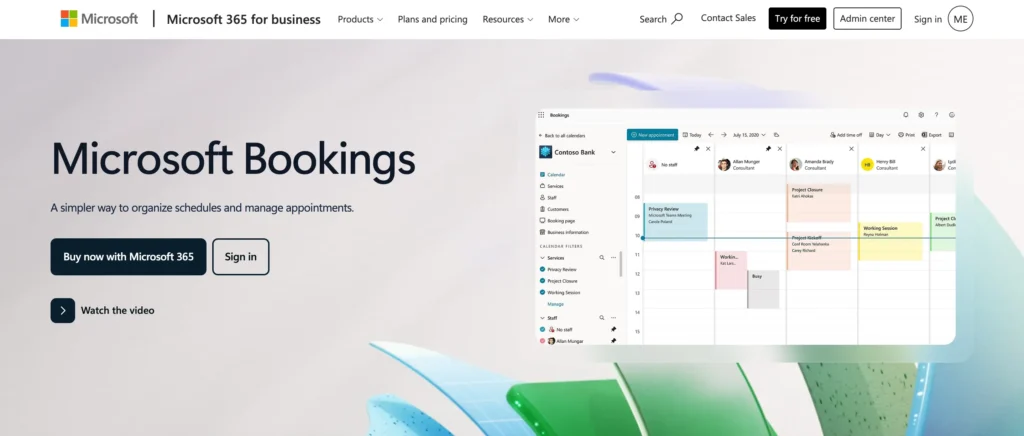
Unlike standalone scheduling platforms, Microsoft Bookings is built directly into the Microsoft ecosystem. It helps businesses manage appointments, staff availability, customer communication, and virtual meetings without requiring additional scheduling software.
Key Features of Microsoft Bookings
- Outlook Calendar and Microsoft 365 integration
- One-on-one appointments and group bookings
- Shared staff calendars and team scheduling
- Automated email confirmations and reminders
- Custom booking pages and scheduling forms
- Microsoft Teams integration for virtual appointments
- Real-time availability management
- Customer information and appointment history tracking
- Multiple staff and service management
Pros & Cons
| Pros | Cons |
| Included with many Microsoft 365 business plans | Requires a Microsoft 365 subscription |
| Seamless Outlook and Teams integration | Limited third-party integrations compared to some competitors |
| Easy staff scheduling and calendar management | Customization options are less flexible than specialized scheduling tools |
| Automated reminders and confirmations | |
| Centralized management within the Microsoft ecosystem | |
| Good option for virtual and in-person appointments |
Pricing
- Free Plan: No standalone free plan available.
- Paid Plans: Microsoft Bookings is included with eligible Microsoft 365 Business and Enterprise plans, starting at $6/user/month with Microsoft 365 Business Basic. Higher-tier plans include additional collaboration, security, and productivity features alongside Bookings.
Best For: Microsoft Bookings is best for businesses, consultants, educational organizations, healthcare providers, and teams already using Microsoft 365.
Jotform Appointment Scheduler — Best for Custom Booking Forms
Jotform Appointment Scheduler is an appointment booking solution built on top of Jotform’s powerful form-building platform. If you need more than a standard scheduling page and want complete control over how you collect information from clients, Jotform can be an excellent Acuity Scheduling alternative.
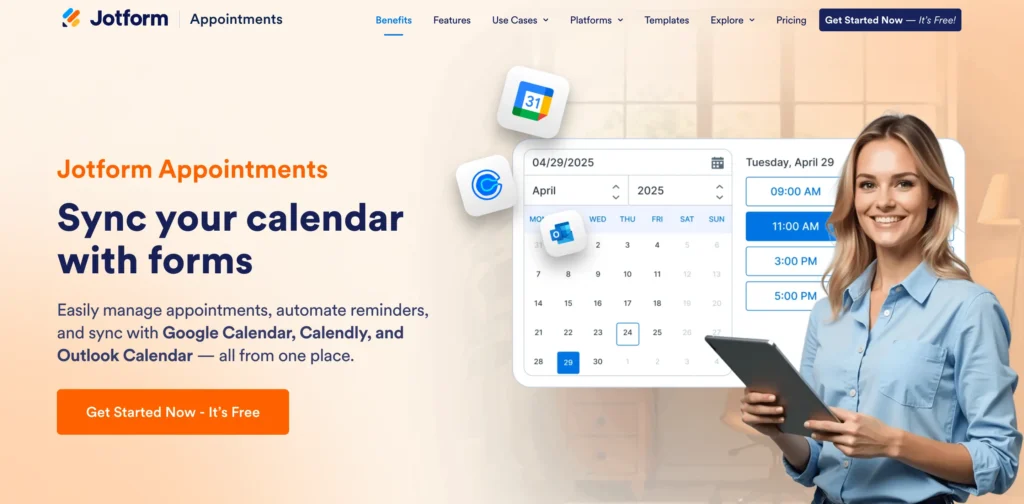
Unlike traditional scheduling tools that focus primarily on booking appointments, Jotform combines appointment scheduling, payment collection, custom forms, approvals, and workflow automation in a single platform. This makes it particularly useful for businesses that need to gather detailed client information before appointments.
Key Features of Jotform Appointment Scheduler
- Drag-and-drop appointment booking form builder
- Custom booking forms with conditional logic
- Online payment collection through Stripe, PayPal, Square, and other gateways
- Automated email confirmations and reminders
- Google Calendar, Outlook, and Apple Calendar integrations
- Zoom and Microsoft Teams integrations
- Customizable booking pages and scheduling widgets
- Client intake forms and data collection
- Approval workflows and automated notifications
Pros & Cons
| Pros | Cons |
| Highly customizable booking and intake forms | Free plan has submission and storage limits |
| Strong payment collection capabilities | Can be more complex than dedicated scheduling tools |
| Extensive integrations with business tools | Advanced features require higher-tier plans |
| Conditional logic and workflow automation | |
| Easy website embedding and customization |
Pricing
- Free Plan: Yes. Includes appointment scheduling, online forms, payment collection, and basic integrations with monthly usage limits.
- Paid Plans: Starts at $39/month and adds higher submission limits, advanced workflows, HIPAA compliance, approval flows, increased storage, and premium integrations.
Best For: Jotform Appointment Scheduler is best for consultants, agencies, healthcare providers, coaches, educational organizations, and service businesses that need detailed intake forms, payment collection, and customized booking workflows alongside appointment scheduling.
Final Verdict: Which Acuity Scheduling Alternative Is Right for You?
The best Acuity Scheduling alternative depends on how you manage appointments and what features matter most to your business. Some tools focus on simple scheduling, while others offer advanced automation, payment collection, team management, or deep integrations with your existing software.
Here’s a quick way to choose the right tool:
- For WordPress users: FluentBooking — ideal for managing appointments directly from your WordPress website with calendar sync, automated reminders, payment collection, and flexible meeting types.
- For teams and growing companies: Calendly — great for round-robin scheduling, team availability management, automated workflows, and CRM integrations.
- For freelancers and small businesses: YouCanBookMe — offers customizable booking pages, calendar integrations, and automated client communication.
- For service-based businesses: SimplyBook.me — a powerful booking solution for salons, fitness studios, healthcare providers, and other appointment-driven businesses.
- For free scheduling: Setmore — provides a generous free plan with appointment booking, calendar sync, payment collection, and team scheduling features.
- For group meeting coordination: Doodle — perfect for finding a meeting time that works for multiple participants without endless email chains.
- For open-source flexibility: Cal.com — ideal for businesses that want advanced customization, workflow automation, and self-hosting capabilities.
- For Zoho users: Zoho Bookings — integrates seamlessly with Zoho CRM and other Zoho applications for a connected business workflow.
- For Microsoft users: Microsoft Bookings — a natural choice for organizations already using Microsoft 365, Outlook, and Microsoft Teams.
- For form-based appointment booking: Jotform Appointment Scheduler — combines scheduling, payment collection, and customizable intake forms in one platform.
Ultimately, the right Acuity Scheduling alternative is the one that fits your workflow, budget, and business goals. If you’re looking for a WordPress-native solution that combines appointment scheduling, payments, automation, calendar synchronization, and team booking in one place, FluentBooking stands out as one of the most complete alternatives available today.
Ratul Hasan Ripon
I enjoy making complex ideas simple and engaging through my writing and designs. With a strong knowledge on content writing and SEO, I create technical content that’s both easy to understand and interesting.
Table of Content
Subscribe To Get
WordPress Guides, Tips, and Tutorials
Add your first comment to this post