

How to Set Up Salon Appointment Booking on WordPress with FluentBooking


Running a salon means handling appointments, managing staff schedules, replying to clients, and keeping your day organized. But when bookings come through phone calls, Facebook messages, or WhatsApp chats, things can quickly become messy.
Missed appointments, double bookings, and endless back-and-forth messages can waste valuable time and affect the client experience.
With FluentBooking, you can let clients book appointments directly from your WordPress website, automate reminders, sync calendars, accept payments, and manage your salon schedule from one place.
In this guide, we’ll show you how to set up salon appointment booking on WordPress step by step using FluentBooking.
Why Salons Need an Online Appointment Booking System
Clients expect quick and easy online booking. A booking system helps salons reduce scheduling stress, stay organized, and deliver a smoother customer experience.
- The Problems with Manual Salon Booking: Managing appointments through calls, messages, or social media can lead to missed bookings, double bookings, and scheduling confusion. Manual booking also takes time and increases no-shows.
- How Online Booking Improves Client Experience: Online booking lets clients schedule appointments anytime, choose available slots, and receive automated reminders. This makes booking faster and more convenient for everyone.
- Why WordPress Is a Great Choice for Salon Booking: WordPress gives salon owners full control over their website and booking system. With FluentBooking, you can manage salon appointments directly inside WordPress with ease.
Check this blog to know more about the benefits of an online booking system
What You Need Before Setting Up Salon Appointment Booking
Before you start creating your salon booking system, there are a few things you’ll need.
- A WordPress Website: First, you need a working WordPress website for your salon business. This will be the place where clients can view your services and book appointments online. If you already have a salon website, you’re ready for the next step.
- FluentBooking Plugin: Next, install the FluentBooking plugin on your WordPress website. FluentBooking helps you create appointment schedules, manage availability, automate reminders, sync calendars, and handle salon bookings from one dashboard.
- Calendar & Payment Gateway: You can also connect Calendar to avoid scheduling conflicts and keep your salon appointments synced automatically. If you want to accept online payments, you can connect payment solutions like Stripe or PayPal to collect booking fees directly from clients.
Bonus: Check this detailed guide on how to open a salon
How to Set Up Salon Appointment Booking on WordPress
Now, let’s set up your salon appointment booking system step by step using FluentBooking.
Install and Activate FluentBooking
Start by installing FluentBooking from your WordPress dashboard. After activating the plugin, complete the setup wizard by adding your business details, timezone, and booking preferences.
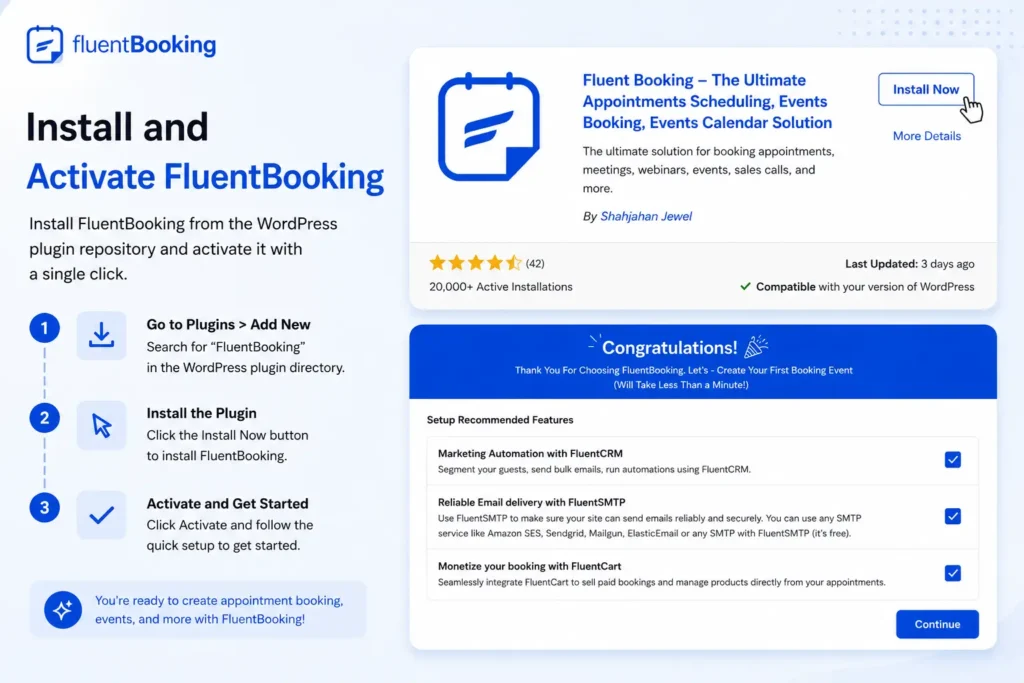
Once the setup is complete, you’ll be ready to create your salon booking system.
Create a Salon Booking Event
In FluentBooking, events are the services clients can book online. Create booking events based on your salon services, such as haircuts, facials, hair coloring, spa sessions, or makeup appointments.
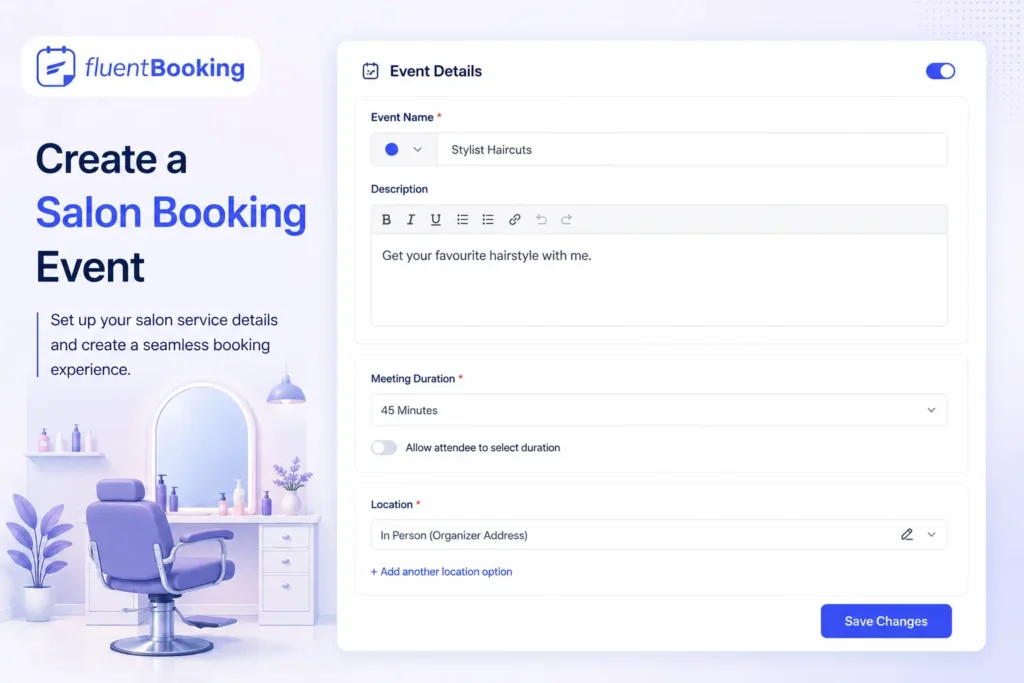
You can customize each event with:
- appointment duration,
- availability,
- booking form,
- and confirmation settings.
This helps organize different salon services more efficiently.
Set Your Salon Availability
Next, configure your salon’s working hours and booking schedule. You can choose your available days, working hours, breaks, and unavailable dates.
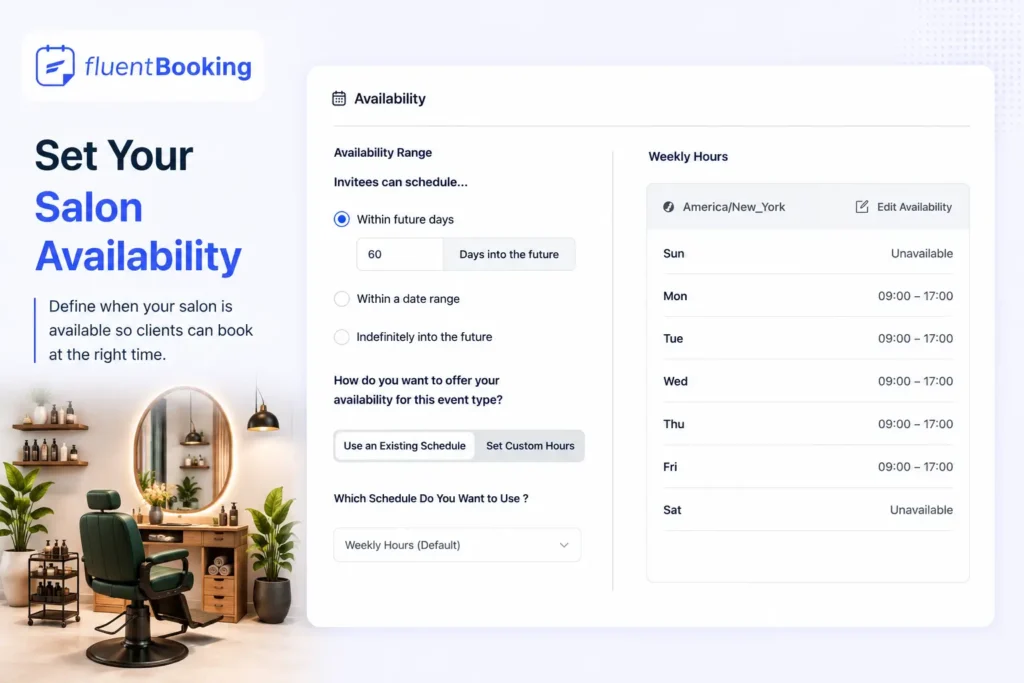
If you have multiple stylists or staff members, FluentBooking also lets you manage separate schedules for each team member to avoid booking conflicts.
Add Appointment Duration and Buffer Time
Different salon services require different appointment lengths. For example, a haircut may take 30 minutes, while hair coloring or spa treatments may need much longer.
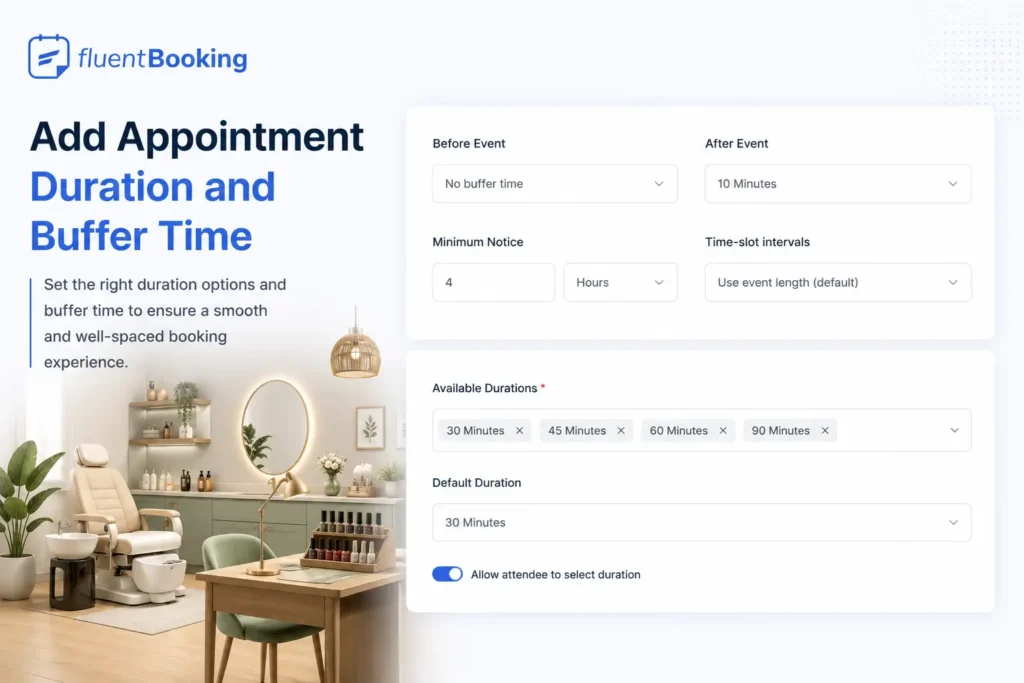
FluentBooking allows you to set custom durations for every booking type. You can also add buffer time between appointments to give your team preparation time and keep schedules organized.
Connect with Calendar App
Calendar app sync helps prevent scheduling conflicts and keeps your availability updated automatically.
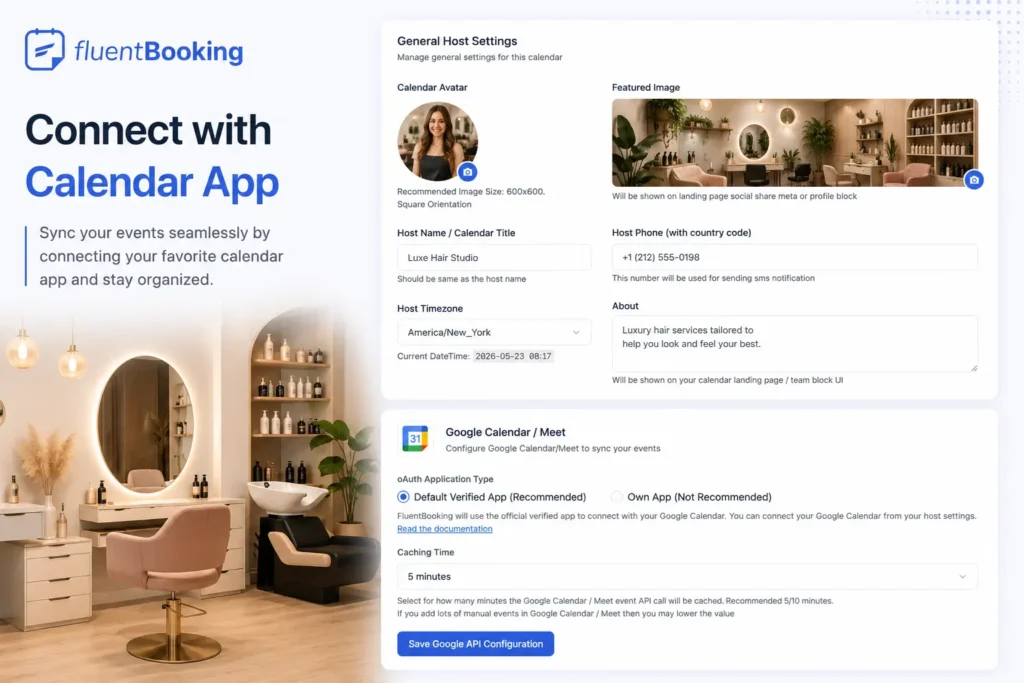
Once connected, FluentBooking can:
- check your calendar availability in real time,
- avoid double bookings,
- and automatically add appointments to your calendar.
This makes salon schedule management much easier.
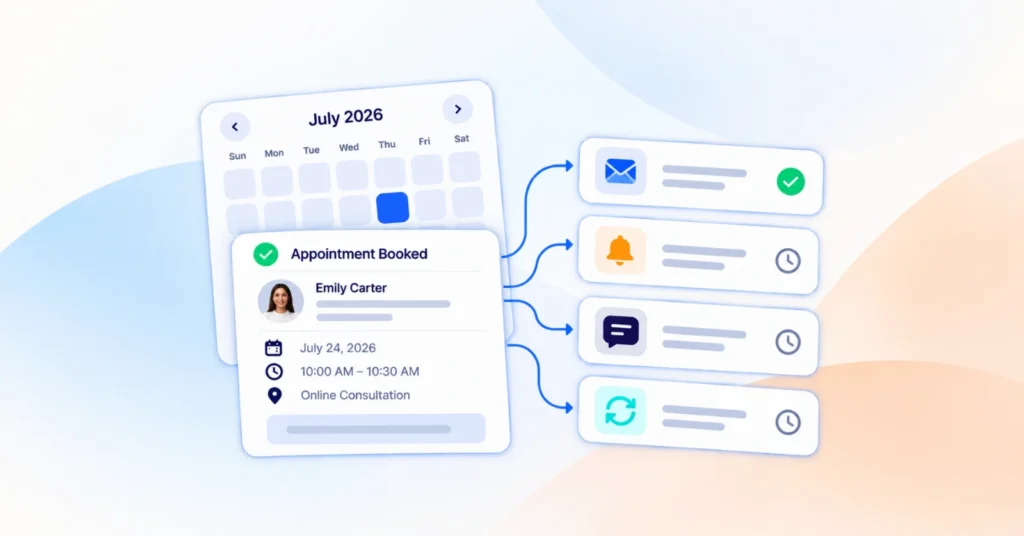
Set Up Automated Email & SMS Reminders
Automated notifications help reduce no-shows and improve communication with clients.
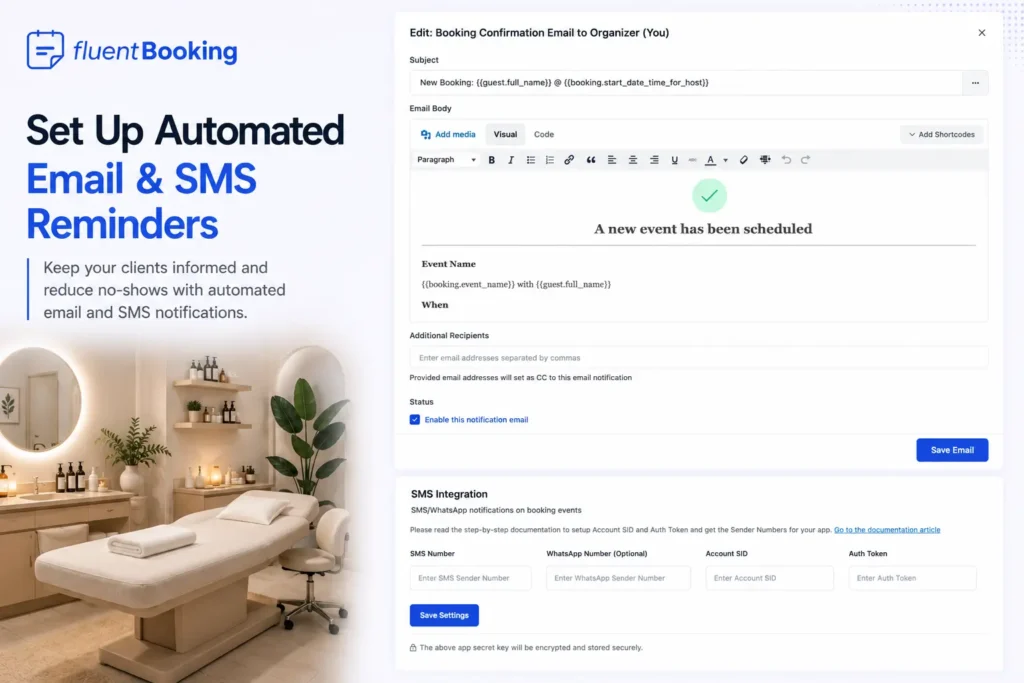
With FluentBooking, you can automatically send:
- booking confirmations,
- reminder notifications,
- follow-up emails,
- and SMS alerts.
Clients stay informed without requiring manual follow-ups from your salon team.
Accept Online Payments for Appointments
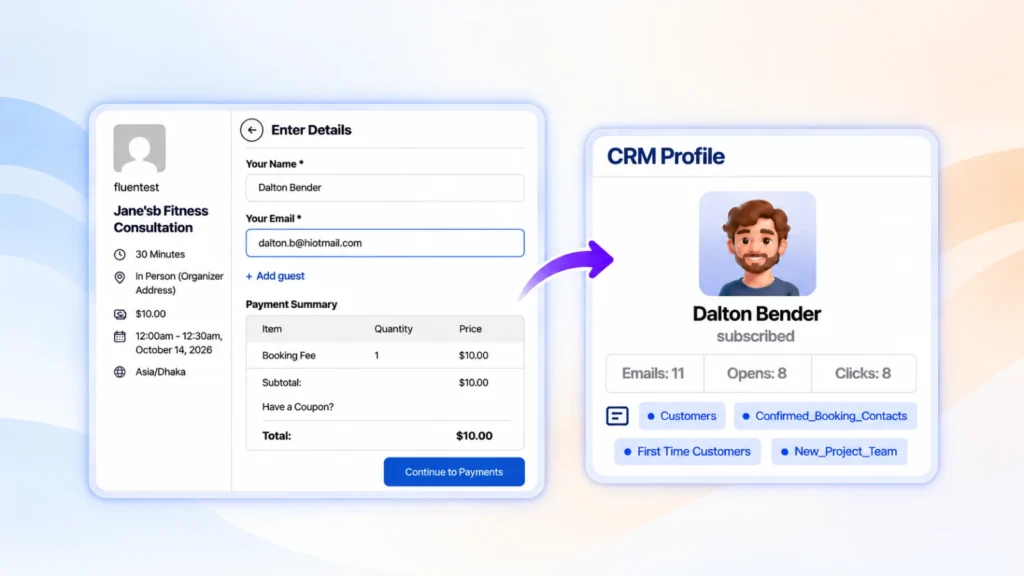
If you want to collect payments before confirming appointments, you can enable online payment options inside FluentBooking.
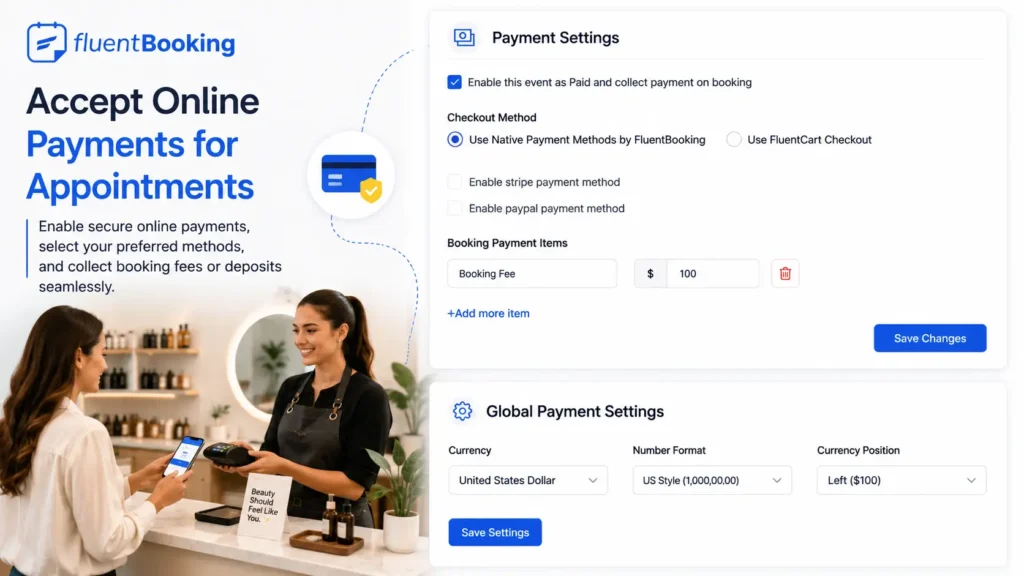
This is especially useful for:
- premium salon services,
- bridal appointments,
- spa packages,
- or consultation bookings.
Online payments help secure appointments and reduce cancellations.
Add the Booking Page to Your Website
After completing the setup, add your booking page to your salon website so clients can start scheduling appointments online.
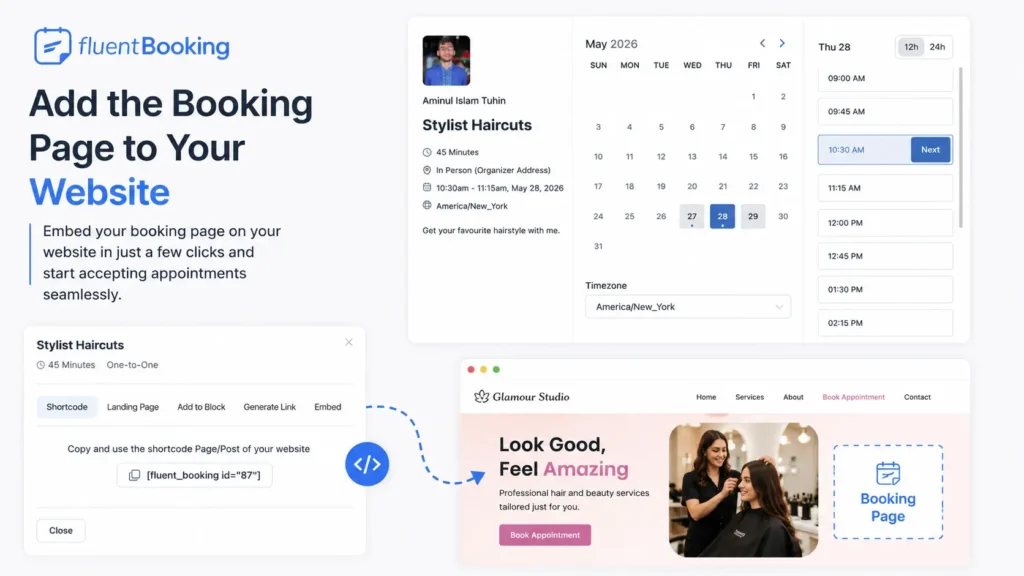
You can place booking forms on:
- homepage sections,
- service pages,
- landing pages,
- or dedicated booking pages.
Make sure the booking button is easy to find on both desktop and mobile devices. Also, make sure you’ve researched some cool marketing ideas to attract clients.
Test the Full Booking Experience
Before going live, test the entire booking process yourself to ensure everything works smoothly.
Check:
- appointment availability,
- booking confirmations,
- calendar sync,
- payment flow,
- and mobile responsiveness.
A smooth booking experience helps your salon look more professional and builds trust with clients.
Why FluentBooking Is a Great Choice for Salon Appointment Booking
FluentBooking gives salon businesses a simple and flexible way to manage appointments directly inside WordPress.
Instead of depending on external scheduling platforms, you fully control your bookings, customer experience, and business data from your own website.
Features like:
- automated reminders
- Google Calendar sync
- online payments
- booking limits
- team scheduling
- and customizable booking forms
make it easier to run salon operations smoothly without extra complexity.
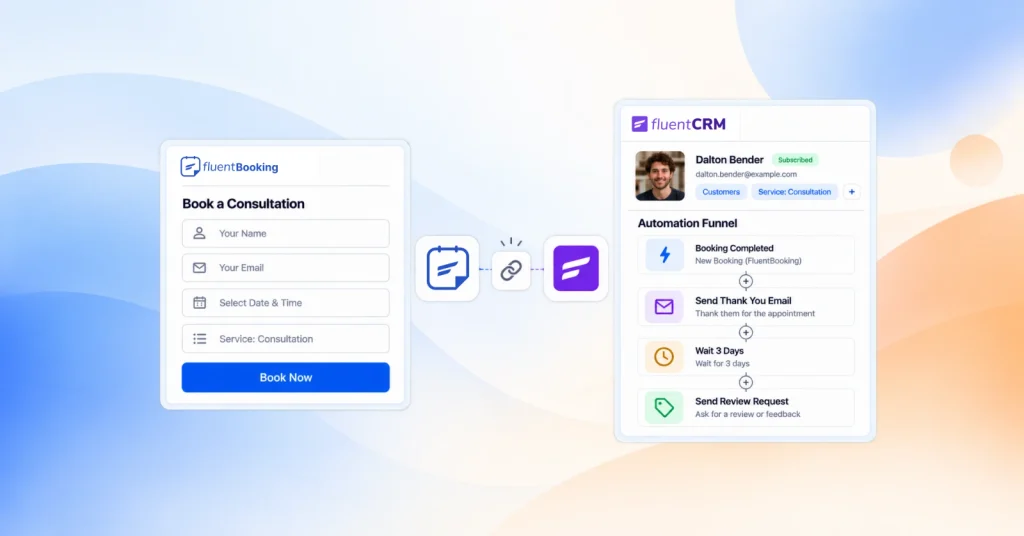
FluentBooking also works well with the broader WordPress ecosystem, allowing salon owners to build workflows that fit their business needs without switching between multiple platforms.
Final Thoughts
Managing salon appointments manually can quickly become stressful as your business grows. An online booking system helps organize schedules, reduce no-shows, improve client experience, and save valuable time for your team.
With FluentBooking, you can create a complete salon appointment booking system directly inside WordPress without dealing with unnecessary complexity.
If you’re ready to simplify salon scheduling, now is a great time to set up your online booking system with FluentBooking.
Frequently Asked Questions
Aminul Islam Tuhin
Hi! Nice to meet you. I’m a guy who loves to explore, learn, and share knowledge. I spend most of my time catching up with marketing tips & tricks. When I’m not busy with any of these, you’ll find me with a book, exploring the city, or playing my favorite games.
Table of Content
Subscribe To Get
WordPress Guides, Tips, and Tutorials


Add your first comment to this post