

What Should Happen After Someone Books? Why Every Booking Needs a Next Step


A new booking feels like the finish line. Someone found your page, picked a time, and confirmed. The hard part seems to be over.
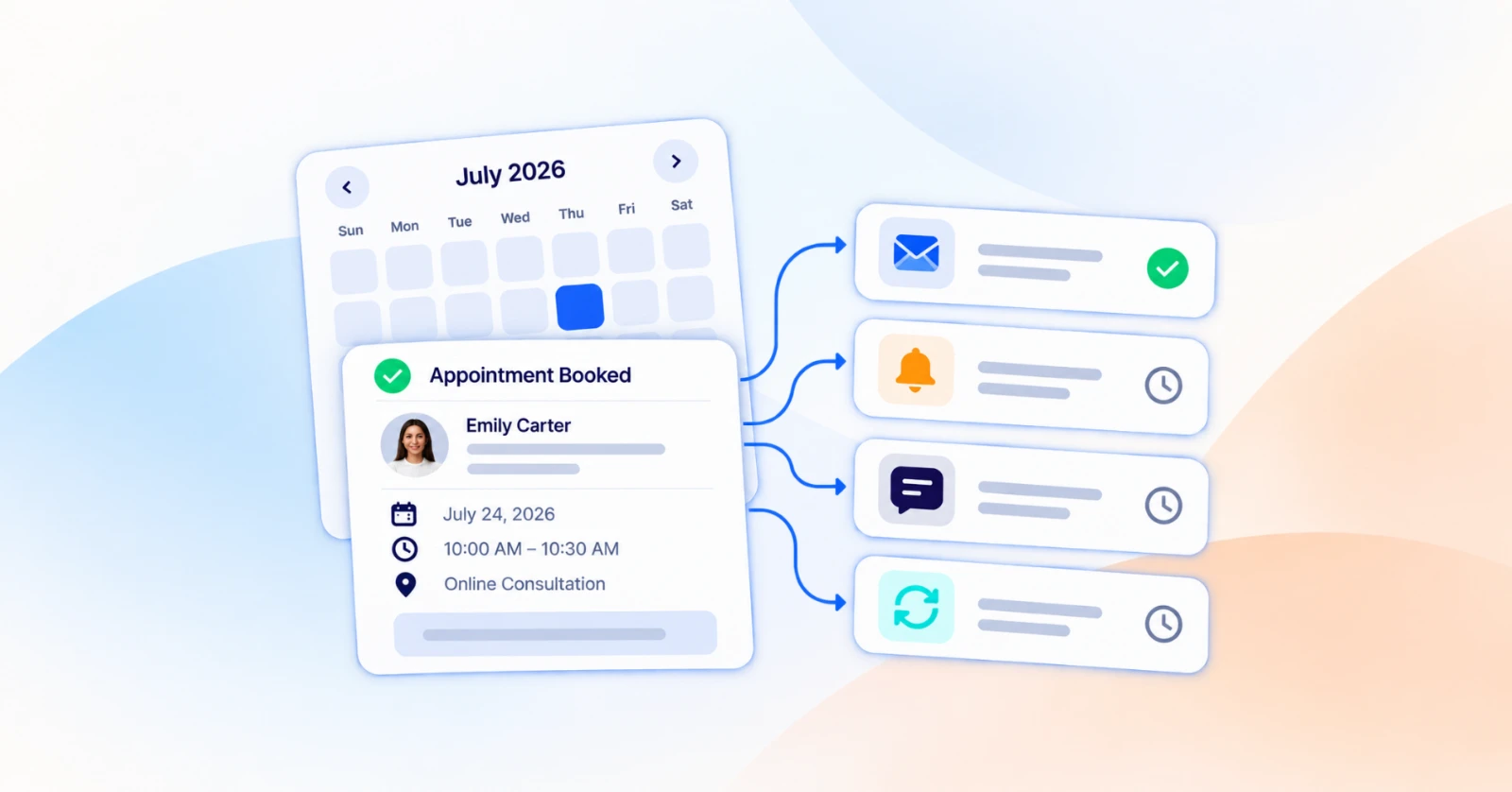
But the booking is where the real work starts. What happens in the hours and days after it decides whether the client shows up prepared, shows up at all, and comes back. Most service businesses handle those hours from memory: a quick email here, a reminder when someone remembers to send it, a follow-up that sits in the drafts folder.
This guide maps the next step that should follow every booking, from the moment someone books to months after the appointment. You’ll also see which of those steps you can hand off to your WordPress site so they happen whether or not anyone remembers.
What a “next step” Actually is
A next step is the action that should follow a specific moment in a booking. When someone books, they get a confirmation. When the appointment is tomorrow, they get a reminder. When they cancel, they get an easy way to pick a new time. When the session is over, they hear from you again.
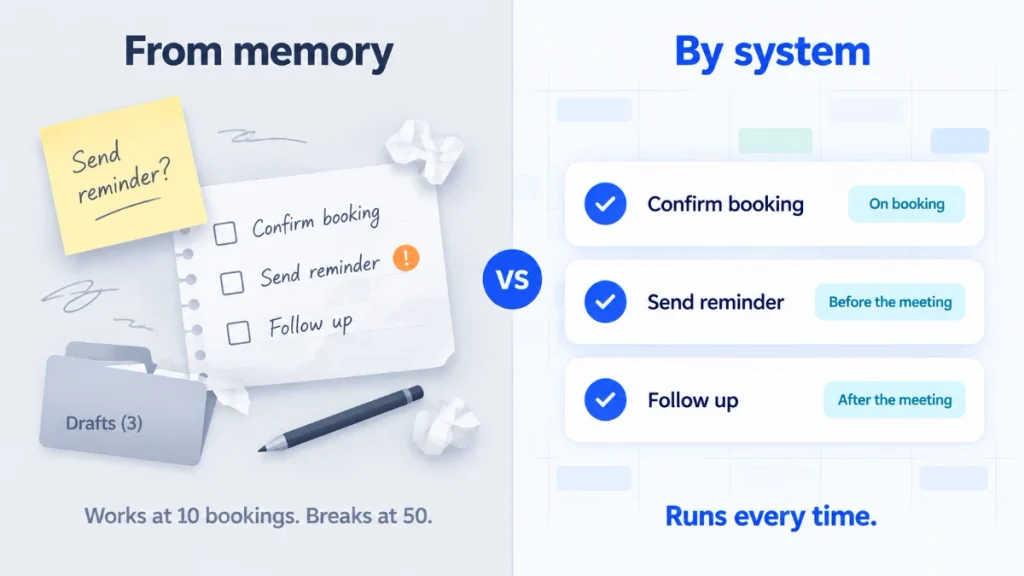
The key difference is ownership. In most small businesses, next steps belong to a person: the owner, a receptionist, an assistant with a sticky note. That works at ten bookings a month. At fifty, steps start getting skipped, and nobody notices until a client quietly stops booking.
A next step that belongs to a system runs every time. That’s the idea behind a simple principle: every booking has a next step. If you can’t name the next step for a booking moment, that moment is a gap.
What Goes Wrong When There Isn’t One
The gaps rarely look dramatic. They look like small, normal things.
A physiotherapy patient arrives without the referral letter you needed, because nobody asked for it at booking. A coaching client books a discovery call, has a good conversation, and never hears from the coach again, so they book someone else.
A salon client cancels on Monday, and there’s no prompt to rebook, so the empty slot stays empty and the client drifts to another salon. An agency prospect no-shows a call, and the silence after it reads as “we don’t really care.”
None of these are failures of service. They’re failures of follow-through. The appointment itself might have been excellent. The steps around it were missing.
The Next-Step Map: 5 Booking Moments
Every booking passes through a handful of moments. Each one needs a defined next step. Here’s the map.
1. Right After Booking: Confirm and Collect
The client has just committed. Two things should happen immediately.
First, a confirmation email that removes any doubt: the date, the time, the location or meeting link, and how to change the booking if they need to. Second, anything you need from them before the meeting. That might be intake questions, a file upload, or agreement to your terms. Collecting it at booking is far easier than chasing it later.
If your service requires an upfront payment or deposit, this is also the right moment to collect it. It can add another layer of commitment while keeping payment part of the booking workflow.
2. Before the Meeting: Remind and Prepare
Most no-shows aren’t rude. People simply forget. A well-timed reminder can reduce the chance of a missed appointment, and it gives clients a chance to reschedule when they can’t make it.
Use the reminder to prepare them, not only to nudge. “Bring your previous X-rays.” “Have your website login ready.” “Arrive ten minutes early to fill in a short form.”
A prepared client makes for a better appointment. For more ways to protect your calendar, see these ideas to reduce no-shows.
3. When Plans Change: Make the Next Booking Easy
Cancellations and reschedules are normal. What matters is what happens next.
A cancellation without a next step is a lost client waiting to happen. A cancellation notification that gets an immediate “here’s a link to pick a new time” often just turns into a different time. Reschedules need a clear confirmation of the new time, so nobody ends up showing up for the old slot.
The same goes for no-shows. A short, friendly message (“We missed you today. Want to book another time?”) gives you a real chance to win the booking back. Silence gives you none.
4. After the Meeting: Client Follow-up, Ask and Rebook
This is the moment that’s easiest to skip, and it’s where repeat business comes from.
Within a day of the appointment, send a thank-you with any notes or next actions you promised. A few days later, ask for a review while the experience is still fresh. Then, at the point when the client would naturally need you again, send a nudge to rebook.
For a salon, that might be six weeks; for a coach, two weeks; for a dental practice, six months.
If you want to build this as an automated follow-up sequence, here’s a ready-made follow-up sequence for after appointments.
5. Over time: Recognize Regulars, Re-engage the Quiet Ones
The longer view is about patterns, not single bookings. Someone who has booked five times is a regular and deserves to be treated like one: early access to new slots, a thank-you, a referral ask. Someone who booked once, six months ago, and never came back needs a different message.
You can only see these patterns if every booking updates the client’s record. That’s the step that turns a calendar into a relationship. When you’re ready to go deeper on retention emails, here’s a guide to help you win back clients who’ve gone quiet.
Next Steps by Business Type
The moments are the same everywhere. The specific next step changes with the business.
| Booking moment | Clinic | Coach | Salon | Agency |
| Right after booking | Confirm, collect intake form and insurance details | Confirm, ask what they want to get out of the session | Confirm, ask about allergies or service preferences | Confirm, ask for website URL and goals |
| Before the meeting | Reminder with what to bring | Reminder with a short prep prompt | Reminder plus a rebook-or-cancel link | Reminder with the call link and agenda |
| When plans change | Rebooking link; flag repeated cancellations | Easy reschedule link | Immediate rebook prompt to fill the slot | Reschedule link; note the new time for the team |
| After the meeting | Care instructions, review request | Session notes, next-session nudge | Thank-you, rebook at the usual interval | Proposal or summary, next-call booking link |
| Over time | Recall reminder for the next checkup | Check-in after a quiet month | Loyalty thank-you for regulars | Re-engage proposals that went cold |
Pick the column closest to your business. If any cell is blank for you today, that’s your first gap to close.
How to Put Next Steps on Autopilot in WordPress
Once you know which steps should happen after each booking, the next question is how to make those steps consistent.
On a WordPress site, you can automate many of these routine actions with your booking plugin and your CRM. FluentBooking handles the steps around the appointment itself, while FluentCRM helps continue the client journey after the booking.
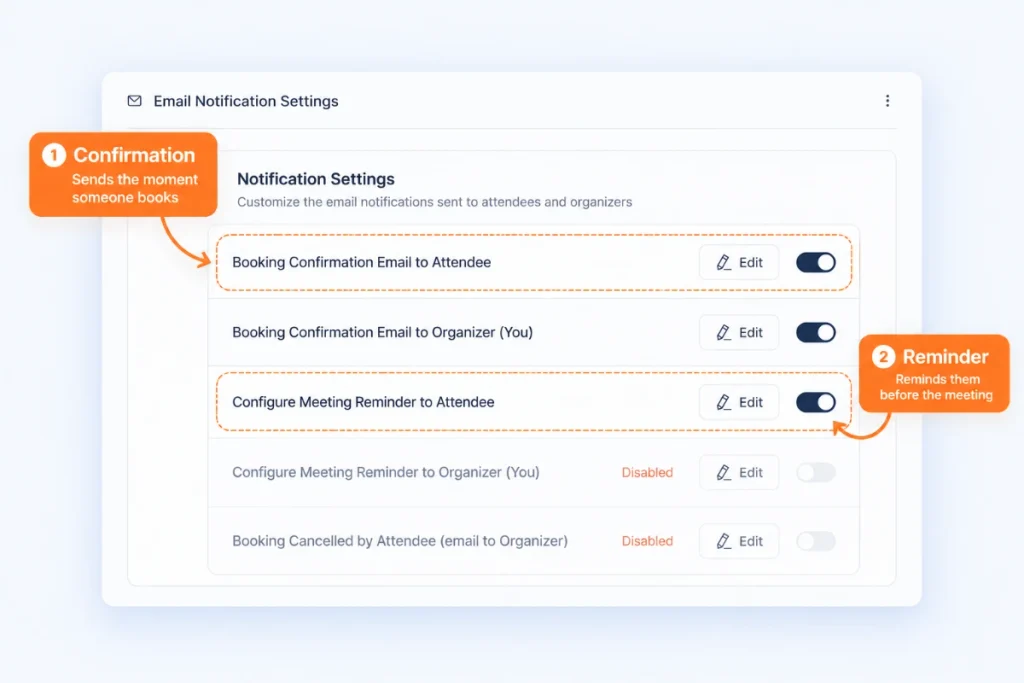
For example, the first few moments are built into each event type in FluentBooking:
- Confirm the booking. Turn on the Booking Confirmation Email to Attendee and include the date, time, location or meeting link, and any instructions the client needs. A matching confirmation can go to you as the organizer.
- Collect information. Add custom questions to the booking form. You can use text fields, dropdowns, checkboxes, dates, a file upload, or a terms and conditions checkbox, depending on what the service needs.
- Remind and prepare. Use Configure Meeting Reminder to Attendee to send a reminder before the appointment, with anything the client should know or bring.
- Handle changes. If you cancel or reschedule a booking, the attendee is notified (Booking Cancelled by Organizer, Booking Rescheduled by Organizer), so the new details are always clear.
The steps after the appointment can be organized into a simple follow-up workflow:
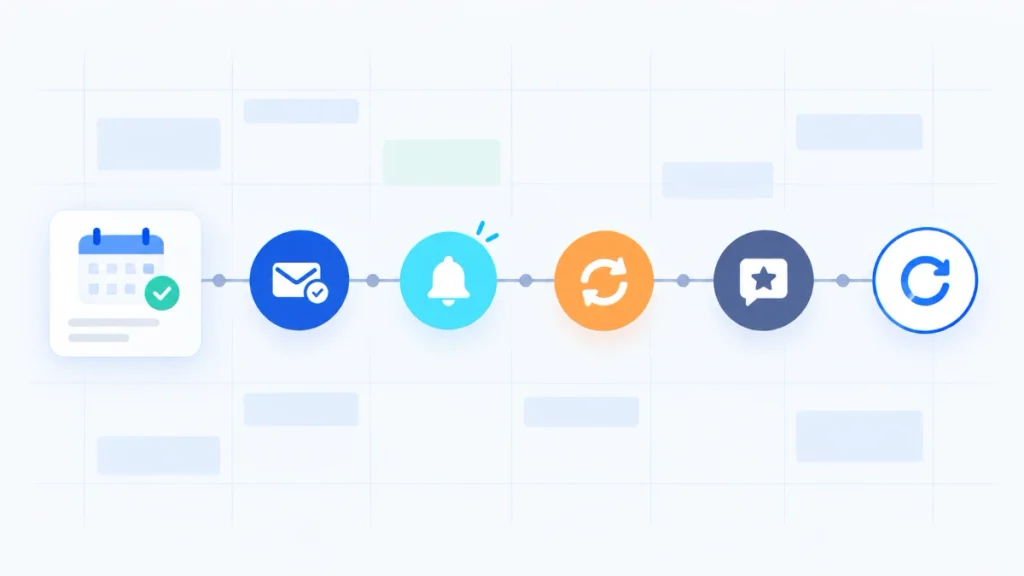
Completed appointment → Thank-you → Review or feedback → Rebooking → Re-engagement
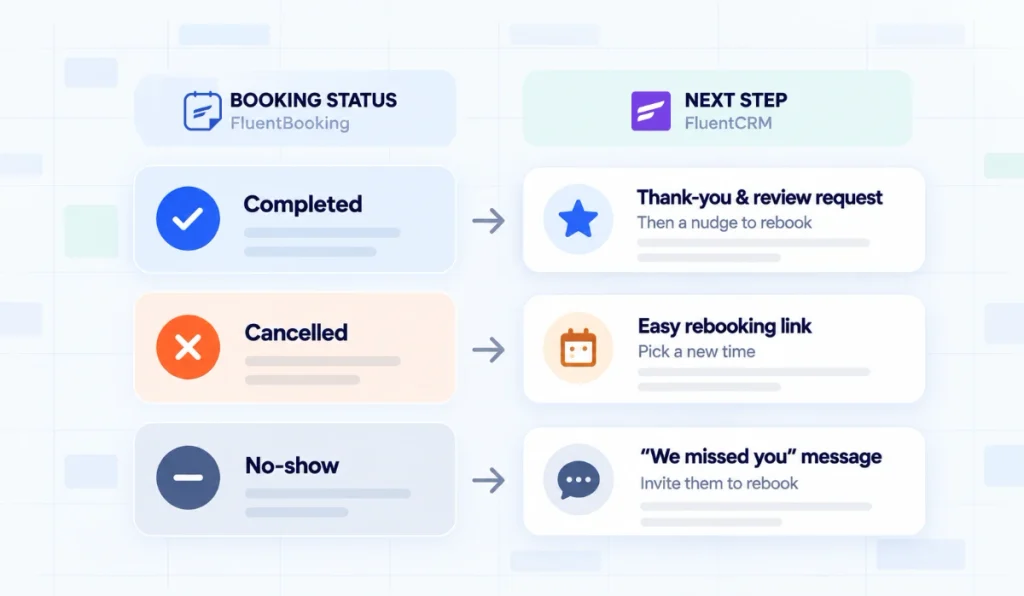
Every booking keeps a status: scheduled, rescheduled, cancelled, completed or no-show. Because FluentBooking connects with FluentCRM, those statuses give your contact records the context for what should happen next. A completed appointment points to a follow-up. A cancellation or no-show points to a rebooking message. To set this up, see how to connect your bookings to FluentCRM, then tag every client the moment they book.
Whatever your setup, the rule is the same: every booking moment needs a defined next step, and the repeatable parts of the process shouldn’t rely on memory.
Start Small: Your First 3 Next Steps
You don’t need all five moments running on day one. Set them up in this order:
- Confirmation and reminder. These are the basics, and they protect every booking you already have. Turn on the confirmation and reminder emails for your busiest event type and rewrite the default text so it sounds like you.
- Follow-up after a completed appointment. This is the step that brings people back. One thank-you email with a rebooking link is enough to start.
- Cancellation and no-show recovery. This turns lost slots into rebooked ones. Use a short, warm message with a link to pick a new time.
Once those three run without you, add the longer-term steps: recognizing regulars and re-engaging clients who’ve gone quiet.
The booking is the Start
Getting someone to book is only one part of the customer journey.
The experience continues with confirmation, preparation, reminders, rescheduling, follow-up, and eventually the next appointment. Each of these moments gives you a chance to make the next step clear and easier for your client.
You don’t need to automate everything at once. Start by looking at your booking process and ask a simple question at every stage:
What should happen next?
When each booking moment has a clear next step, fewer important tasks are left to memory, and your clients get a more consistent experience.
Ratul Hasan Ripon
I enjoy making complex ideas simple and engaging through my writing and designs. With a strong knowledge on content writing and SEO, I create technical content that’s both easy to understand and interesting.
Table of Content
Subscribe To Get
WordPress Guides, Tips, and Tutorials



Add your first comment to this post