

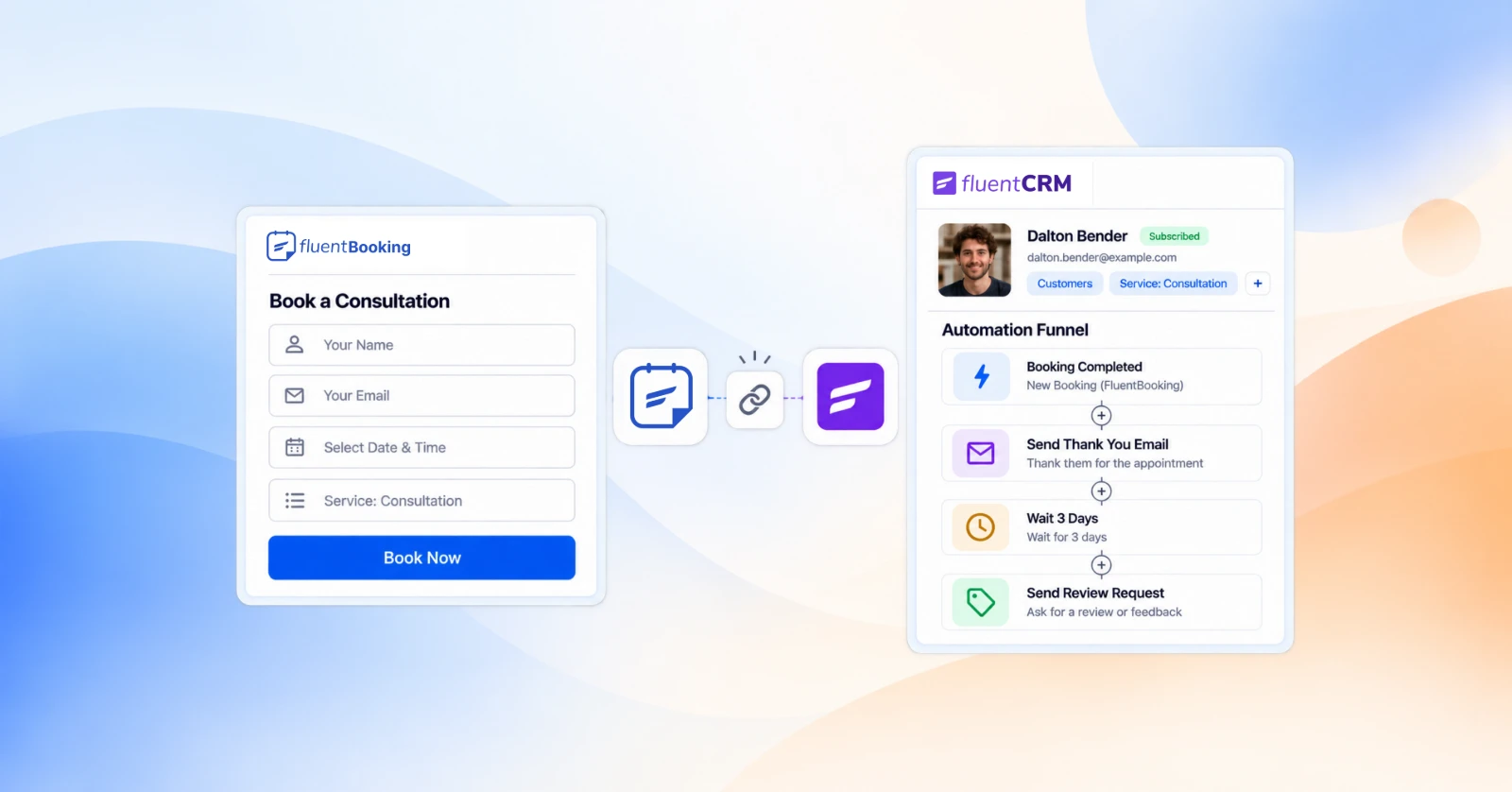
How Service Providers Benefit From Connecting FluentBooking with FluentCRM


For most service providers, getting a booking feels like the win. A client found the business, picked a time, and confirmed. But what happens after that booking can shape whether they become a one-time visitor or a client who keeps coming back.
The trouble is that bookings and client relationships often live in different places. The booking system knows when someone is coming, while the client list holds information about who they are and what they may need next. Without a connection between the two, important follow-ups can easily be missed.
Connecting a booking system with a CRM brings these pieces together. In this article, we’ll look at how FluentBooking and FluentCRM can help service providers keep client information organized, respond to booking activity, and build more consistent follow-up workflows.
The Gap Between Your Calendar and Your Client List
When your booking system and client management are separate, the work of connecting them often falls on you.
A new booking comes in, and someone has to add the client’s details to a contact list. An appointment is completed, and someone has to remember to send a thank-you message. A client cancels, and whether they receive a rebooking invitation can depend on how busy the day is. A regular client stops booking, and you may not notice until much later.
None of this is a lack of care. It’s a lack of connection. Your booking system has the details of each appointment, while your client list holds the broader history of the relationship. When those two pieces aren’Why Service Providers Should Connect Their Booking System and CRMt connected, important follow-ups can easily be missed.
Connecting your booking system with your CRM brings those pieces together, making it easier to understand what happened, what matters now, and what should happen next.
Why Service Providers Should Connect Their CRM with Booking System
When your booking system and CRM work together, each booking becomes part of a client relationship instead of a standalone appointment. The booking records what happened, and the CRM adds the history and context you need to decide what should happen next. Here’s what that changes day to day.
Every Booking Becomes a Client Record Automatically
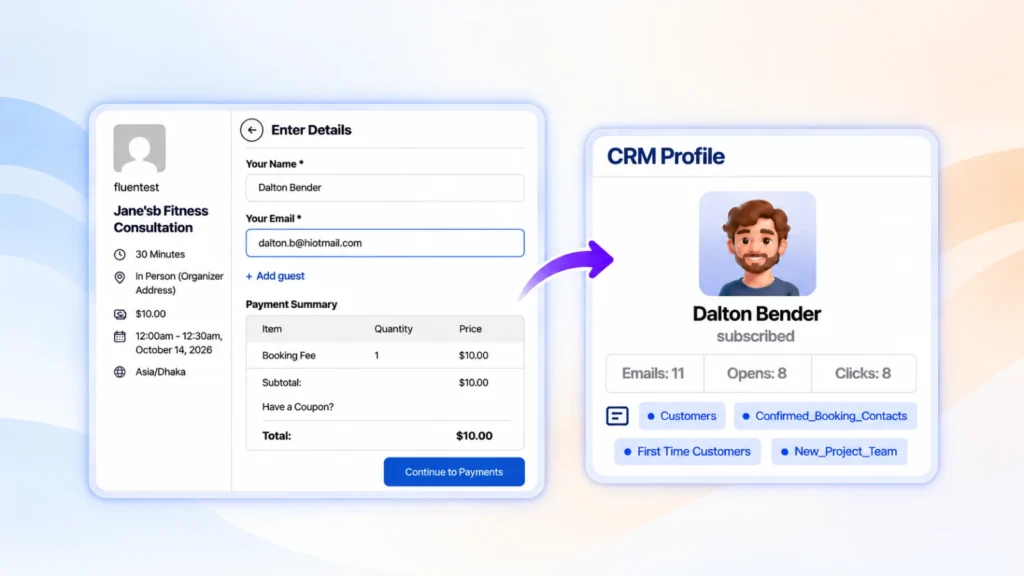
Once the two are connected, booking details flow into your client list automatically. You no longer need to export information, copy contact details, or remember to add a new client later.
When a new client books a consultation, for example, their details are added to FluentCRM along with the service they selected. When they book again, the new appointment adds to the same client record, so you get a clearer view of their history over time.
That gives you a solid foundation for everything that follows: sending follow-ups, thanking clients after an appointment, recognising returning clients and inviting people back, all based on their booking history instead of scattered notes or memory.
You Always Know Where Each Client Stands
A booking doesn’t stay the same after it’s made. It can be completed, cancelled, rescheduled, or missed, and each change adds useful context to the client’s record.
When those updates flow into your CRM, you can quickly see who has an upcoming appointment, who just completed one, who cancelled, and who didn’t show. Instead of sorting through a long contact list, you can focus on clients based on what actually happened with their latest booking.
It also makes it easier to recover missed appointments by following up with a timely rebooking message, and to see where to focus if you’re trying to reduce no-shows.
Follow-Ups Happen on Time, Without Remembering to Send Them
Follow-ups work best soon after an appointment, which is also when you’re busiest with the next one. When your bookings and CRM are connected, follow-ups start from the booking itself. A completed appointment can trigger a thank-you message, much like the follow-up emails you’d otherwise send by hand. A cancellation can trigger an invitation to pick a new time.
You plan each follow-up once. After that, it runs for every client, so your communication stays consistent even on your busiest days.
More Clients Come Back
Most service businesses depend on repeat visits, renewals, or ongoing sessions. The right time to invite a client back often comes weeks after their last appointment, when it’s easy for both of you to lose track.
With booking history in your CRM, you can follow up at the moment that makes sense for your service, whether that’s a check-in a week after a session or a reminder email when a client is due for their next visit. Instead of trying to remember who’s due, you set up one simple follow-up and let it run.
Reviews and Referrals Become Part of the Routine
Happy clients are usually willing to leave a review or recommend you. They just need to be asked at the right moment. When a completed appointment starts a follow-up, review requests become part of your regular workflow instead of something you remember to do occasionally.
A short thank-you after the session, followed by a review request a few days later, is often all it takes. Over time, that routine brings in more consistent feedback and more chances for referrals.
Your Booking and Client Data Stays on Your WordPress Site
When both your booking system and your CRM run on your WordPress site, your client details and booking history stay with you instead of being spread across outside platforms. You manage everything in one place, with no separate tools that don’t share what they know.
What It Looks Like in Practice
Here’s how a single client relationship can flow when your booking system and CRM are connected:
- A new client books a first session, answering a few questions on the booking form that tell you what they need. Their details are added to your client list along with the service they selected.
- The booking is confirmed, and the client receives a clear confirmation email with everything they need, followed by a well-timed reminder before the appointment.
- The appointment is completed. Their record updates, and a thank-you follows shortly after.
- A few days later, a review request goes out while the experience is still fresh.
- At the right interval, a follow-up invites them to book again.
- They book a second time, and your CRM now shows an ongoing client relationship rather than a one-time appointment.
If they cancel or miss an appointment along the way, their record reflects that too, so the next step can be a friendly cancellation message with an invitation to rebook rather than silence.
Nothing in this journey is complicated. What makes it work is that each step starts from the booking itself, so no client falls through the gap.
How the Connection Works
On a WordPress site, FluentBooking handles the booking side: your booking pages, availability, confirmations, and reminders. FluentCRM handles the client side: contacts, tags, segments, and email follow-ups. The connection between them comes down to three simple pieces.
1. Each Booking Type Sends Clients to FluentCRM
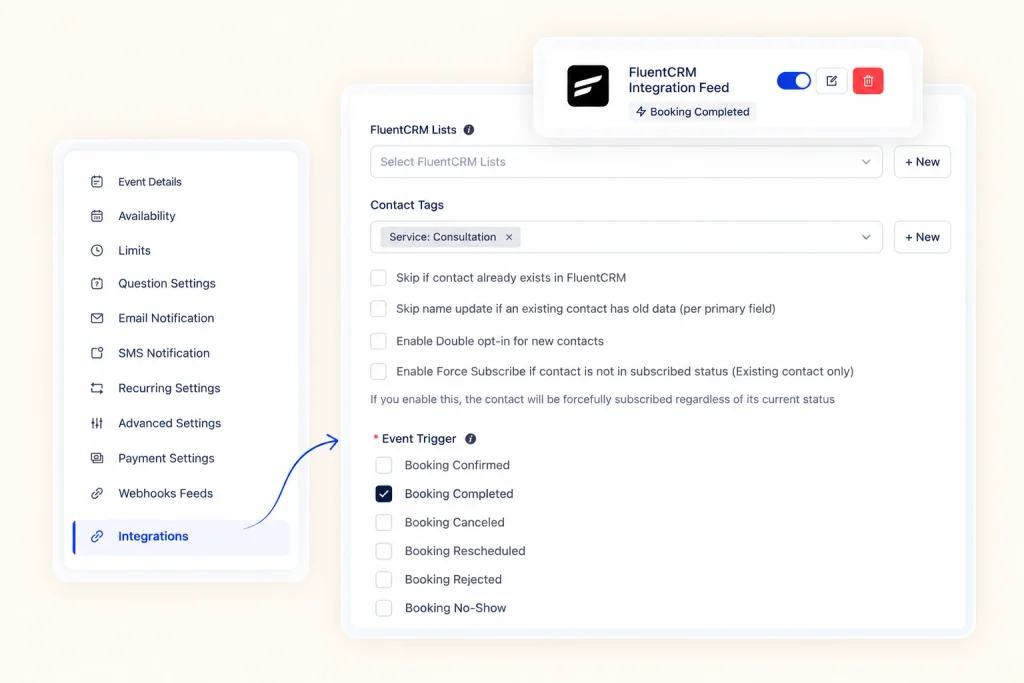
The connection is set up per event type, so each service you offer can send its clients into FluentCRM in its own way. In the event’s Integrations settings, you add a FluentCRM integration and choose which list the client joins and which tags they receive. For example, everyone who books a consultation can be added to your “Clients” list and tagged with the service they chose.
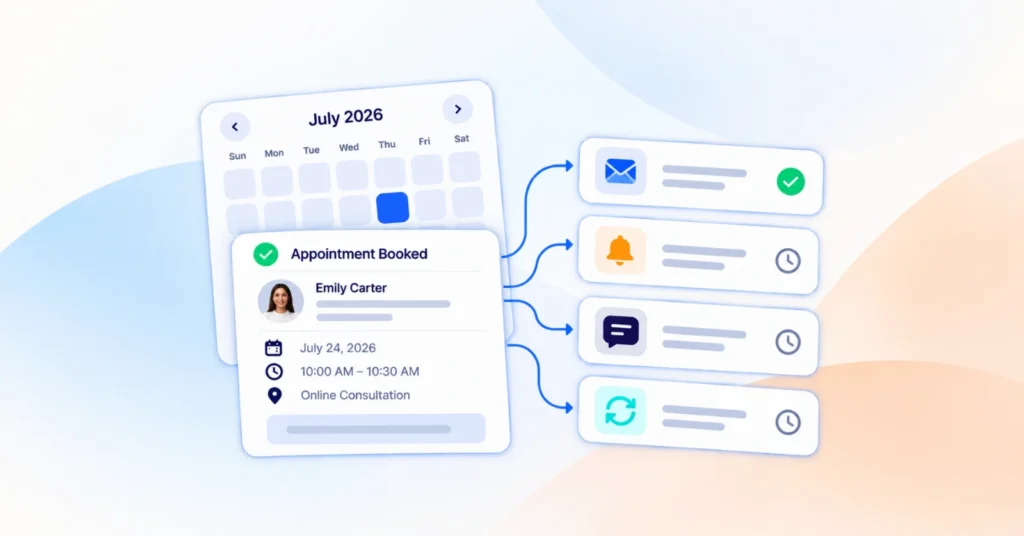
You also choose when it happens. The integration can run when a booking is confirmed, completed, cancelled, rescheduled, or marked as a no-show, which is how a client’s record keeps up with what actually happened.
If you’d like to see the practical side in more detail, here’s how to tag and segment clients automatically when they book.
2. Every Client Gets a Record With Context
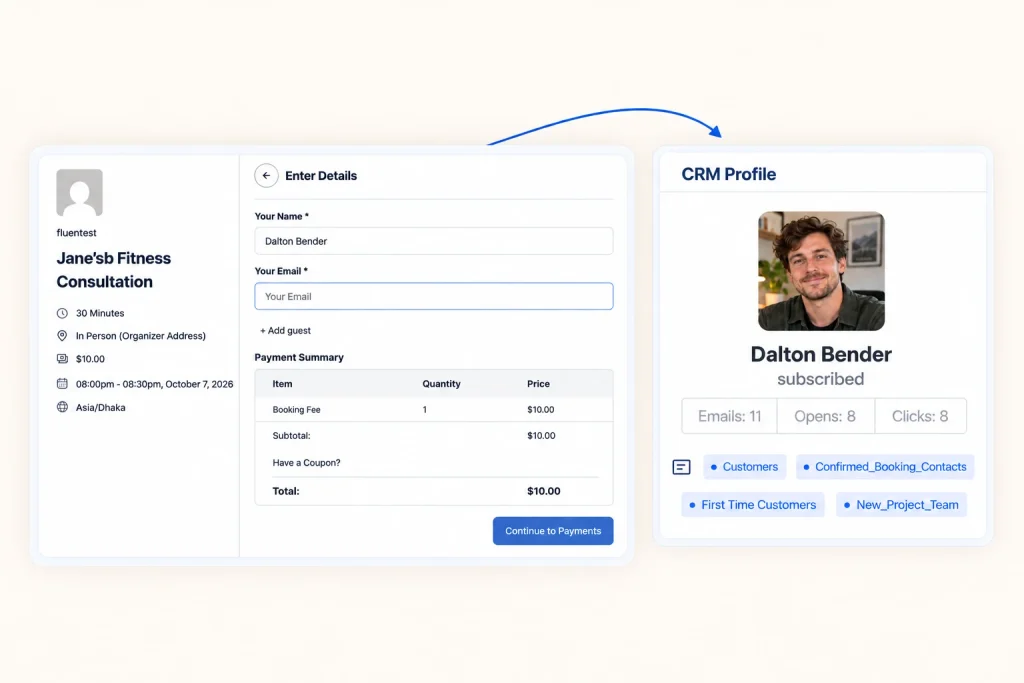
Once a booking comes through, the client appears in FluentCRM with their details, list and tags already in place. As their bookings change, so do their tags. At a glance, you can see who booked which service, who has completed an appointment, and who cancelled.
The connection also works the other way. When you open a booking in FluentBooking, you can see the client’s FluentCRM profile alongside it, so you know whether you’re meeting a first-time client or someone who has been with you for years.
3. Booking Events: Start Your Follow-Ups
In FluentCRM, booking events can start automations. FluentCRM includes booking triggers such as New Booking, Booking Completed, Booking Cancelled, and Booking Rescheduled. Pick the moment, then add the steps: send an email, wait a few days, send the next one, add a tag.
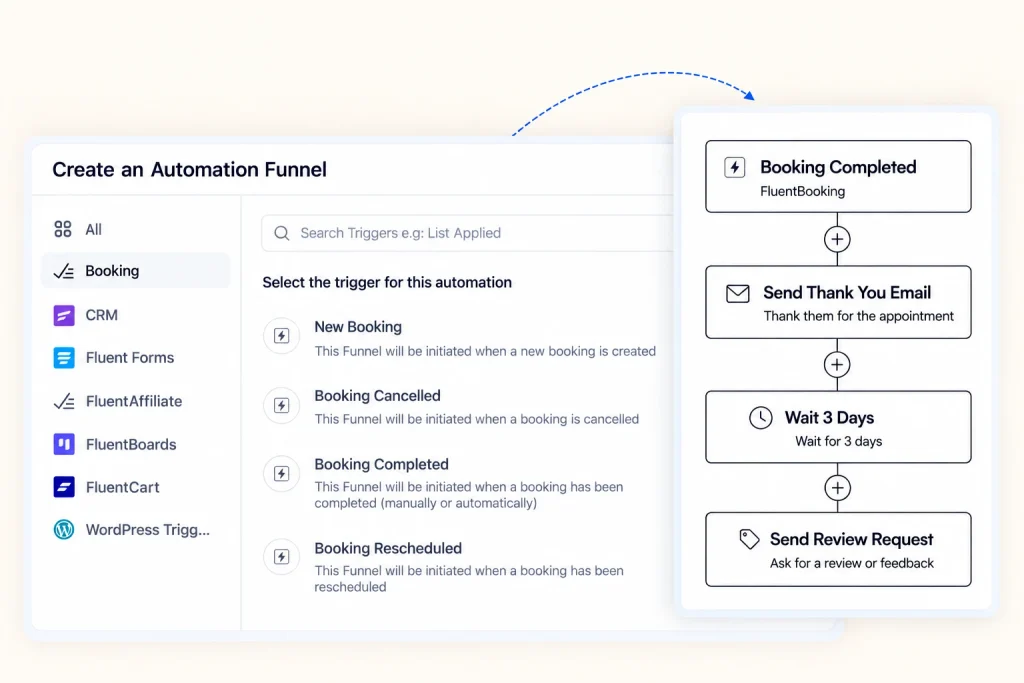
A completed appointment can start a thank-you, a review request, and a later invitation to rebook. A cancellation can start a friendly “pick a new time” message. You set each one up once, and it runs for every client from then on.
See how FluentBooking and FluentCRM work together and give
every booking its next step.
Is It Right for Your Service Business?
Connecting your booking system and CRM is useful for any service business that manages appointments, sessions, consultations, or recurring clients. It’s especially valuable when client information, booking updates, and follow-ups are currently handled separately.
It’s worth considering if:
- Online bookings are added to your client list by hand, or not at all.
- Clients often return for more appointments, renewals or ongoing sessions.
- Follow-ups depend on someone remembering to send them.
- Review requests are easy to postpone or forget.
- Cancellations and missed appointments often end without a follow-up.
- You want to manage booking and client information on your own WordPress site.
If two or three of these sound familiar, connecting the two is worth exploring. The goal isn’t to automate every interaction, but to make the important ones consistent.
Turn Bookings Into Lasting Client Relationships
A booking is the beginning of a client relationship, not the end of the process. When your booking system and CRM work together, each appointment can lead to a useful next action: a thank-you, a review request, a rebooking reminder or a friendly check-in.
The real value is in connecting those moments. Booking information gives your CRM the context it needs, and automated workflows turn that context into consistent follow-ups. With FluentBooking and FluentCRM, your bookings, client records, and follow-ups come together on one WordPress site, so the important next steps don’t depend on memory.
Ratul Hasan Ripon
I enjoy making complex ideas simple and engaging through my writing and designs. With a strong knowledge on content writing and SEO, I create technical content that’s both easy to understand and interesting.
Table of Content
Subscribe To Get
WordPress Guides, Tips, and Tutorials
Add your first comment to this post