

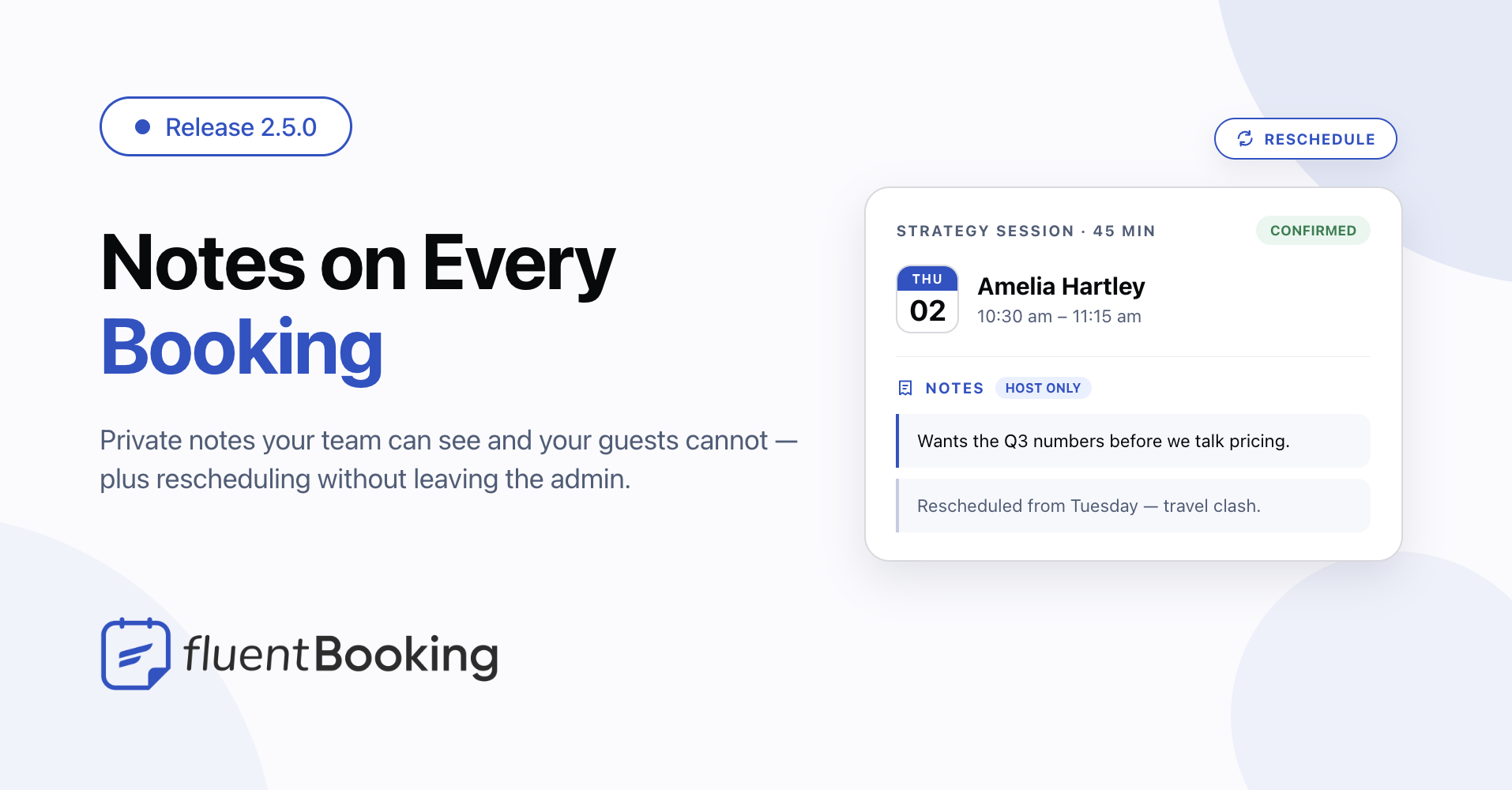
FluentBooking 2.5.0: Private Booking Notes, Easier Rescheduling, and Better Form Mapping


Last Updated:
A booking often needs more than a date and time. You may need to remember what a client mentioned on a call, move an appointment while reviewing your calendar, or collect answers before the meeting begins.
FluentBooking 2.5.0 makes those everyday tasks easier. It adds private booking notes with FluentBooking Pro, lets you reschedule from the admin, and brings Fluent Forms answers into custom booking questions. The release also includes improvements to data protection, payments, calendars, and reminders.
What’s Included in FluentBooking 2.5.0
- Private booking notes: Keep useful context with a booking, away from the attendee-facing activity history. Available with FluentBooking Pro.
- Rescheduling in the admin: Choose a new time from booking details or the calendar view.
- Fluent Forms field mapping: Send answers from a form to the event’s custom booking questions.
- More reliable booking workflows: Improvements to recurring dates, payments, reminders, calendar connections, and access to booking data.
Keep the Details That Matter With Each Booking
Some information belongs with an appointment but does not belong in a confirmation email or an activity log. A client may mention a topic they want to cover, ask you to bring a document, or explain why they need a different time.
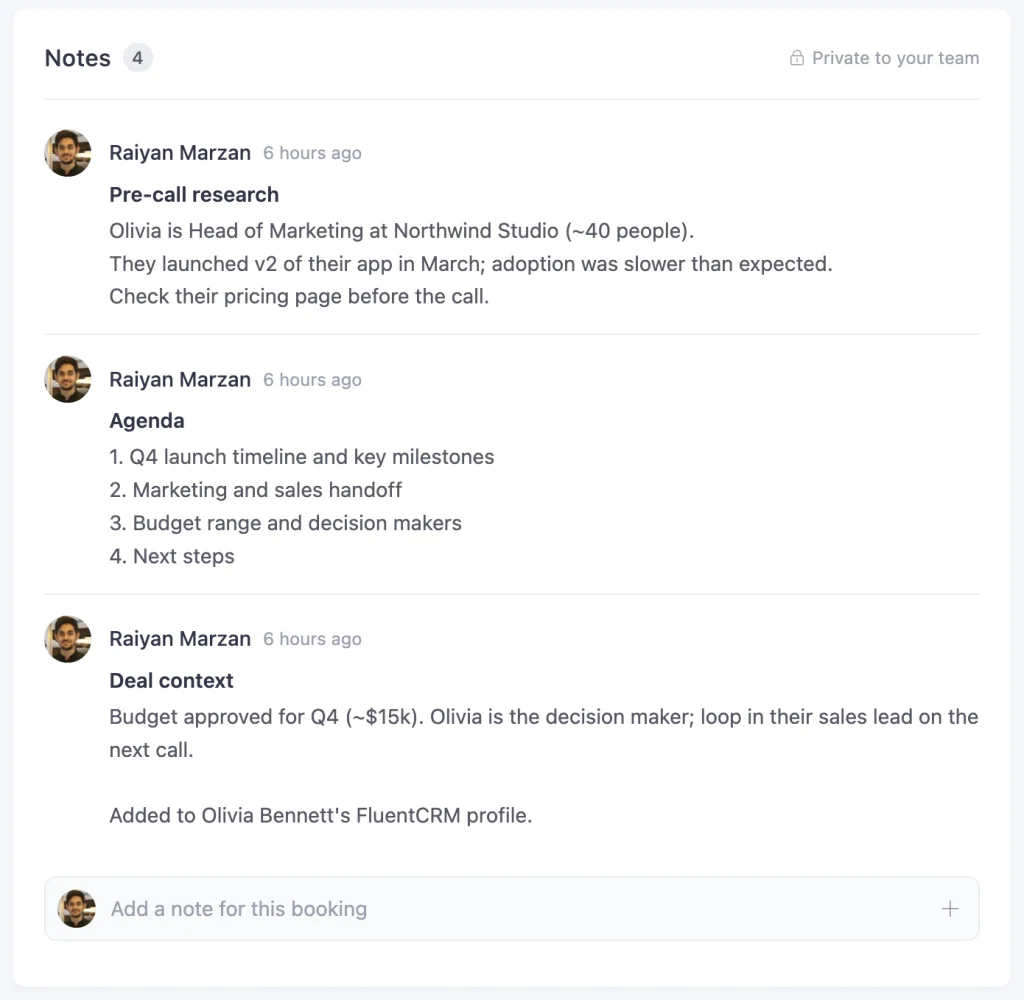
With private booking notes, available in FluentBooking Pro, you can add, edit, and delete that context from the booking details panel. Notes stay separate from the booking’s activity timeline. When a detail belongs on the person’s contact record, you can copy the note to FluentCRM. Notes can also be read and written through FluentBooking’s MCP tools.
The result is a more useful booking record for the people preparing for the meeting.
Reschedule Without Leaving the Admin
Moving a booking previously took you to the public rescheduling page. In 2.5.0, you can open a rescheduling window from the booking details or calendar view, then choose a time zone, date, and available slot. You can add a reason, too.
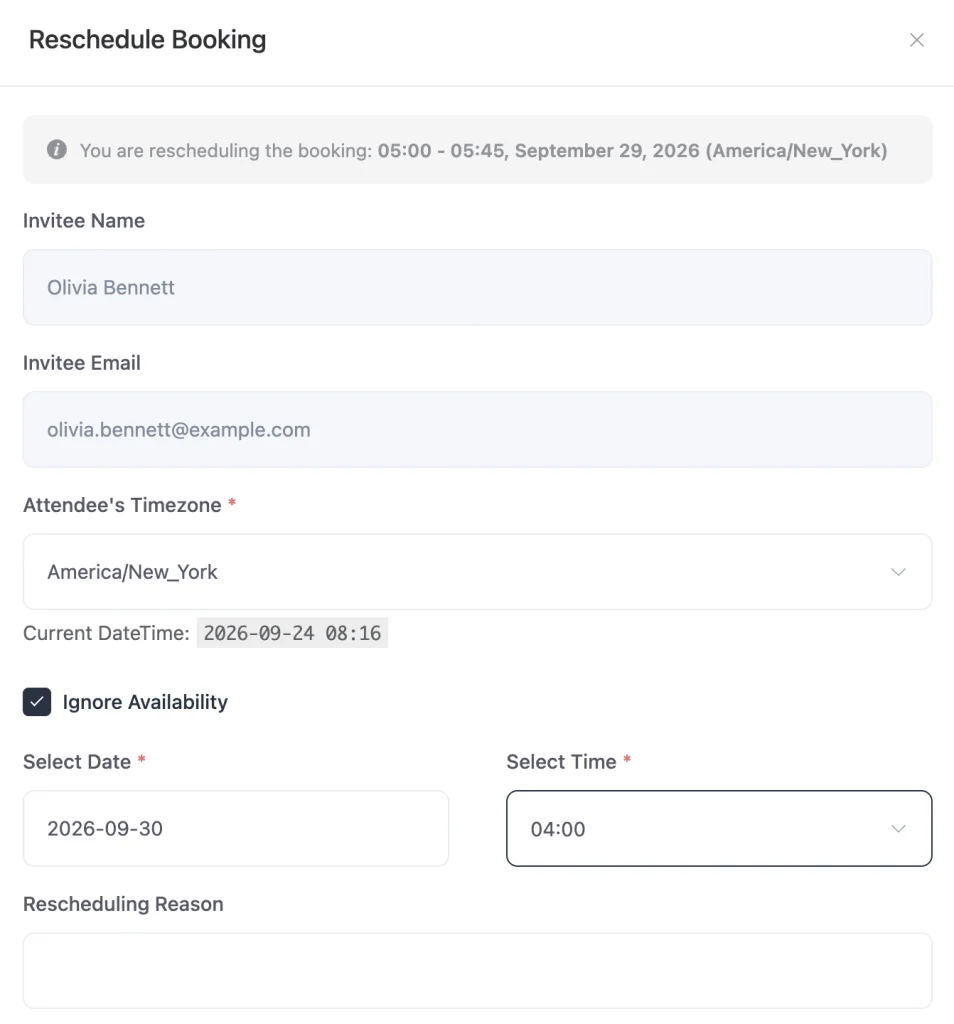
For appointments that need an exception to normal availability, the admin option to ignore availability is also available during rescheduling. Access follows the permission used to create bookings, so team members with that permission can reschedule them without a separate setting.
Bring Fluent Forms Answers Into Booking Questions
If you use a Fluent Forms form to take bookings, the attendee’s name and email are only part of what you may need. You might also ask what they want to discuss or which service they need.
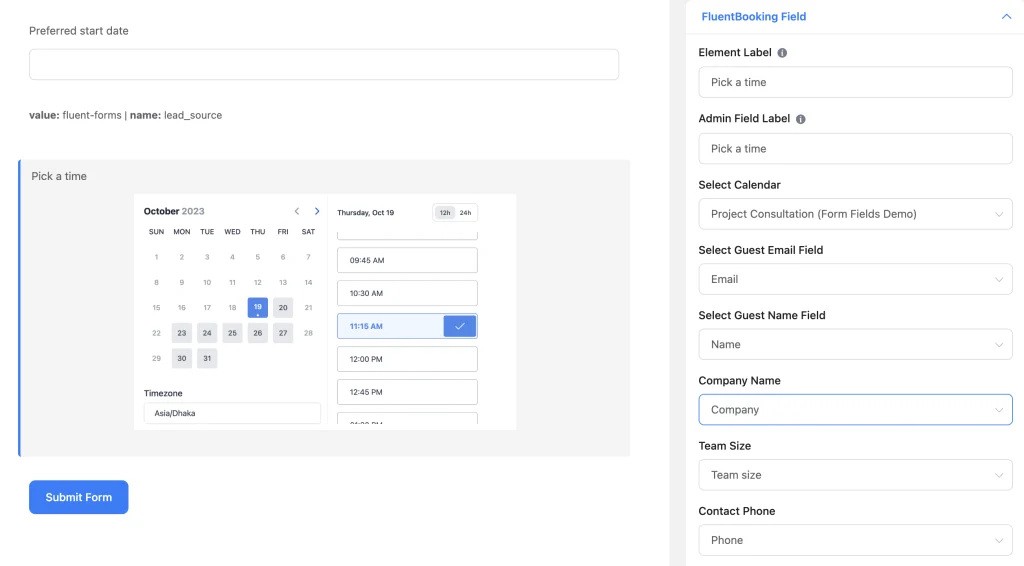
You can now map fields in the Fluent Forms booking element to an event’s custom booking questions. Those mapped answers are checked as booking answers and saved with the booking, giving your team the context it needs before the appointment.
Smaller Things That Save You a Click
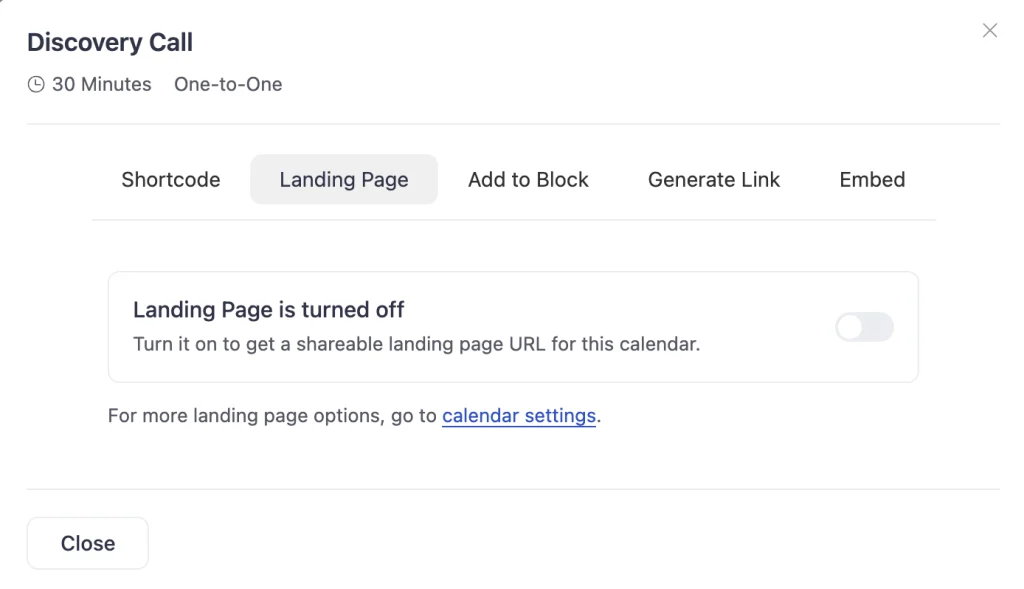
A few smaller changes remove extra steps. You can enable a landing page from the share modal and get its URL there. The Attendee Cannot Reschedule setting is available again for one-off single and group events. If location options fail to load, you can retry without reloading the page.
FluentBooking also adds an opt-in choice for product updates and anonymous usage data. Host lookup and conferencing connection checks have been improved for sites with larger teams.
More Care Around Booking Data
This release tightens access to host information and keeps hidden booking fields tied to the correct event. It also restricts file download links to FluentBooking uploads and improves checks around public booking requests and displayed booking text.
These changes are meant to make booking information available where it is needed while reducing unintended exposure elsewhere.
Fixes for Dates, Payments, and Notifications
Several fixes address problems that could interrupt a booking after it was made:
- Recurring appointments: Confirmation emails, calendar files, and the Add to Google Calendar link now include all confirmed dates in a series. The Google Calendar link is available with FluentBooking Pro.
- Daylight saving time: Availability checks no longer allow a conflicting booking when a clock change crosses a UTC day boundary. MCP tools also report the correct offset for a repeated hour.
- Coupons and payments: FluentBooking Pro coupon limits hold when bookings arrive at the same time. Refund updates are preserved when payment events overlap, and bookings made through Fluent Forms wait for payment before confirmation.
- Team bookings: Deleting a calendar no longer removes bookings belonging to other hosts on team events.
- Reminders: Rescheduled bookings no longer produce duplicate reminders, and a failed notification no longer prevents the remaining batch from being processed.
- Calendar connections: Invalid Apple or Nextcloud credentials produce a handled error instead of a fatal error. Google Calendar caching, conferencing status on new events, and Zoom requests have also been corrected.
FluentCart checkout now displays order bumps, product titles, and images correctly. The release also fixes saved date overrides, public upload size limits with FluentBooking Pro, theme settings that could reset on save, an empty clone list for hosts without events, and contrast in dark-mode forms, modals, and notices.
Complete Changelog
Added and Improved
- Added private notes to bookings with FluentBooking Pro.
- Added rescheduling from booking details and the calendar view.
- Added mapping from Fluent Forms fields to custom booking questions.
- Added an opt-in choice for product updates and anonymous usage data.
- Restored the rescheduling restriction setting for one-off single and group events.
- Added a retry option when location choices fail to load.
- Enabled landing pages directly from the share modal.
- Improved host search and conferencing connection checks on larger sites.
Security and Data Handling
- Tightened access to host information and hidden booking fields.
- Restricted file download links to FluentBooking uploads and added cleanup for abandoned public uploads with FluentBooking Pro.
- Improved request rate limiting and escaping of displayed booking text.
Fixed
- Recurring dates missing from confirmation emails, calendar files, and the Add to Google Calendar link with FluentBooking Pro.
- Booking conflicts and incorrect repeated-hour handling around daylight saving time changes.
- FluentBooking Pro coupon limits exceeded by simultaneous bookings.
- Refund updates lost during overlapping payment events.
- Fluent Forms bookings confirmed before payment.
- Missing order bumps, product titles, and images in FluentCart checkout.
- Team bookings removed when a calendar was deleted.
- Missing or duplicate booking reminders.
- Date overrides lost when saving the default schedule.
- Conferencing status and Zoom request errors on new events.
- Fatal errors caused by invalid Apple or Nextcloud credentials with FluentBooking Pro.
- Google Calendar cache expiring too early.
- Public upload size limits not applying with FluentBooking Pro.
- General settings changing the selected theme.
- An empty event clone list for hosts without events.
- Dark-mode contrast across forms, modals, and notices.
FluentBooking 2.5.0 helps your team keep the right context with each appointment, move bookings with fewer steps, and rely on the details that follow a booking through to the meeting.
Update FluentBooking in your WordPress admin when you’re ready, and let us know how these changes work for your team.
Shahjahan Jewel
Hello, this is Jewel, CEO & Head of Ideas at WPManageNinja. I am obsessed with WordPress since 2009. My aim is to be a user-centric developer first, and a serial entrepreneur second. You will find me discussing various tech issues and trying to come up with scalable solutions on different forums when I am not busy coding.
Table of Content
Subscribe To Get
WordPress Guides, Tips, and Tutorials





Add your first comment to this post