

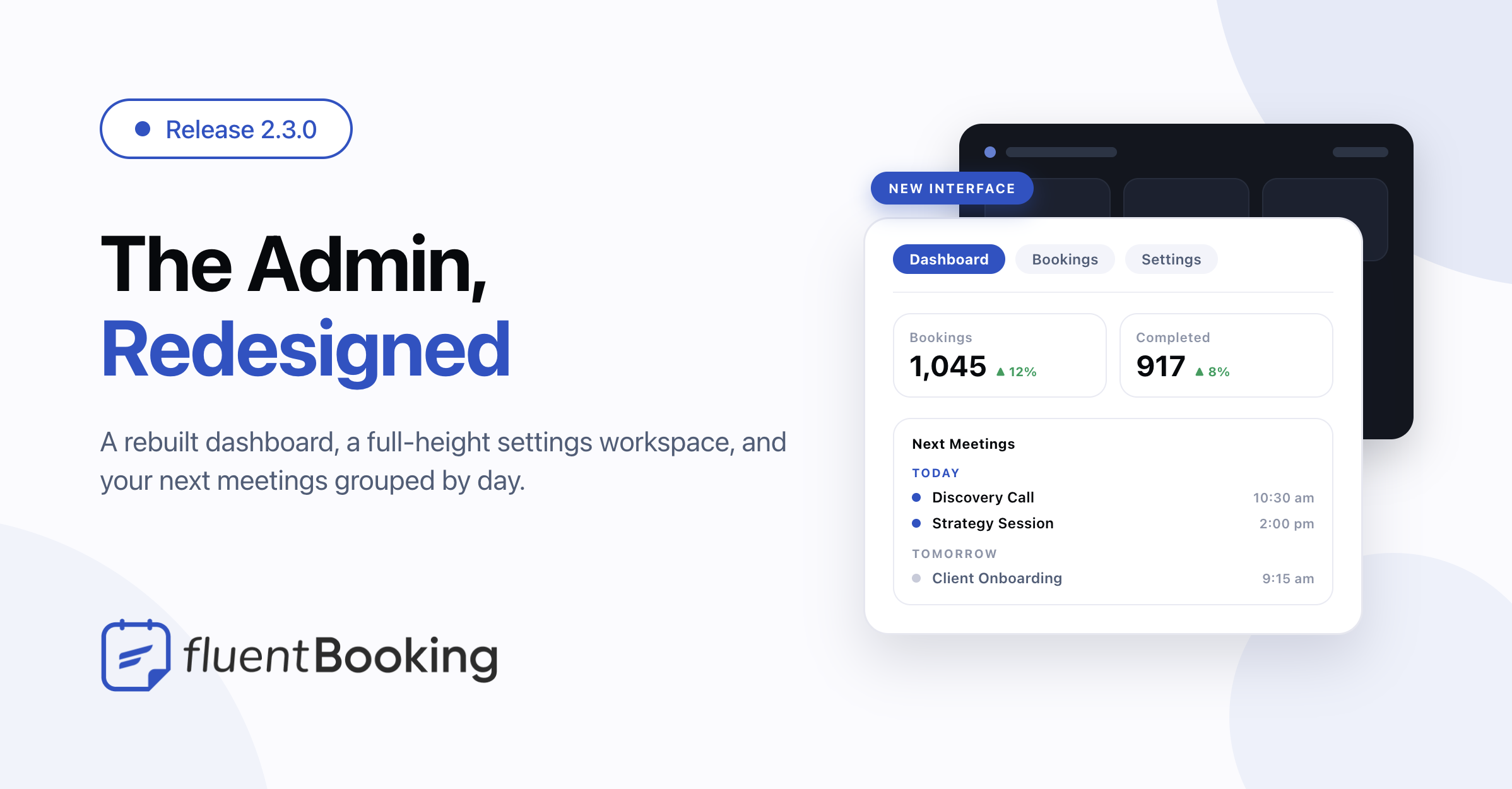
Introducing the new Fluent UI for Admins – FluentBooking 2.3.0


Last Updated:
FluentBooking 2.3.0 is the release where the redesign we previewed last time actually lands. The whole admin has been rebuilt — the dashboard you open every morning, the settings screens you dig into once a month, and everything in between. It looks better, but more to the point it works better: the app scrolls on its own, settings read top to bottom, and dark mode is finished properly this time.
The headline changes: a fully redesigned admin interface, next meetings grouped by day so you can see what’s today versus what’s later, stacked settings panels that are easier to scan, and a round of access control hardening that keeps bookings, schedules, and calendars with the people they belong to.
The Admin Has a New Look
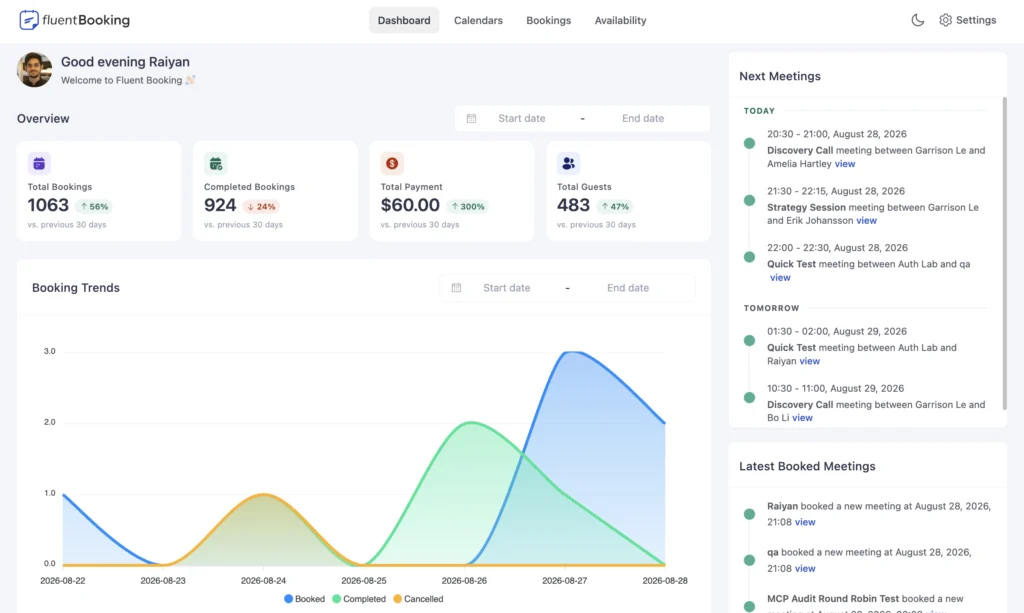
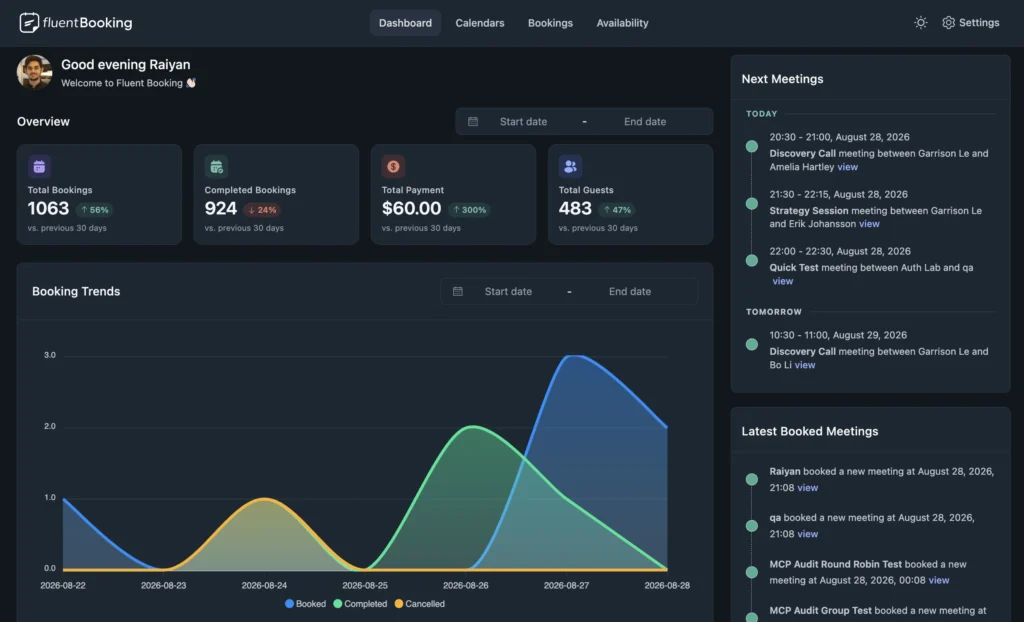
The dashboard opens with a greeting and the numbers you actually check. Pick any date range and the overview widgets update together, each one carrying a small pill that tells you whether it went up, down, or stayed flat against the period before. Below that, the booking trends chart plots the same range, and Next Meetings and Latest Booked Meetings sit side by side — what’s coming up and what just came in, both one glance away.
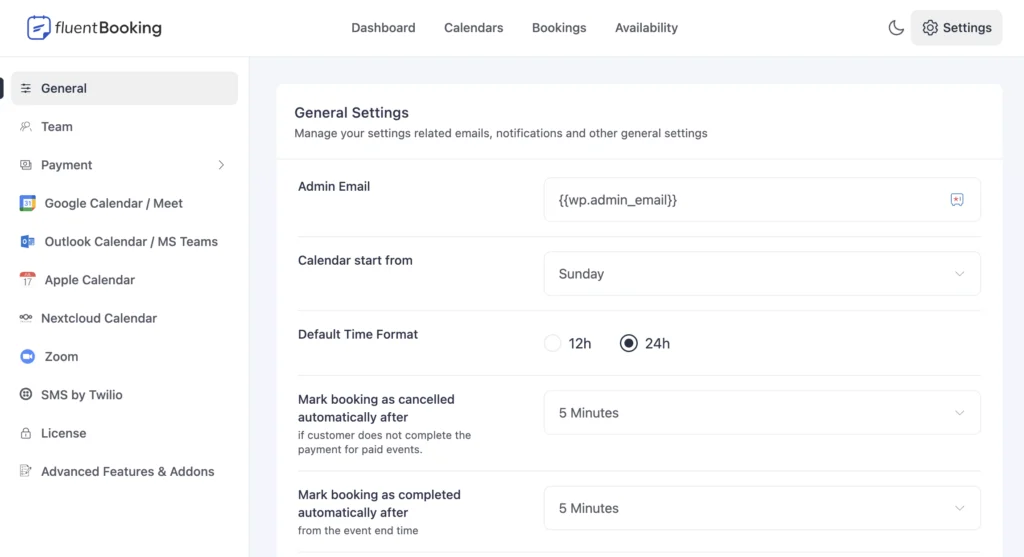
Settings is now a full-height workspace. The rail on the left names the section, each panel opens with its own heading, and the bar that used to sit on top repeating what the rail already said is gone. While a panel loads you get a skeleton shaped like the real thing instead of a dimmed box, so the page doesn’t jump when the content arrives.
The app also scrolls on its own now. Your content and the WordPress admin menu move independently, and the top bar stays put instead of scrolling away with the page. Small thing, but you feel it on every long list.
A few more details worth knowing:
- Dark mode is built into the design from the start, and it now follows the app everywhere — the WordPress admin, the front-end portal, and the shortcode all get the same palette
- Pagination reads as one control instead of three floating pieces, with the per-page selector sitting on the same baseline
- The tooltip icons beside settings are real buttons now, so you can reach them with the keyboard
- The dashboard widget icons draw themselves in on load, and sit still if your system asks for reduced motion
Nothing about your setup changes. Your calendars, event types, availability, and booking pages keep working exactly as they did — this is a visual refresh, not a migration.
See What’s Today, Tomorrow, and Later
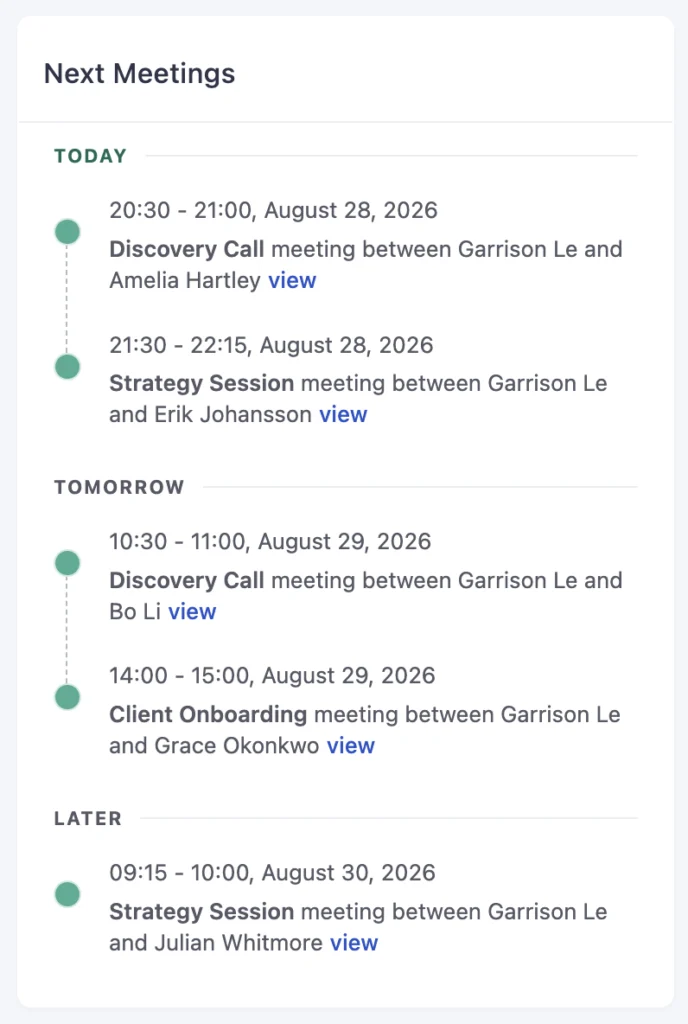
Next Meetings used to be one flat list, which meant counting rows to work out where today ended. Now it groups them under Today, Tomorrow, and Later, so the shape of your day is obvious the moment the page loads.
Today stays pinned at the top even when there’s nothing in it — it says “No meetings today” rather than disappearing, so an empty day reads as an empty day instead of a missing section. Tomorrow and Later only show up when they have something in them. Each meeting lands in the group its own row shows, using your timezone, so the header always matches the date printed underneath it.
Tighter Control Over Who Can See What
This release continues the access-control work from 2.2.5. Most of it matters on sites where several hosts share one WordPress install, and none of it changes anything you have to configure.
Calendars and bookings stay with their owner. Creating a team calendar can no longer be used to create it under someone else’s account, and a booking can no longer be assigned to a host who isn’t a host of that event. That second one mattered more than it sounds: the assigned host drives the remote calendar write, so a booking pushed onto the wrong person also landed in their Google Calendar or Outlook under their own connection.
Schedules can’t be borrowed. Pointing an event at an availability schedule now checks that you’re allowed to use that schedule, matching the list the picker already offers you. Before this, an event could be pointed at another host’s schedule, and the public booking page then published that host’s weekly hours and date exceptions.
Draft events stay private. The endpoint that fetches available dates now requires a real rescheduling link before it will answer for an inactive event, and that link has to belong to a booking on the same event. Guessing an event ID no longer gets you a draft event’s open slots.
Integration and board data stays scoped. Looking up an integration now matches on the integration’s own record rather than an ID that could collide with unrelated data, including stored calendar connection tokens. And the FluentBoards integration defers to FluentBoards for board access, the way the FluentCRM integration already defers to FluentCRM — so board stages, labels, and member details only load for boards you can actually open.
Team permission controls match the server. Adding, editing, and deleting team permissions is an administrator action (pro), so those controls now only render for administrators instead of showing up and failing on save.
Merge tags can’t loop. A merge tag stored inside a booking field that pointed back at itself sent notification rendering into an endless loop, which killed the process before the email went out. Repeated lookups now hand back the raw value instead of going round again, and the notification sends.
Bug Fixes and Stability
Payments. The Stripe card field stopped loading on onsite payments (pro) because Stripe no longer accepts one of the fields we were sending with card payments — the request failed, the browser was told everything was fine, and the card box never appeared. That’s fixed, and a failed request now reports as a failure instead of a false success. Separately, a payment callback for a booking whose event had been deleted could throw a fatal error; that case is now handled.
The booking form’s phone field. The phone input is loaded by its own small bundle, and if that bundle arrived after the form was ready, the field rendered as a label with nothing under it. It now catches up and mounts either way. A related fix: a phone number prefilled through a booking link is kept when the field mounts on that second pass, instead of being blanked out.
Team availability. A tightened check from the previous release was strict enough to stop plain team members saving an event’s availability at all, even though they were allowed to edit the event. Each host’s schedule is now judged against that host, so co-hosts save normally again.
Dark mode. Text, panels, and notices that were coloured for the light admin stayed light-only in dark mode, with WordPress’s own colours showing through in places — the remote calendar sync prompt was effectively invisible. Those now use the palette that flips with the theme, including the classic editor’s chrome and the date range picker.
Wrapping Up
FluentBooking 2.3.0 rebuilds the admin around the screens you use most, groups your next meetings by day so you can read your schedule at a glance, stacks the settings panels that needed room to breathe, and keeps tightening who can see which bookings, schedules, and calendars.
Update FluentBooking whenever you’re ready — from Plugins in your WordPress dashboard, or from your account. The full list of changes is below.
FluentBooking 2.3.0
- Introduced: Fully Redesigned Admin Interface
- Added: Next Meetings Grouped by Today, Tomorrow and Later
- Improved: Stacked Layout for Integration and Payment Settings
- Security: Hardened Ownership Checks and Merge Tag Evaluation
- Fixed: Availability Save Blocked for Team Members
- Fixed: Phone Field Sometimes Rendering Blank on Booking Form
- Fixed: Prefilled Phone Number Cleared on Booking Form
- Fixed: Stripe Card Field Failing to Load on Onsite Payment
- Fixed: Fatal Error When Calendar Event Missing in Payment Update
- Fixed: Light-Only Colors Leaking Into Dark Mode
Shahjahan Jewel
Hello, this is Jewel, CEO & Head of Ideas at WPManageNinja. I am obsessed with WordPress since 2009. My aim is to be a user-centric developer first, and a serial entrepreneur second. You will find me discussing various tech issues and trying to come up with scalable solutions on different forums when I am not busy coding.
Table of Content
Subscribe To Get
WordPress Guides, Tips, and Tutorials




Add your first comment to this post