

HIPAA Considerations for Online Appointment Booking on WordPress


Last Updated:
Online appointment booking makes it easier for patients to schedule healthcare services, but it can also involve sensitive patient information. That means healthcare organizations need to consider how this information is collected, transmitted, accessed, and stored.
HIPAA provides requirements for protecting protected health information (PHI) and electronic protected health information (ePHI). For WordPress websites, understanding these requirements can help organizations build a more secure appointment booking workflow.
In this guide, we’ll explore the key HIPAA considerations for online appointment scheduling and how WordPress can support them.
Essential Features of a HIPAA-Compliant System
For a scheduling tool to be truly HIPAA-compliant, it must offer more than just a calendar. It needs to actively protect patient data through several technical safeguards:
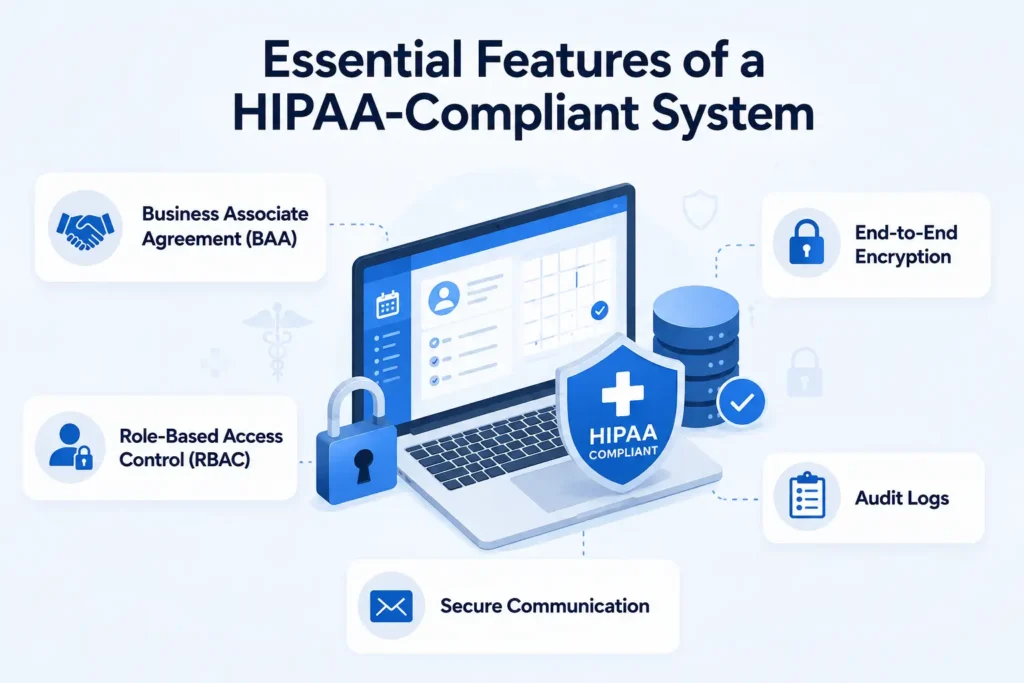
- Business Associate Agreement (BAA): The software provider must be willing to sign a BAA, which legally binds them to protect PHI according to HIPAA guidelines. If they won’t sign a BAA, the tool is not compliant.
- End-to-End Encryption: All patient data must be encrypted both in transit (while being sent) and at rest (while stored on servers).
- Role-Based Access Control (RBAC): The system should allow administrators to restrict access to PHI based on an employee’s role, ensuring staff only see the information necessary for their job.
- Audit Logs: The software must track and record all activity, noting who accessed what information and when, which is crucial in the event of a security audit.
- Secure Communication: Automated appointment reminders via SMS or email must be transmitted securely without exposing sensitive medical details.
Key HIPAA Considerations for WordPress Appointment Booking
When setting up online appointment scheduling, each part of the booking process needs to be considered from a privacy and security perspective. Here are the key HIPAA considerations to keep in mind when managing appointments and patient information through a WordPress website.
1. Protect Patient Information
Protected Health Information (PHI) is information that can identify a patient and is connected to their healthcare, treatment, or payment for healthcare. When this information is created, received, stored, or transmitted electronically, it may be considered electronic Protected Health Information (ePHI).
An online appointment booking process can involve several types of information that may need to be protected, including:
- Patient name
- Email address or phone number
- Appointment date and time
- Provider or healthcare service
- Information entered into booking forms
- Other details that can connect an individual to their healthcare services
WordPress gives website owners control over important parts of their website environment, including the database, user accounts, plugins, and hosting setup. This makes it important to configure the environment with appropriate security measures for the type of information being handled.
Key areas to consider include:
- Website security: Use HTTPS and appropriate security measures to protect the website.
- Database security: Protect the database where website and booking-related information may be stored.
- User permissions: Limit administrative and other access to authorized users.
- Secure hosting: Choose and properly configure a hosting environment with appropriate security controls.
- Updates: Keep WordPress, plugins, and themes updated to address known security vulnerabilities.
- Backups: Maintain secure backups and ensure they are protected from unauthorized access.
2. Control Who Can Access Patient Information
HIPAA requires healthcare organizations to limit access to protected health information to authorized individuals. Staff should only have access to the information necessary for their responsibilities.
Key considerations include:
- Individual accounts: Avoid shared login credentials.
- User roles: Assign access based on staff responsibilities.
- Permissions: Follow the principle of least privilege.
- Authentication: Use strong passwords and additional authentication measures where available.
- Account management: Review and update access when staff roles change.
WordPress provides built-in user roles and permissions, allowing organizations to create individual accounts and control access to the site’s administrative areas.
For the appointment scheduling layer, FluentBooking is a WordPress booking plugin that lets businesses manage appointments, availability, and booking information directly from the WordPress dashboard.
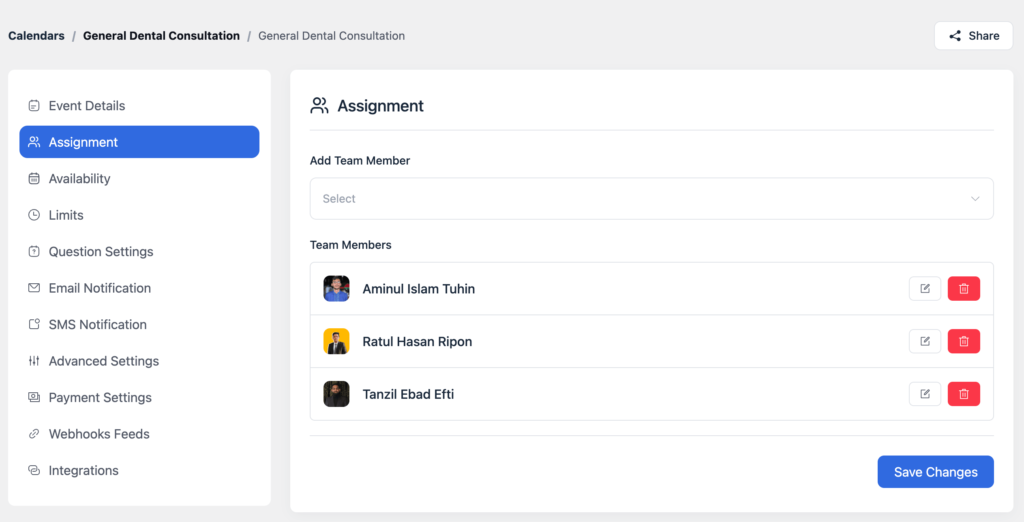
When appointments are managed through FluentBooking, authorized staff can access and manage bookings within the same WordPress environment as part of the site’s overall access-control setup.
3. Secure Data During Transmission
HIPAA requires appropriate safeguards to protect electronic protected health information (ePHI) while it is transmitted electronically. For an online booking system, this includes protecting information as a patient submits a form and communicates with the website.
Key considerations include:
- HTTPS: Encrypts data exchanged between the patient and website.
- SSL/TLS: Provides the encryption used for secure web connections.
- Secure hosting: Use a hosting environment with appropriate security controls.
- Server configuration: Keep the server and security settings properly configured and maintained.
WordPress websites can use HTTPS, which relies on SSL/TLS encryption to protect data exchanged between the patient’s browser and the website.
4. Protect Data Integrity
HIPAA requires safeguards to ensure that ePHI is not improperly altered, deleted, or destroyed. For an online appointment system, this means protecting patient and appointment information from unauthorized changes while keeping the data accurate and available.
WordPress provides several areas that can contribute to data integrity when properly configured:
- User permissions: Limit who can modify website and appointment-related information.
- Software updates: Keep WordPress, plugins, and themes updated to address known security issues.
- Database protection: Secure the database where website and scheduling information is stored.
- Backups: Maintain secure, reliable backups so information can be restored if it is lost or damaged.
- Security monitoring: Use appropriate security tools to identify suspicious activity or unauthorized changes.
Together, these measures help maintain the accuracy and availability of information handled through a WordPress-based appointment booking system.
5. Maintain Audit Controls
HIPAA requires organizations to have mechanisms to record and examine activity involving ePHI. For an online appointment system, this can help organizations identify who accessed or changed information and investigate unusual activity when necessary.
In a WordPress environment, audit controls can be supported through:
- User activity logs: Track relevant actions performed by users.
- Security logs: Monitor login attempts and other security-related activity.
- Access records: Keep track of who has access to administrative areas and sensitive information.
- Audit tools: Use appropriate WordPress plugins or server-level logging when additional activity tracking is required.
The specific logging and monitoring measures needed will depend on the organization’s environment and HIPAA obligations.
6. Minimize the Information You Collect
HIPAA’s minimum necessary principle encourages organizations to limit the use and disclosure of PHI to what is needed for a specific purpose. For online appointment scheduling, this means avoiding unnecessary questions that could collect sensitive patient information.
WordPress gives website owners control over the forms and information they collect. A booking form can be designed to request only the information needed to schedule an appointment, such as:
- Patient name: Identify the person making the appointment.
- Contact information: Provide a way to send appointment-related communications.
- Appointment type: Identify the service or consultation being booked.
- Provider: Allow patients to select the appropriate healthcare professional.
- Date and time: Collect the information needed to schedule the appointment.
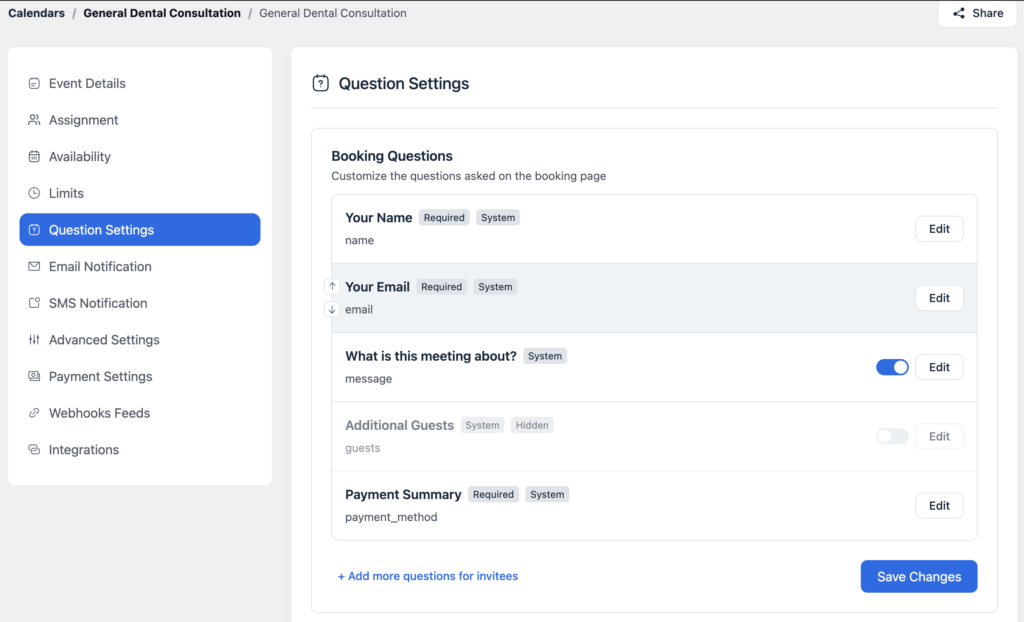
For example, FluentBooking allows you to customize attendee questions and booking fields, giving you control over the information requested during the scheduling process.
7. Secure Appointment Communications
HIPAA requires appropriate safeguards when PHI is communicated electronically. For online appointment scheduling, this includes confirmations, reminders, cancellations, and other messages sent to patients.
WordPress provides the environment in which these communications can be configured, while the specific tools used to send messages should also be reviewed for their handling of patient information.
Key considerations include:
- Email content: Avoid including unnecessary PHI in appointment emails.
- SMS notifications: Review what information is included in text messages.
- Appointment reminders: Keep reminders limited to information necessary for the appointment.
- Notification settings: Control who receives appointment-related communications and what they contain.
- Third-party services: Review any external email or messaging service used to send notifications.
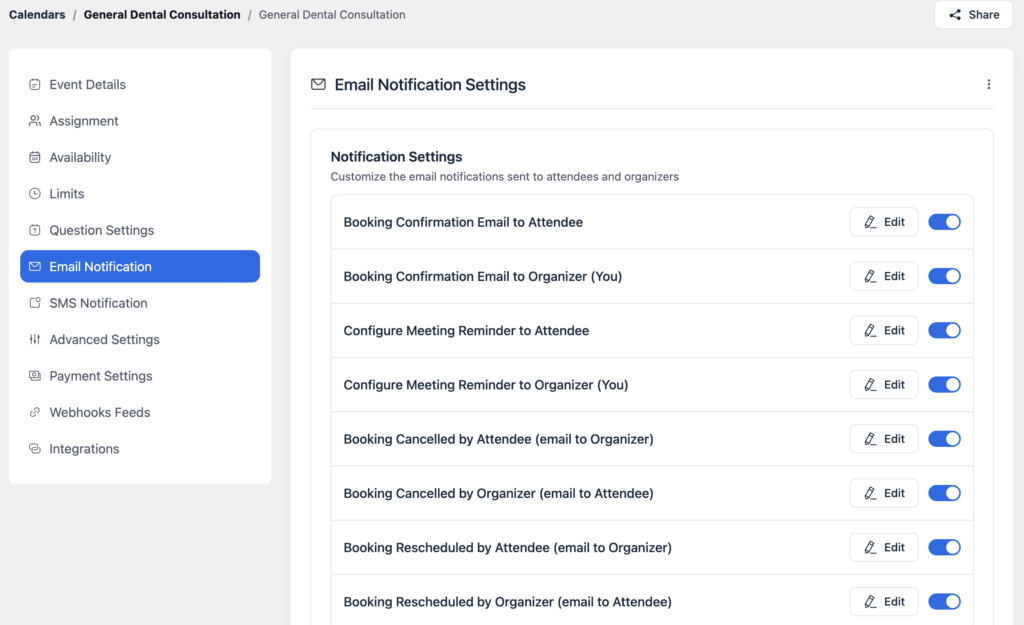
For example, FluentBooking provides customizable appointment notifications, allowing you to configure confirmation and reminder messages based on the needs of the booking workflow.
8. Secure Data Storage and Retention
HIPAA requires appropriate safeguards for ePHI while it is stored and requires organizations to establish policies for how information is retained and disposed of. For online appointment scheduling, this means considering where booking information is stored, who can access it, and how long it needs to be retained.
WordPress gives website owners control over the hosting environment and database where website information may be stored. Key considerations include:
- Database security: Protect stored appointment and patient information from unauthorized access.
- Hosting environment: Use secure hosting with appropriate security controls.
- Backups: Protect backups from unauthorized access and keep them available for recovery when needed.
- Data retention: Establish how long appointment information should be kept based on organizational and legal requirements.
- Data disposal: Have appropriate processes for deleting information when it is no longer required.
When appointment data is managed through a WordPress booking plugin, its storage and retention should be considered as part of the overall WordPress environment rather than in isolation.
9. Review Business Associates and Third-Party Services
HIPAA requirements can extend beyond the WordPress website when third-party services have access to PHI. Healthcare organizations should understand which vendors handle patient information and determine whether a Business Associate Agreement (BAA) is required.
For an online appointment booking workflow, this may include:
- Email and SMS providers: Check what patient information is transmitted through notifications.
- Calendar integrations: Understand what appointment details are shared with external calendars.
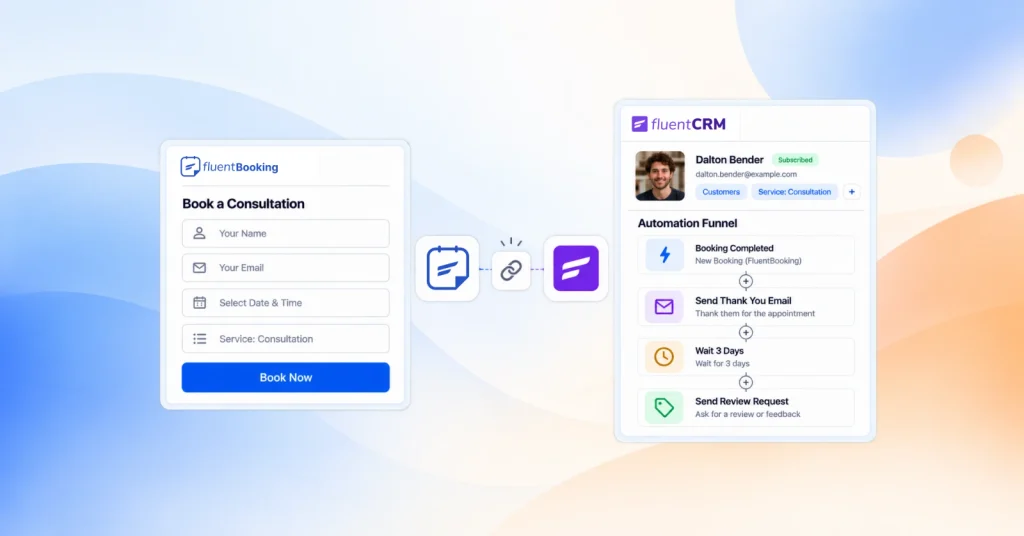
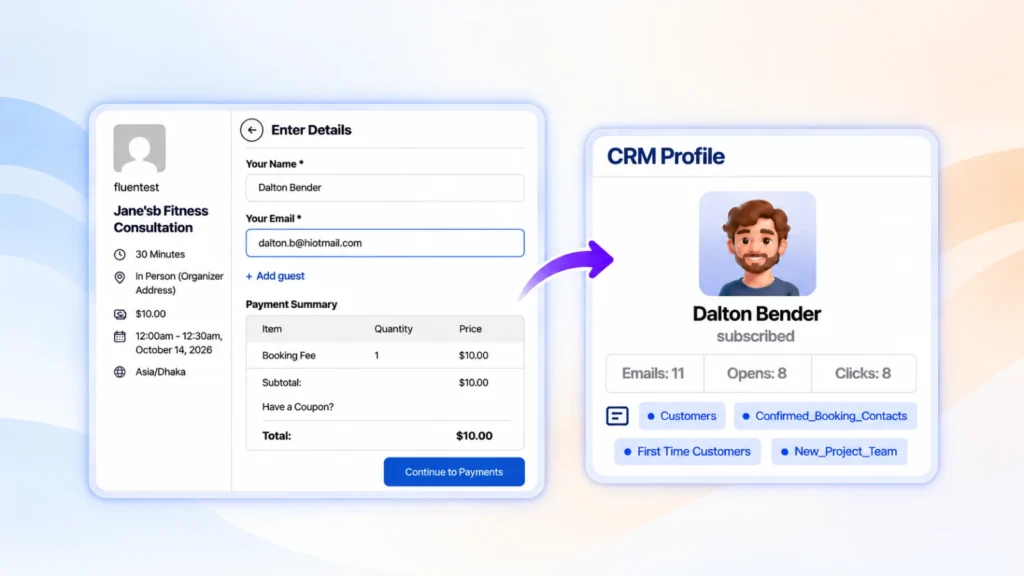
- CRM systems: If patient or appointment information is sent to a CRM such as FluentCRM, review how that information is stored, accessed, and managed.
- Video conferencing platforms: Review how information is handled when appointments include telehealth meetings.
- Payment or other services: Evaluate any external service that receives or processes patient information.
When using WordPress with third-party plugins or integrations, each service should be evaluated based on the information it handles and the organization’s specific HIPAA requirements.
A BAA may be required when a vendor qualifies as a Business Associate. However, having a BAA alone does not make a service or an overall booking system HIPAA-compliant. The complete workflow, configuration, and security practices also need to be considered.
10. Use Appropriate Administrative and Security Safeguards
HIPAA compliance also depends on the security practices surrounding the technology. Beyond securing the WordPress website and booking system, healthcare organizations need measures that help prevent unauthorized access and ensure staff follow appropriate procedures.
Key areas to consider include:
- Strong passwords and MFA: Require strong, unique passwords and use multi-factor authentication (MFA) to add another layer of protection to staff accounts. Tools such as FluentAuth can be used to strengthen authentication within WordPress.
- Limited administrator access: Give administrative privileges only to users who need them.
- Security updates: Keep WordPress, plugins, themes, and server software updated.
- Security monitoring: Monitor the website and server for suspicious activity.
- Backups and recovery: Maintain secure backups and have procedures for restoring systems when necessary.
- Security policies: Establish clear procedures for protecting and handling patient information.
- Staff training: Ensure employees understand their responsibilities when working with PHI.
- Incident response: Have a plan for identifying, responding to, and recovering from security incidents.
These measures work alongside the technical safeguards discussed throughout the guide. Protecting patient information requires attention to the entire WordPress environment, not just the appointment booking system.
HIPAA Appointment Booking Checklist for WordPress
Before launching an online appointment booking system, use this checklist to review the main privacy, security, and operational considerations:
- Identify what PHI the booking process collects.
- Collect only the information necessary for scheduling.
- Enable HTTPS with a valid SSL/TLS certificate.
- Use a secure hosting environment.
- Restrict WordPress administrator access to authorized users.
- Use strong passwords and multi-factor authentication (MFA).
- Keep WordPress, plugins, themes, and server software updated.
- Protect the database and backups from unauthorized access.
- Configure FluentBooking booking fields to collect appropriate information.
- Review appointment confirmations and reminder notifications. Review every third-party integration that may handle patient information.
- Establish appropriate data retention and deletion procedures.
- Determine whether applicable vendors require Business Associate Agreements (BAAs).
- Maintain appropriate security policies, procedures, and staff training.
- Have an incident response and recovery plan in place.
Build a Safer Appointment Booking Experience With WordPress
Online appointment booking can make healthcare scheduling more convenient, but protecting patient information needs to be part of the process from the beginning. HIPAA considerations extend across the entire workflow, including data collection, access control, transmission, storage, notifications, integrations, and staff practices.
WordPress provides the flexibility to manage many of these areas within one environment, while a scheduling solution such as FluentBooking can handle the appointment booking workflow within WordPress. By configuring each part of the system carefully and reviewing connected services, healthcare organizations can create a booking experience that puts patient privacy and security first.
Most importantly, HIPAA compliance is not something a single plugin or setting can provide. It requires the right combination of technology, configuration, policies, and ongoing security practices.
Ratul Hasan Ripon
I enjoy making complex ideas simple and engaging through my writing and designs. With a strong knowledge on content writing and SEO, I create technical content that’s both easy to understand and interesting.
Table of Content
Subscribe To Get
WordPress Guides, Tips, and Tutorials



Add your first comment to this post