
In FluentBooking, you can manage your Host permission easily.
User Role Management Based on WordPress Role #
WordPress Administrator users will be the default Admin of the FluentBooking plugin. By default, the Admin of the website can set the Host for FluentBooking.
Admin can make WordPress Contributor, Author, and Editor users as a Host of FluentBooking. Subscribers can’t be added as Host of FluentBooking.
Team #
Admin can also set permission for their Host to manage the bookings; the permission can be Read, Write, or both. Go to the FluentBooking dashboard, select Settings, and you will find the option Team in the left sidebar. Click on it.
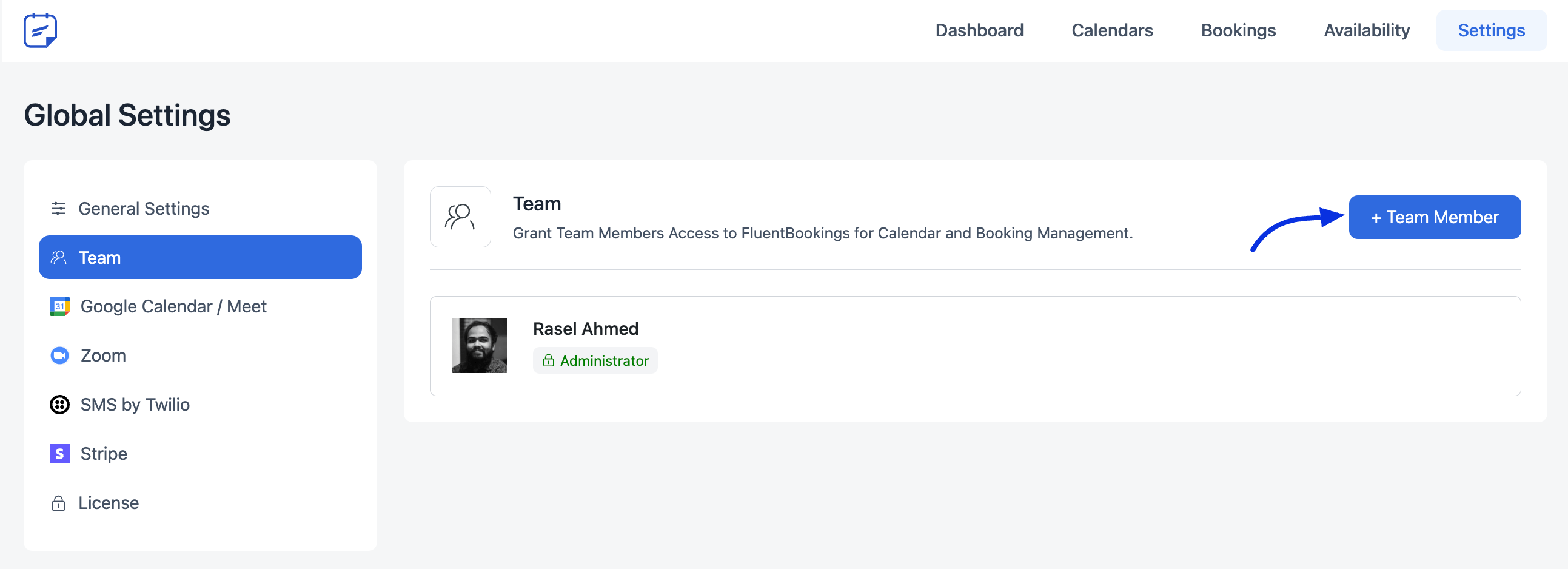
Here you will see the Team Member button. Click on it to add a team member. It will save the host’s permissions.
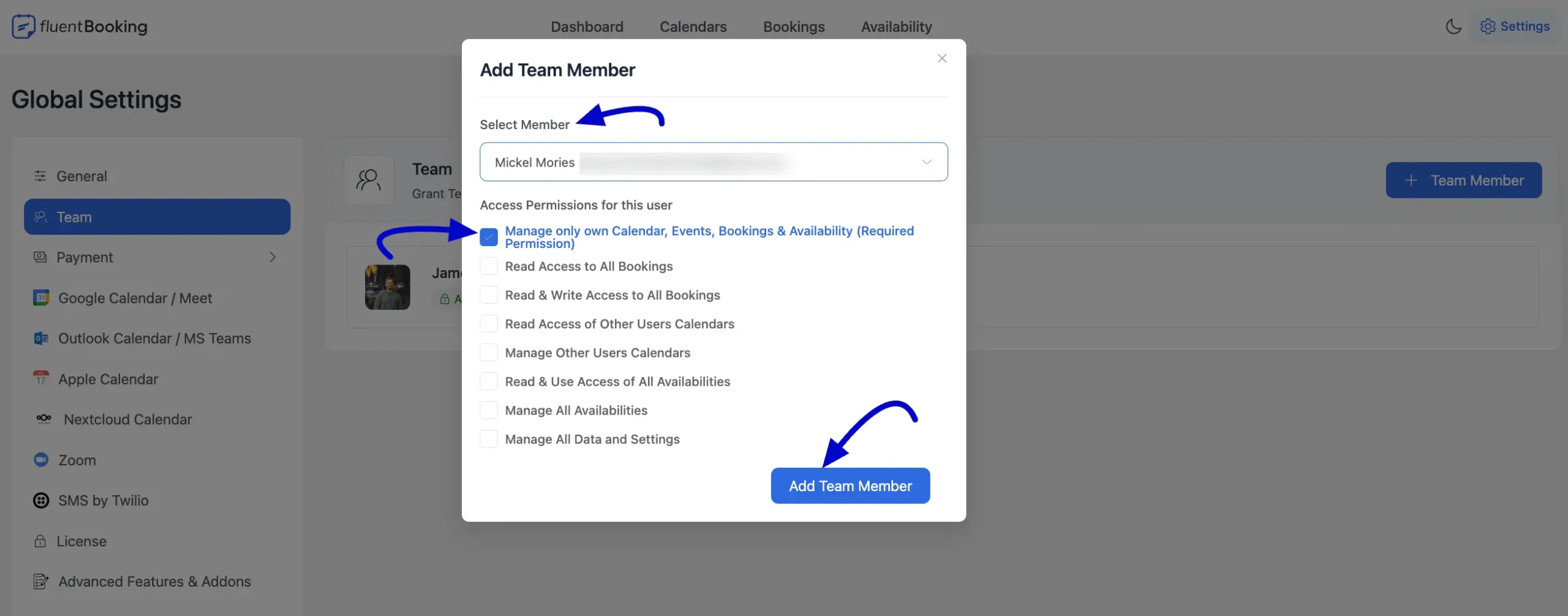
These are the permissions that the Admin can set for the Host.
- Manage only own Calendar, Events, Bookings & Availability (Required Permission)
- Read Access to All Bookings
- Read & Write Access to All Bookings
- Read Access of Other Users’ Calendars
- Manage Other Users’ Calendars
- Read & Use Access to All Availabilities
- Manage All Availabilities
- Manage All Data and Settings
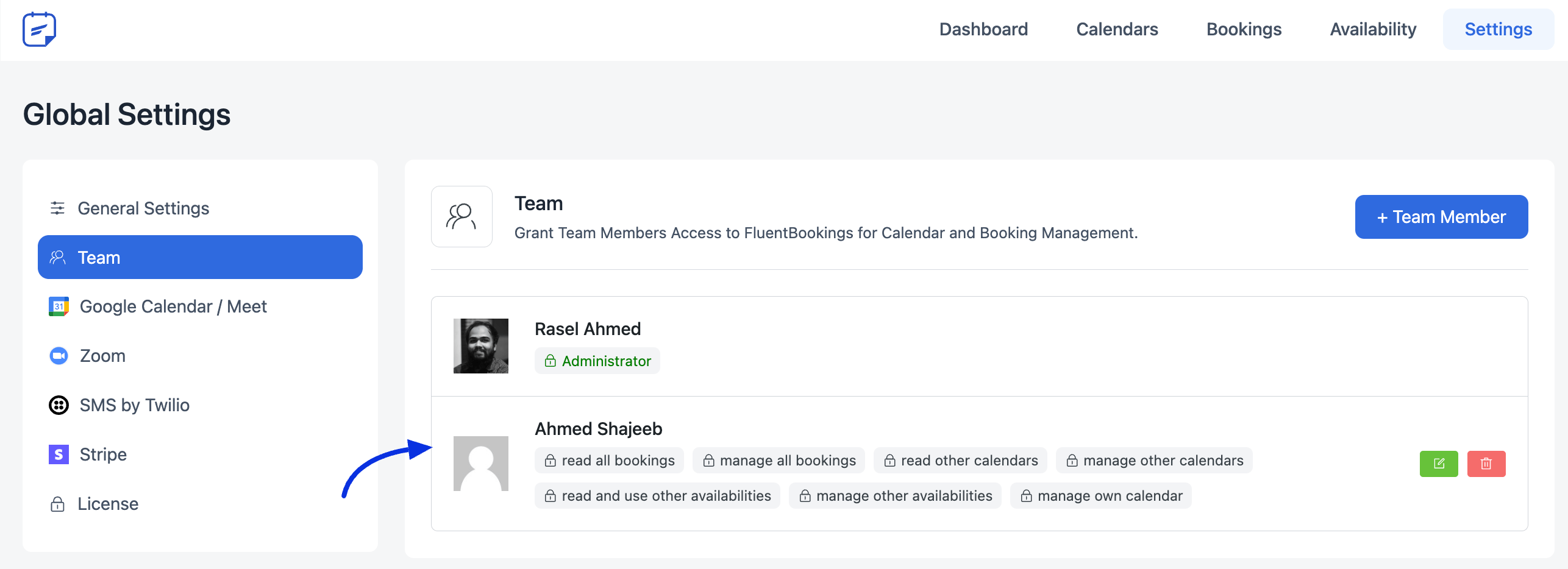
You can edit this host permission anytime by clicking the button on the right side. You will find a delete button also. The delete button won’t come up if the host has any booked meetings.


Hey, I changed the website admin and now I can’t set the new website admin to be the admin of fluent booking. How can I set the new website admin to be the fluentbooking admin?
Hey Laurens,
If someone is the website admin, they will automatically get full access to FluentBooking.
Hey,
I changed my website admin and in “Team” the Administrator disappeared. How can I set a new administrator. If I want to choose one it says “This is an admin user. You can not change permissions”, even though there is not Administrator in the “Teams” area.
Hey Laurens,
Please submit a ticket here.
How is the process for the team to manage and set their own calendar and availability? Do they have an area to get in and do the process?
Hey Javier,
You can use the Team Calendar feature.
Hello
Thanks for your post it’s possible for the guest to create a account ? When it Want to End the Process for Booking maybe before the payement ?
Hello Maeva,
Unfortunately, it’s not possible at the moment. However, I will forward your request to the development team.